Advanced MySQL for Data Analytics
Advanced JOINs
Beyond Basic Joins
You already know how to connect two tables to get the data you need. But sometimes, the relationships in your data are more complex. What if you need to find information that lives in the same table, like finding an employee's manager? Or what if you need to pull data from three, four, or even more tables at once to get a complete picture?
This is where advanced joins come in. They build on the same logic you're used to but allow for more powerful and intricate queries.
Joining a Table to Itself
A self-join is exactly what it sounds like: a query where you join a table with itself. This is useful when a table contains a relationship between its own rows. A classic example is an employees table that lists not only employees but also who their managers are. Since managers are also employees, the relationship is internal to the table.
To make this work, you have to treat the table as two separate, virtual tables. We do this by giving the table two different aliases within the same query. Think of it like putting on two different hats; you're still the same person, but you're playing two different roles.
Imagine our
employeestable has columns foremployee_id,name, andmanager_id. Themanager_idfor an employee points to theemployee_idof their manager.
SELECT
    e.name AS employee_name,
    m.name AS manager_name
FROM
    employees e
LEFT JOIN
    employees m ON e.manager_id = m.employee_id;
In this query, we've created two aliases for the employees table: e (for the employee) and m (for the manager). We join them on the condition that the employee's manager_id matches the manager's employee_id.
We use a LEFT JOIN here for a specific reason. If an employee doesn't have a manager (like the CEO), they will still appear in our results, with NULL in the manager_name column. An INNER JOIN would have excluded them entirely.
All Possible Combinations
What if you need to generate a list of every possible pairing between two sets of data? For instance, a clothing store might want a list of every possible T-shirt variation by combining all available sizes with all available colors. This is the job of a CROSS JOIN.
A CROSS JOIN creates what's known as a Cartesian product. It takes every row from the first table and pairs it with every single row from the second table. There's no ON clause needed because it connects everything to everything.
If we had a sizes table with 'S', 'M', and 'L', and a colors table with 'Red' and 'Blue', the query would look like this:
SELECT
    s.size_name,
    c.color_name
FROM
    sizes s
CROSS JOIN
    colors c;
The result would be six rows: (S, Red), (S, Blue), (M, Red), (M, Blue), (L, Red), and (L, Blue).
Be very careful with CROSS JOIN. If you join a table with 1,000 rows to another table with 1,000 rows, you will generate 1,000,000 rows. It's a powerful tool, but it can easily create massive, slow-running queries if used on large datasets.
Juggling Multiple Tables
Most real-world databases are complex, and getting the answers you need often involves joining more than two tables. The good news is that joining three, four, or more tables is just an extension of what you already know. You simply chain the JOIN clauses together.
Imagine a database for an online store. You might have tables for customers, orders, order_items, and products. To get a list of what each customer ordered, you'd need to link them all.
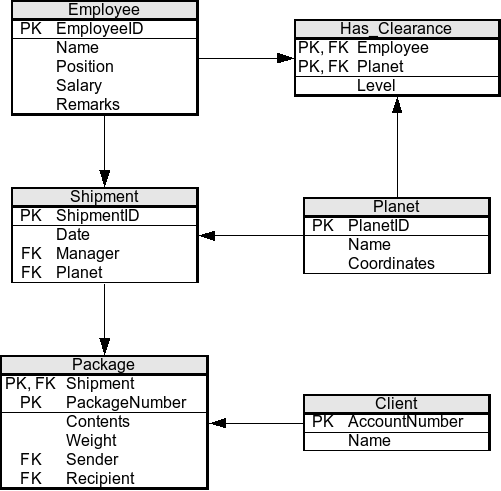
The query would connect customers to orders, orders to order_items, and order_items to products.
SELECT
    c.customer_name,
    p.product_name,
    oi.quantity
FROM
    customers c
JOIN
    orders o ON c.customer_id = o.customer_id
JOIN
    order_items oi ON o.order_id = oi.order_id
JOIN
    products p ON oi.product_id = p.product_id;
Each JOIN clause adds another table to the query, linking it to the tables that have already been joined. The order matters for clarity and sometimes performance, but the logic remains the same: specify the tables and the columns that connect them.
Keeping Joins Fast
As your queries become more complex, performance becomes more important. A poorly written join on large tables can slow a database to a crawl. Here are a few key principles to keep in mind.
First, make sure the columns you join on are indexed. An index is like the index in the back of a book; it allows the database to find matching rows much faster than scanning the entire table. Joining on un-indexed columns is one of the most common causes of slow queries.
Second, be specific about the columns you select. Avoid using SELECT *, especially in complex joins. Only request the columns you actually need. This reduces the amount of data the database has to move around.
Finally, use the right type of join. Don't use a LEFT JOIN if an INNER JOIN will do. INNER JOINs are often more efficient because they can eliminate rows earlier in the process. Each join type serves a different logical purpose, so choose the one that precisely matches the question you're asking.
For queries with GROUP BY and JOIN, perform aggregation earlier in the query to reduce the amount of data processed.
Mastering these advanced joins unlocks a much deeper level of data analysis, allowing you to connect disparate pieces of information into a cohesive whole.
You have a single table named employees where the manager_id for each employee refers to another employee_id in the same table. What type of join is specifically designed for this scenario?
When writing a self-join, what SQL feature is essential to differentiate the two roles of the same table within the query?