Advanced Mobile Penetration Testing
Advanced Environment Setup
Professional Environment Setup
To effectively test mobile applications, your setup needs to go beyond basic emulators. Professional penetration testing requires an environment configured for deep analysis and instrumentation. This means preparing your tools and target devices to bypass the defences you'll encounter in real-world apps.
The goal is to create a seamless workflow between your host machine and the mobile device, whether it's a physical Android phone, a jailbroken iPhone, or a virtualised instance. A well-configured setup allows you to inspect, modify, and automate interactions with an application at a granular level, which is essential for uncovering complex vulnerabilities.
Advanced ADB Configuration
You're likely familiar with the (ADB) for basic tasks like installing apps. For professional work, you need it to be accessible from any terminal window without navigating to a specific directory. This is done by adding ADB to your system's PATH variable.
Adding ADB to your PATH allows you to run
adbcommands from anywhere, which is critical for scripting and streamlining your workflow. No morecd-ing into the platform-tools folder.
# On macOS or Linux (add to ~/.zshrc, ~/.bashrc, or similar)
export ANDROID_HOME=/Users/your_username/Library/Android/sdk
export PATH=$PATH:$ANDROID_HOME/platform-tools

# On Windows (System Properties > Environment Variables)
# 1. Create a new variable `ANDROID_HOME` pointing to your SDK location.
#    Example: C:\Users\your_username\AppData\Local\Android\Sdk
# 2. Edit the `Path` variable and add a new entry:
#    %ANDROID_HOME%\platform-tools
After updating your shell's configuration file (e.g., by running source ~/.zshrc) or restarting your terminal, you can verify the setup. Connect a device and run adb devices. If it lists your device, your PATH is configured correctly.
Deploying Frida for Instrumentation
is a dynamic instrumentation toolkit that lets you inject your own scripts into running applications. It operates on a client-server model. The frida-server binary runs on the target mobile device, and your command-line tools (the client) run on your host machine, communicating over USB or Wi-Fi.
Deploying the server is a straightforward process using ADB. First, you need the correct server binary for your device's CPU architecture.
# 1. Check device architecture
adb shell getprop ro.product.cpu.abi
# Example output: arm64-v8a

# 2. Download the matching frida-server from Frida's GitHub releases
#    e.g., frida-server-16.3.1-android-arm64.xz
#    Unzip it first!

# 3. Push the server to the device's temporary directory
adb push frida-server-16.3.1-android-arm64 /data/local/tmp/frida-server

# 4. Get a root shell on the device
adb shell "su"

# 5. Give the server execute permissions and run it
chmod 755 /data/local/tmp/frida-server
/data/local/tmp/frida-server &
The & at the end runs the server in the background. To verify that your host machine can communicate with the server, use the frida-ps command. The -U flag specifies a USB-connected device.
Running
frida-ps -Ushould print a list of all running processes on the device. If it does, your Frida setup is working.
iOS Environments
Penetration testing on iOS presents a different set of challenges due to Apple's closed ecosystem. You can't just enable a developer mode and get root access. The two primary paths are using a physical jailbroken device or a high-fidelity virtualisation platform.
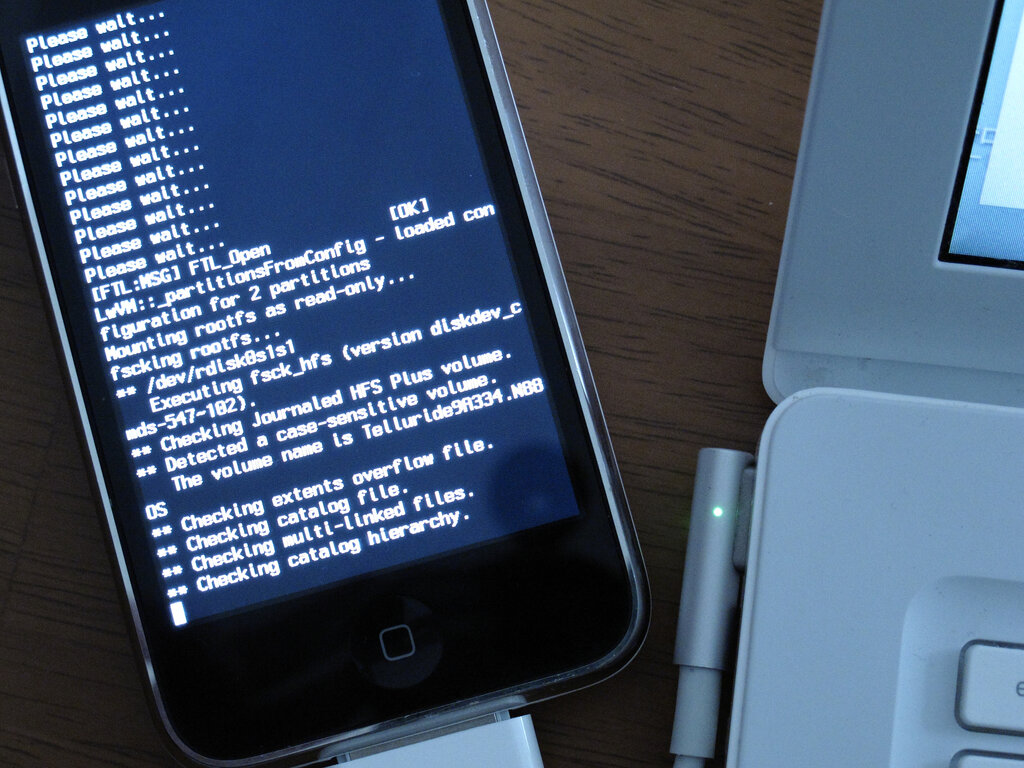
A physical, jailbroken device provides the most realistic testing environment. Using tools like checkra1n or unc0ver, you can gain root access, which is necessary for installing Frida and other testing tools. The downside is the cost of the hardware and the fact that jailbreaks can be unstable and are often tied to specific iOS versions and devices.
For more flexibility, platforms like offer virtualised iOS devices that are pre-jailbroken and accessible through a web interface. It virtualises the actual ARM hardware, so it behaves almost identically to a real phone. This allows you to quickly spin up different device models and iOS versions, take snapshots, and analyse network traffic, making it a powerful tool for professional testers.
Regardless of your choice, the environment must be optimised. This means ensuring you have SSH access to the device and that Frida is correctly installed. A common mistake is not having the environment ready before an assessment, which wastes valuable time.
With your advanced environment configured, ADB and Frida are synchronized and ready. You can now immediately attach to an application's process or spawn it with instrumentation already in place, giving you full control from the moment it starts.
Why is it recommended to add the Android Debug Bridge (ADB) to your system's PATH variable for professional penetration testing?
Which statement accurately describes the architecture of Frida, the dynamic instrumentation toolkit?