Advanced Home Network Security and Segregation
Networking Fundamentals
The Network's Layer Cake
Computer networking can seem complex, but it's built on a set of logical rules. To make sense of it all, engineers created the Open Systems Interconnection (OSI) model. It’s not a physical thing, but rather a conceptual framework that standardizes how different network devices and software communicate. Think of it as a seven-layer cake, where each layer has a specific job.
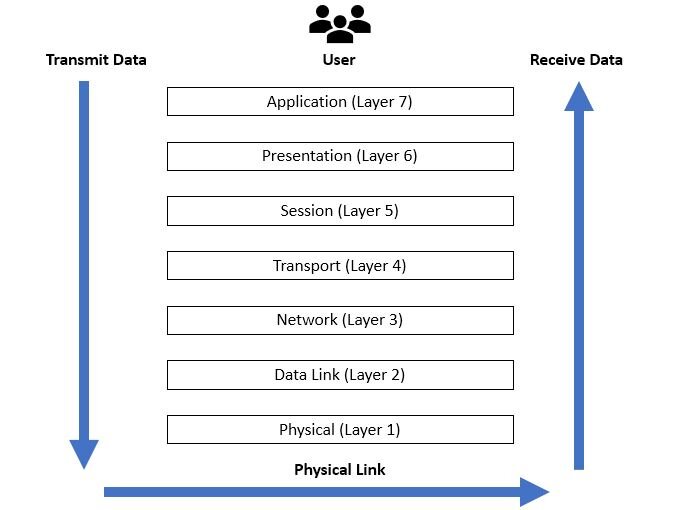
Here’s a quick tour of the layers, from top to bottom:
-
Layer 7: Application. This is the layer you interact with. When you use a web browser, send an email, or transfer a file, you're using application-layer protocols like HTTP, SMTP, or FTP.
-
Layer 6: Presentation. This layer acts as a translator. It ensures that data sent from one device's application layer can be understood by the application layer of another device. It handles things like data encryption, compression, and formatting.
-
Layer 5: Session. The session layer creates and manages the communication channel, or “session,” between two devices. It makes sure the conversation stays on track, and if it gets interrupted, this layer can help re-establish it.
-
Layer 4: Transport. This is where the reliability of the connection is managed. It breaks large chunks of data into smaller pieces called segments. The two most common protocols here are TCP and UDP, which we'll look at closer in a moment.
-
Layer 3: Network. This is the routing layer. It’s responsible for figuring out the best path for data to travel across the internet to reach its destination. This is where IP addresses live.
-
Layer 2: Data Link. This layer handles communication between devices on the same local network. It uses MAC addresses (unique hardware identifiers) to send data frames directly from one device to another.
-
Layer 1: Physical. This is the hardware layer. It includes everything from cables and Wi-Fi signals to the network interface cards in your devices. It's all about turning digital data into physical signals and sending them across the wire or through the air.
The OSI model helps diagnose problems. If your internet is out, you might check the physical layer first: is the cable plugged in? If you can access some websites but not others, the problem might be higher up, at the network or application layer.
Hardware with a Purpose
Two key pieces of hardware make most networks function: switches and routers. They operate at different layers of the OSI model and have distinct jobs.
A switch operates at Layer 2 (Data Link). Its job is to connect devices on the same local network, like the computers, printers, and smart TVs in your home. It’s like a local mail sorter for an office building. It knows the specific desk (the MAC address) of each person and delivers mail directly to them, rather than shouting out to the whole office. This makes communication within the local network efficient.
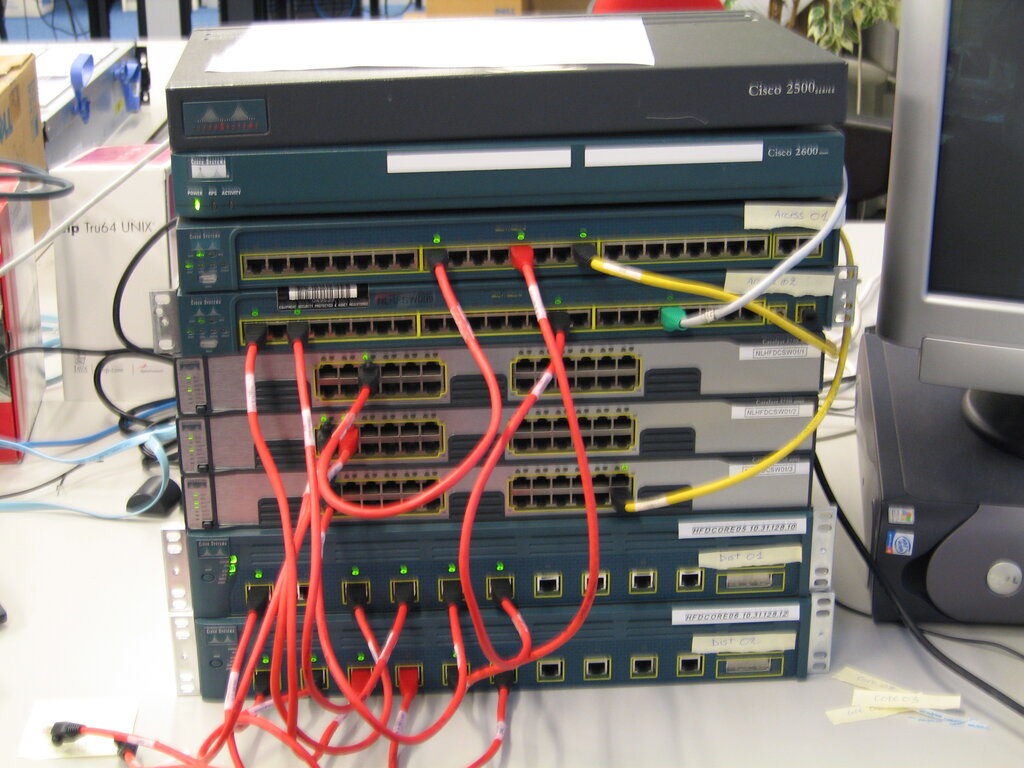
A router, on the other hand, operates at Layer 3 (Network). Its job is to connect different networks together. Your home router connects your local network to the vast network of the internet. It acts as a dispatcher, looking at the destination IP address of your data and forwarding it in the right direction to another network. Without a router, your computer could talk to your printer, but it couldn't access a website hosted on a server across the world.
Digital Addresses and Neighborhoods
For a router to know where to send data, every device on the internet needs a unique address. This is its IP (Internet Protocol) address. An IPv4 address, the most common type, looks something like 192.168.1.101.
An IP address has two parts: the network portion and the host portion. The network portion is like the street name, identifying the local network the device is on. The host portion is like the house number, identifying the specific device on that network.
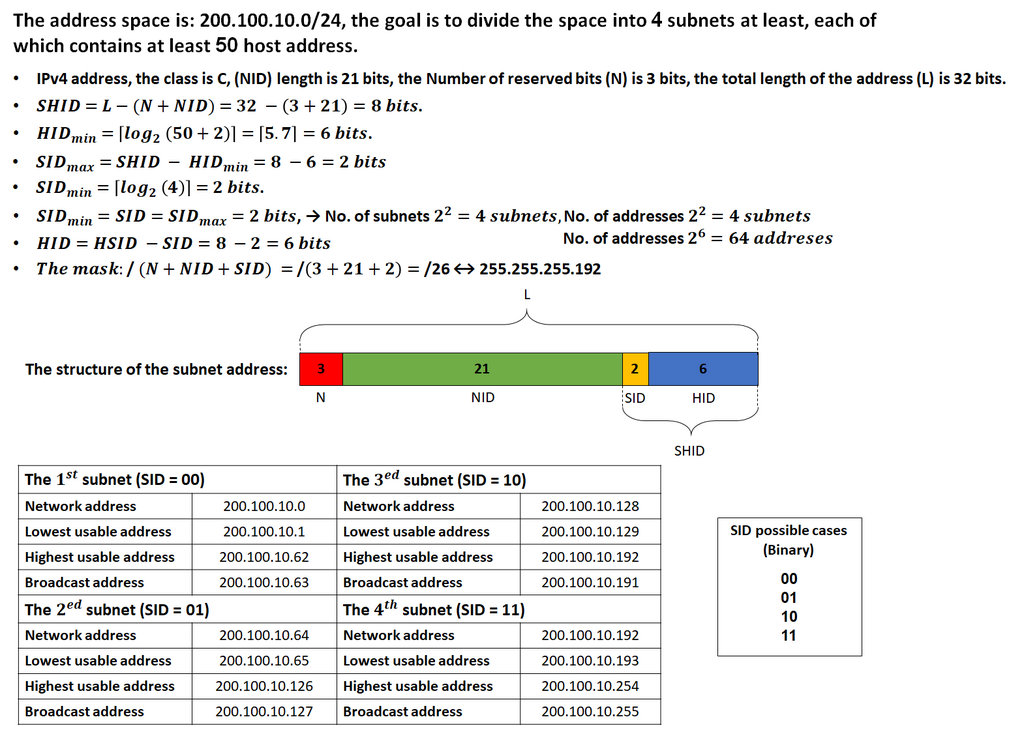
A subnet mask, like 255.255.255.0, is used to tell devices which part of the IP address is the network and which part is the host. This process of dividing a large network into smaller ones is called subnetting. Subnetting is like creating different neighborhoods on a large street. It helps organize traffic, improve performance, and enhance security by keeping devices in separate, logical groups.
Reliable vs. Fast
At the Transport Layer (Layer 4), two main protocols govern how data is sent: TCP and UDP.
TCP
noun
Transmission Control Protocol. A connection-oriented protocol that ensures all data arrives in the correct order and without errors.
Think of TCP as sending a package that requires a signature upon delivery. It establishes a connection, sends the data, confirms it was received, and then closes the connection. This three-way handshake (SYN, SYN-ACK, ACK) guarantees delivery. It's reliable, but the back-and-forth communication adds a bit of overhead, making it slightly slower.
UDP
noun
User Datagram Protocol. A connectionless protocol that sends data without establishing a connection or checking for errors.
UDP is more like sending a postcard. You write it, drop it in the mailbox, and hope it gets there. There's no connection established and no confirmation of receipt. It's fast and has very low overhead, but there's no guarantee the data will arrive or that it will be in the right order. This is perfect for applications where you can tolerate a dropped packet here and there, like a video call where a momentary glitch is better than a long pause.
| Feature | TCP (Transmission Control Protocol) | UDP (User Datagram Protocol) |
|---|---|---|
| Connection | Connection-oriented (establishes a session) | Connectionless (no session) |
| Reliability | High (guarantees delivery & order) | Low (no guarantees) |
| Speed | Slower (due to acknowledgements) | Faster (low overhead) |
| Use Case | Web, email, file transfers | Streaming, gaming, DNS |
Now let's check your understanding of these core concepts.
Which layer of the OSI model is responsible for determining the best path for data to travel across different networks using IP addresses?
A network switch operates at Layer 2 (Data Link) and uses IP addresses to forward data frames to the correct device on a local network.
Understanding these fundamentals—the OSI model, the roles of routers and switches, IP addressing, and the difference between TCP and UDP—provides the foundation you'll need to build and manage your own network effectively.