Advanced Digital Anonymity Essentials
Hardware Fingerprinting
Beyond Cookies
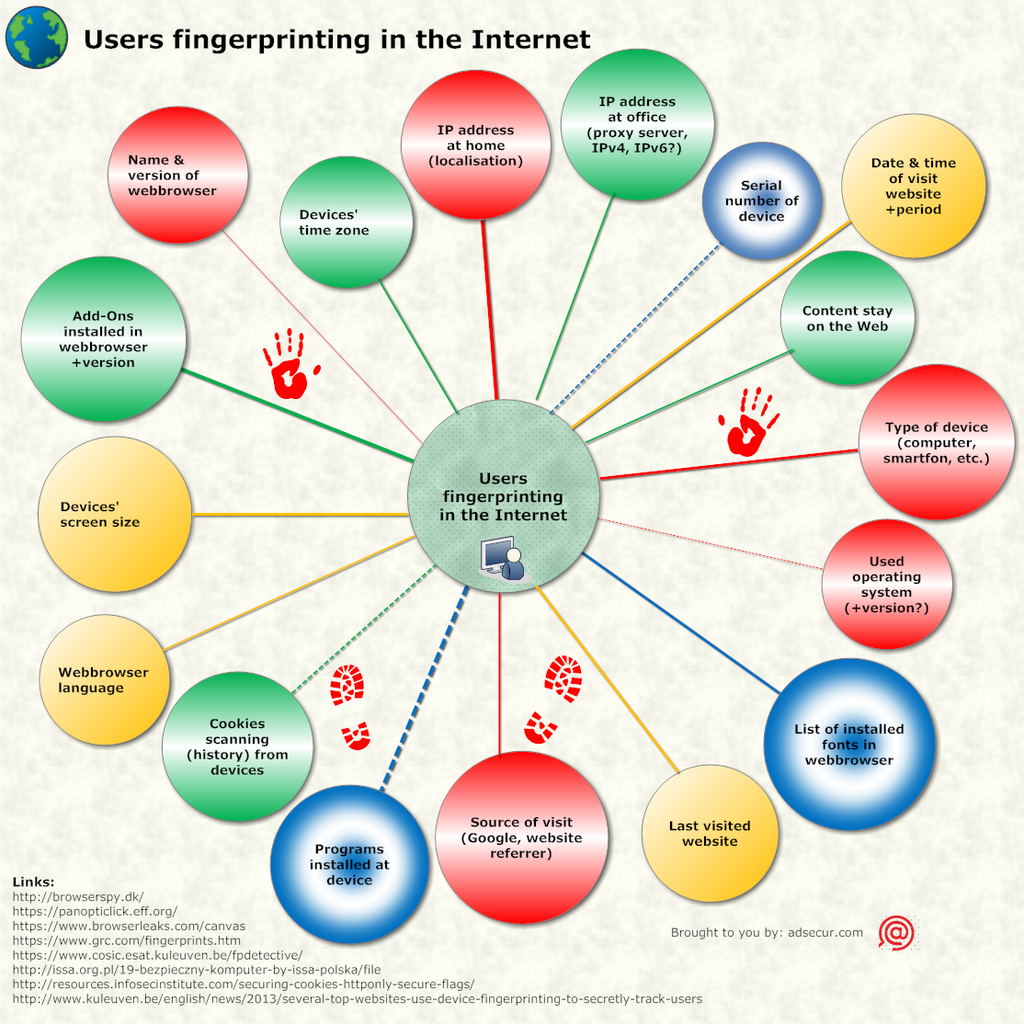
You already know that websites use cookies to remember you. But tracking technology has become far more sophisticated. Modern websites can identify you with startling accuracy, even if you block cookies, use a VPN, or browse in 'private' mode. They do this through a technique called device fingerprinting.
Instead of leaving a small file on your computer, fingerprinting scripts build a unique profile of your device itself. They observe dozens of subtle characteristics, from your screen size to the exact way your computer draws a picture. By combining these data points, they create a 'fingerprint' that is often unique enough to single you out from millions of other users.
The Artist's Sketch and the Musician's Tune
One of the most powerful fingerprinting methods involves the .. This is a browser feature that lets developers draw graphics and animations on a webpage. To create a fingerprint, a script instructs your browser to draw a hidden image with specific text and colours. Because of tiny variations in your graphics card, operating system, and drivers, every device renders this image slightly differently. The script then reads the raw pixel data from this invisible drawing, converts it into a string of text, and now has a highly stable identifier for your machine.
A similar technique uses (Web Graphics Library), an API for rendering complex 2D and 3D graphics. A script can ask your GPU to render a complex 3D shape off-screen. It then measures specific attributes of the resulting image, such as the exact shade of a pixel or the time it took to render. These values vary significantly between different GPUs and driver versions, adding another layer of detail to your digital fingerprint.
It’s not just visuals. The Web Audio API, designed for processing audio in the browser, can also be exploited. A script can generate a short, inaudible sound wave and measure how your device's audio hardware and software process it. The resulting waveform is subtly unique to your system, providing yet another data point for your fingerprint.
Why Incognito Mode Fails
A common misconception is that private browsing or 'incognito' modes protect you from this kind of tracking. They don't. These modes primarily prevent your browser from saving your history, cookies, and site data on your local device. They do nothing to change the underlying hardware and software characteristics that fingerprinting scripts rely on.
Your browser still reports your screen resolution, installed fonts, and GPU model, even in incognito mode. Your unique fingerprint remains the same.
The effectiveness of a fingerprint depends on its .. In this context, entropy is a measure of uniqueness. A data point with low entropy, like the operating system (many people use Windows), is not very useful on its own. But a high-entropy fingerprint, created by combining dozens of data points, can be as unique as a real-life fingerprint. Scripts gather everything they can, including your list of browser plugins, language settings, and even your device's battery status, to maximise this entropy.
So, how can you defend against this? One advanced strategy is .. Instead of trying to block the fingerprinting scripts, which is a constant cat-and-mouse game, some privacy-focused browsers and extensions add 'noise' to the data. They might slightly randomise the values reported by the Canvas API or report a common screen resolution instead of your actual one. The goal is to make your fingerprint look generic or to make it change slightly each time, preventing trackers from building a stable, long-term profile.
Now let's check your understanding of these advanced tracking methods.
What is the primary purpose of device fingerprinting?
A tracking script instructs your browser to render a complex 3D shape off-screen and then measures specific attributes of the result. Which API is most likely being used for this technique?