Advanced Camera Sensors and Log Workflows
Sensor Data Acquisition
From Light to Data
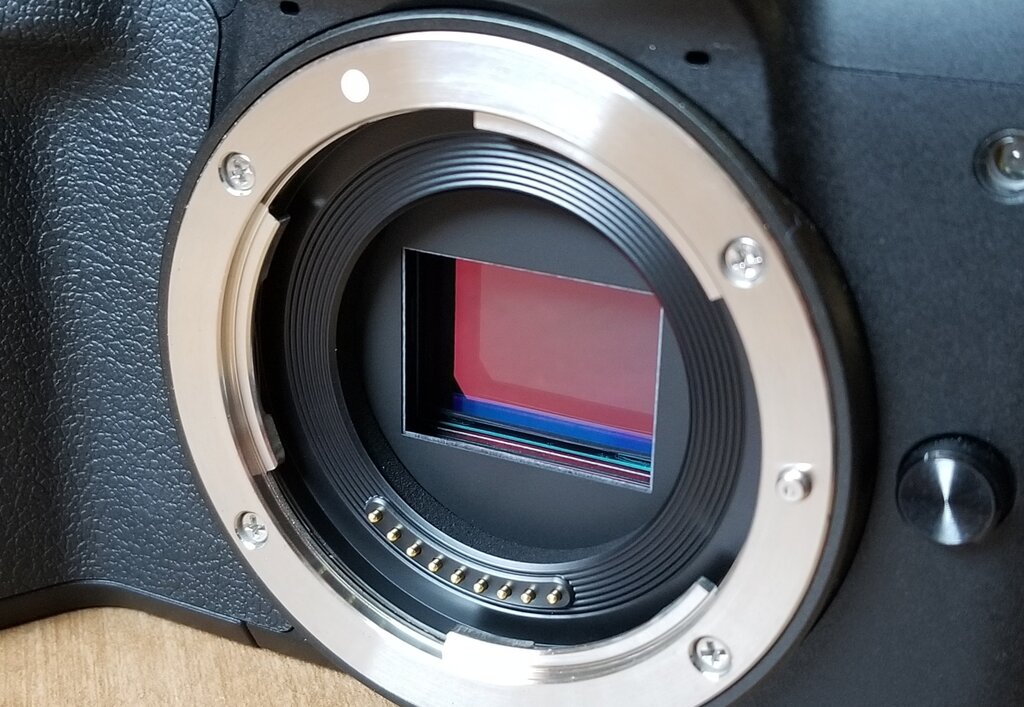
Every digital photograph begins as light striking a sensor. This sensor is a grid of millions of tiny light-sensitive cavities called photosites. Think of each photosite as a microscopic bucket designed to catch photons, the fundamental particles of light. When a photon strikes the silicon surface of a photosite, its energy knocks an electron loose. The more light that hits the photosite, the more electrons accumulate in its 'bucket,' which is technically known as a potential well.
The brightness of a pixel is directly proportional to the number of electrons collected in its corresponding photosite during an exposure. A bright highlight in your scene will fill a photosite's well with many electrons, while a deep shadow will result in very few. At this stage, the sensor has only captured luminance, or brightness information. It's essentially a high-tech black-and-white camera.
Capturing Color
So how do we get color from a monochrome grid? The solution is a clever filter mosaic placed directly over the sensor. The most common is the Bayer pattern, which arranges red, green, and blue filters over the photosites. It's not an even split, though. Because human vision is most sensitive to green, the pattern dedicates 50% of the photosites to green, 25% to red, and 25% to blue.
| G | R | G | R |
|---|---|---|---|
| B | G | B | G |
| G | R | G | R |
| B | G | B | G |
This means each photosite only records the brightness of a single color. To create a full-color image, the camera's processor performs a task called demosaicing. It intelligently interpolates, or guesses, the two missing color values for each pixel by looking at the data from its neighbors. This reconstruction is the first major processing step applied to your image data.
Digital Conversion and Noise
After the exposure ends, the accumulated charge in each photosite is an analog signal—a continuous voltage. To become a digital file, this signal must be quantified. This is the job of the analog-to-digital converter. The ADC measures the voltage from each photosite and assigns it a numerical value within a specific range, determined by the camera's bit depth. For example, a 14-bit ADC can assign one of $2^{14}$, or 16,384, distinct tonal values to each pixel.
However, this process isn't perfectly clean. The act of reading out the sensor data and amplifying the signal introduces a small amount of random, unwanted data: noise. The relationship between the actual image information (the signal) and this unwanted data is the signal-to-noise ratio (SNR). In bright conditions, the signal is strong and easily drowns out the noise. In dark conditions, the signal is weak, and to make it usable, it needs to be amplified. This amplification is what you control with the ISO setting.
Raising the ISO doesn't make the sensor more sensitive to light. It simply amplifies the signal after it has been captured. Unfortunately, this also amplifies the noise right along with it.
Understanding this entire chain—from photon capture to analog-to-digital conversion—is key to professional post-production. A RAW or LOG file is essentially a container for the minimally processed data from the sensor, right after demosaicing and ADC. It preserves the maximum amount of tonal information captured by the sensor's hardware. This gives you far more latitude to adjust exposure, recover details from shadows and highlights, and manipulate color compared to a compressed format like JPEG, which has already baked-in many destructive processing decisions.
What is the primary function of a photosite on a digital camera sensor?
Why does the common Bayer pattern allocate 50% of its color filters to green?
By working with the original sensor data, you have full control over the final look of your image.