Advanced AI Image Prompting
Technical Parameters
Beyond the Basic Prompt
You've learned that you can generate an image by typing /imagine followed by a description. But the real power comes from using parameters. Think of parameters as special instructions you add to the end of your prompt to control the AI's output with more precision. They act like dials and knobs for creativity.
Parameters are always added to the very end of your prompt. They start with a double hyphen, like
--parameter value.
Controlling the Art Style
The most important parameter for managing the artistic look of your image is --stylize. This setting tells Midjourney how much of its own trained aesthetic to apply. It's a number between 0 and 1000.
| Value | Effect |
|---|---|
Low --stylize (e.g., --s 50) | Sticks very closely to your prompt, but can be less artistic. |
Medium --stylize (e.g., --s 250) | A good balance of following the prompt and adding artistic flair. |
High --stylize (e.g., --s 750) | Gives Midjourney more creative freedom. The result will be more artistic but might stray from your prompt. |
If you want to reduce Midjourney's signature look as much as possible, you can use --style raw. This is perfect for when you want a more literal or photographic interpretation of your prompt, free from Midjourney's “opinionated” aesthetic and its default beautification.
Adding Variety and Strangeness
What if you want less control and more surprise? That’s where --chaos and --weird come in. These parameters are great for exploration when you're not sure what you want.
The --chaos parameter controls how varied the initial four images in your grid are. The value ranges from 0 to 100. A low value, like --chaos 10, will produce four images that are quite similar. A high value, like --chaos 80, will give you four very different starting points, exploring different compositions and styles.
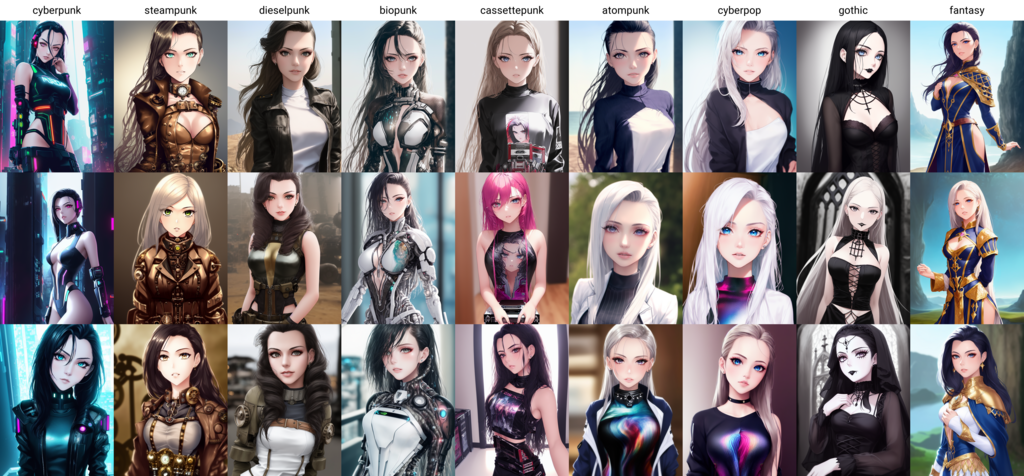
The --weird parameter, as the name suggests, introduces unconventional and surreal elements. Its values range from 0 to 3000. It's an experimental feature that combines your prompt with unusual aesthetic ideas to create unique, unexpected, and often strange results. Use a small value like --weird 250 for a touch of strangeness, or crank it up to --weird 2000 for truly bizarre creations.
Practical Tools
Some parameters serve very practical functions. The --tile parameter is a perfect example. Adding --tile to your prompt generates an image that can be repeated seamlessly to create patterns. This is incredibly useful for making website backgrounds, fabric designs, or game textures. The resulting image will have no visible edges when placed next to itself.
Finally, you need to control the shape of your image. The aspect ratio parameter, --ar, lets you do this. You define the width-to-height ratio with numbers separated by a colon.
--ar 1:1creates a square image.--ar 16:9is a widescreen format, perfect for desktop wallpapers.--ar 2:3is a common vertical format, great for portraits or phone backgrounds.
Which parameter adjusts how much of Midjourney's default artistic style is applied to an image, on a scale from 0 to 1000?
You want to create a photorealistic product shot and want to minimize Midjourney's default beautification and artistic flair. Which parameter is best suited for this goal?
Mastering these parameters is key to moving from a casual user to a true artist with Midjourney, giving you the control to bring your specific vision to life.