Adobe vs Emerging Graphic Design Software
Introduction to Graphic Design Software
From Analog to Digital
Not long ago, graphic design was a physical craft. Designers worked at drawing boards with T-squares, pens, and paper. They used X-Acto knives to trim photos and rubber cement to paste elements onto a layout board. Every change was manual and time-consuming.
The personal computer changed everything. Early programs in the 1980s, like MacPaint and Aldus PageMaker, began to digitize the designer's toolkit. Suddenly, you could draw, typeset, and arrange layouts on a screen. This shift wasn't just about swapping a knife for a mouse; it fundamentally altered the creative process. Designers could now experiment, undo mistakes instantly, and create effects that were impossible by hand.
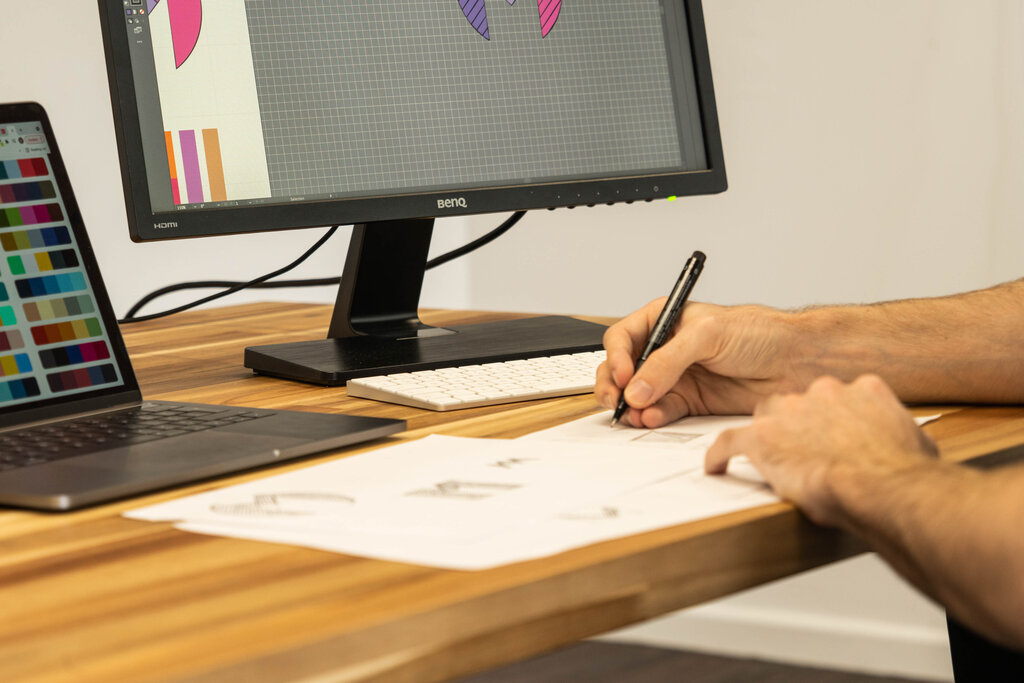
This evolution from analog to digital democratized design. It lowered the barrier to entry and gave rise to new aesthetics, workflows, and possibilities. The tools continued to evolve, becoming more powerful and specialized, paving the way for the sophisticated software we use today.
The Designer's Digital Hub
Today, graphic design software is more than just a digital canvas. It's the central hub for the entire design process, from the first spark of an idea to the final delivery of a product. Modern software helps designers brainstorm, create prototypes, manage feedback, and prepare files for print or digital publication.
It also plays a crucial role in managing digital assets. A typical project might involve logos, photos, fonts, and color palettes. Software helps organize these components, ensure consistency, and allow teams to collaborate effectively. It’s a system for building, managing, and sharing visual language.
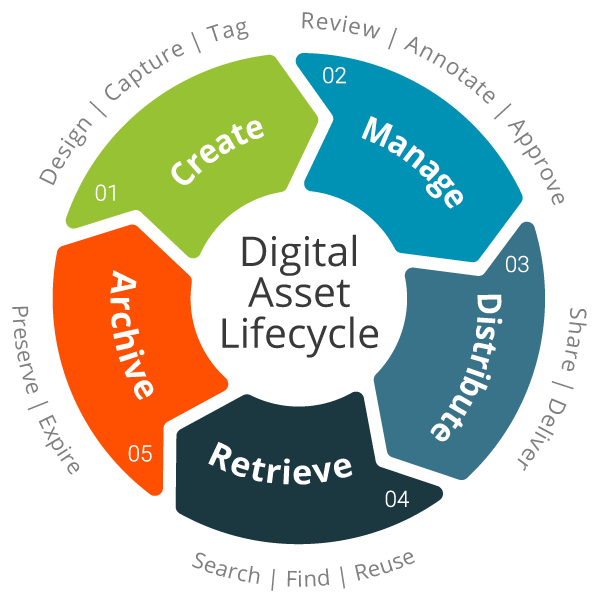
Think of it as the command center for visual communication. Whether a designer is working on a mobile app interface, a magazine cover, or a company's brand identity, the software is where all the pieces come together.
Giants and Newcomers
For decades, the software landscape was dominated by one major player: Adobe. Its Creative Suite, now called Creative Cloud, became the industry standard. This collection of applications covers nearly every aspect of design.
Key Adobe tools include:
- Photoshop: For editing photos and creating raster-based images.
- Illustrator: For creating logos, icons, and other vector graphics.
- InDesign: For laying out documents like magazines, books, and brochures.

While Adobe remains a powerhouse, the last decade has seen the rise of powerful alternatives. New tools have emerged, often focusing on specific needs like user interface (UI) design, digital illustration, or real-time collaboration.
Programs like Figma, Sketch, and Affinity Designer have gained massive followings. Figma, in particular, revolutionized UI design with its browser-based, collaborative approach, allowing entire teams to work on the same file at the same time. These newcomers challenged the status quo by offering different workflows and features, giving designers more choice than ever before.
Before the widespread use of personal computers, how did graphic designers typically assemble elements on a layout?
What was a fundamental change that early digital software like MacPaint and PageMaker introduced to the design process?
The right software depends on the task, the team, and the designer's personal preference. Understanding the key players and their roles is the first step in navigating this ever-evolving digital world.