Ableton Audio Interface Setup
Understanding Audio Interfaces
The Heart of Your Studio
So, you have a microphone, but how do you get its sound into your computer? You could use a USB microphone, which plugs directly into a USB port. But for more control and higher quality, you'll want an audio interface.
Think of an audio interface as a translator. It takes the analog signal from your microphone and converts it into a digital signal that your computer can understand. It also does the reverse, converting digital audio from your computer back into an analog signal you can hear through headphones or speakers.
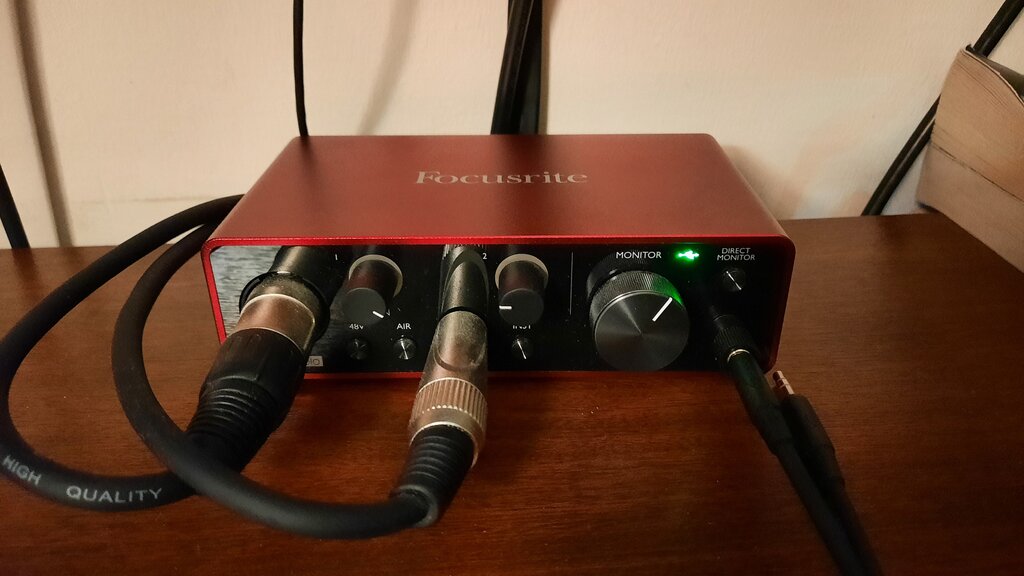
Your computer already has a built-in sound card that does this, but it's not designed for high-quality recording. An external audio interface is a specialized piece of hardware dedicated to doing this one job extremely well. The result is cleaner sound, more connection options, and a crucial feature for recording: low latency.
Latency
noun
The delay between when an audio signal is created and when it's heard.
Interface vs USB Mic
A USB microphone is essentially a microphone with a simple audio interface built right in. This makes it incredibly convenient. You just plug it in and start recording.
Using a separate audio interface requires a microphone with an XLR connector. While this setup has more parts, it offers far more flexibility and room to grow. It allows you to use professional-grade microphones, connect multiple inputs at once (like a mic and a guitar), and monitor your audio with zero perceptible delay.
| Feature | USB Microphone | Audio Interface + XLR Mic |
|---|---|---|
| Simplicity | Plug and play | More components to connect |
| Sound Quality | Good | Excellent to professional |
| Flexibility | Usually one input | Multiple inputs for mics, instruments |
| Latency | Can be noticeable | Near-zero |
| Upgradability | Must replace entire unit | Can upgrade mic and interface separately |
Choosing Your Interface
When you start shopping for an interface, you'll see a lot of specs. Here's what to focus on.
Inputs and Outputs (I/O): How many things do you need to record at the same time? A solo podcaster might only need one microphone input. A musician might want two or more to record vocals and an instrument simultaneously. Most interfaces have "combo jacks" that can accept both XLR microphone cables and 1/4-inch instrument cables.
Preamps: A preamplifier (or preamp) boosts the weak signal from a microphone to a level the interface can work with. The quality of the preamps is a major factor in the overall sound quality of the interface. Better preamps mean cleaner, clearer recordings.
Phantom Power: Condenser microphones require a small amount of electricity to function. Audio interfaces provide this through the XLR cable. If you plan to use a condenser mic, make sure the interface has a button labeled "48V" or "Phantom Power."
Some popular and reliable brands to start your search with include Focusrite, PreSonus, and Universal Audio. They all offer a range of interfaces from simple, budget-friendly models to complex professional units.
Choose an interface that meets your needs today, but has the flexibility to handle what you might want to do tomorrow.
Now, let's check your understanding of these core concepts.
What is the primary role of an external audio interface?
A USB microphone is essentially a microphone with a simple audio interface built directly into it.
An audio interface is a powerful tool that serves as the central hub for your recording setup, ensuring high-quality sound and flexible connections.