6502 Assembly for Apple II
Introduction to 6502 Assembly
The Heart of the Apple II
At the core of the Apple II, and many other iconic 8-bit computers like the Commodore 64 and Atari 2600, lies a tiny silicon chip: the MOS Technology 6502 microprocessor. Think of it as the computer's brain. It reads instructions from memory, performs calculations, and controls the other components. To write programs that speak directly to the hardware, you need to understand the language of the 6502: assembly.
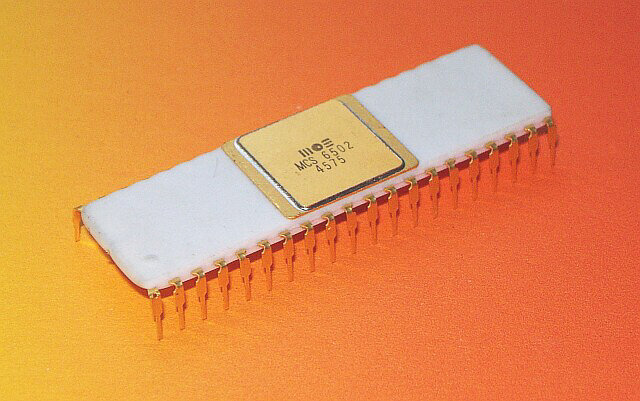
Assembly language is a low-level programming language that has a very close correspondence between its instructions and the processor's own machine code. Each line of assembly code typically translates to a single machine instruction. This gives you precise control over the hardware, allowing for programs that are incredibly fast and efficient—a necessity on the limited hardware of the late 1970s.
Inside the 6502's Mind
The 6502 processor isn't very complex by modern standards, which makes it a great starting point for learning assembly. Its architecture is built around a handful of special storage locations called registers. These are small, extremely fast memory slots right inside the CPU that are used to hold data temporarily while the processor works on it.
| Register | Name | Size | Purpose |
|---|---|---|---|
| A | Accumulator | 8 bits | The main workhorse for arithmetic and logic operations. |
| X | Index Register X | 8 bits | A general-purpose register, often used as a counter or an offset for memory access. |
| Y | Index Register Y | 8 bits | Similar to the X register, providing extra flexibility. |
| PC | Program Counter | 16 bits | Holds the memory address of the next instruction to be executed. |
| SP | Stack Pointer | 8 bits | Points to a location in a special memory area called the stack, used for temporary data and return addresses. |
| P | Processor Status | 8 bits | A collection of single-bit "flags" that track the state of the processor (e.g., was the last result zero?). |
The Accumulator is where most of the action happens. If you want to add two numbers, you typically load one into the Accumulator, add the second one to it, and the result stays in the Accumulator. The X and Y registers are handy for loops and for accessing sequences of data in memory. The Program Counter, on the other hand, works mostly in the background, automatically advancing through your program's instructions one by one.
Speaking the Language
The 6502's vocabulary is its instruction set—a collection of simple commands called mnemonics. These are short, three-letter codes that represent a specific operation, like LDA for "Load Accumulator" or JMP for "Jump" to a different part of the program.
Most instructions need a piece of data to work with. How the processor finds that data is determined by the addressing mode. For example, you could tell the processor to load a specific, immediate number, or to load a number found at a particular memory address.
An instruction is the what (e.g., load data). The addressing mode is the where (e.g., from memory location 100).
Let's look at a few fundamental instructions. Here, LDA loads the number 5 directly into the Accumulator. Then STA stores that value into a memory location we've labeled my_variable. Note that the # signifies an immediate value, while the lack of it refers to a memory address.
LDA #5        ; Load the number 5 into the Accumulator
STA my_variable ; Store the value in the Accumulator at the address 'my_variable'
Now let's do some math. This code loads the value from num1, adds the value from num2 to it, and stores the result in sum.
LDA num1      ; Load the value at 'num1' into the Accumulator
ADC num2      ; Add the value at 'num2' (with carry) to the Accumulator
STA sum       ; Store the result in 'sum'
The 6502 has 56 official instructions, but when combined with its 13 different addressing modes, they create a rich set of commands for controlling the computer.
Your Programming Toolkit
You don't need an original Apple II to write 6502 assembly. Modern tools make it easy to get started right on your computer. You'll primarily need two things: an assembler and an emulator.
An assembler is a program that converts the human-readable assembly code you write (the mnemonics) into the raw binary machine code that the 6502 processor actually understands. Think of it as a translator.
An emulator is a program that mimics the hardware of an Apple II. It creates a virtual computer inside your modern machine, allowing you to run the machine code generated by your assembler as if it were on real vintage hardware. Emulators often come with powerful debugging tools that let you step through your code instruction by instruction and inspect the state of the registers and memory.
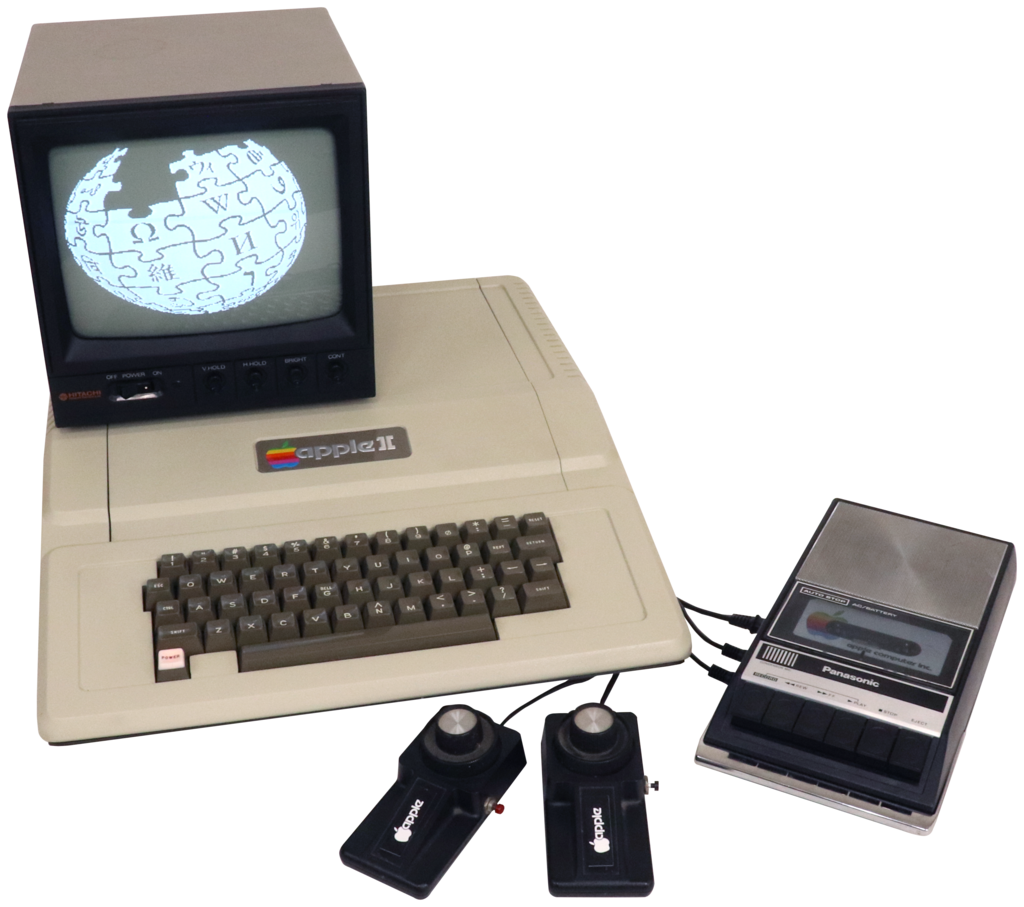
Popular choices for a development setup include:
- Assembler:
ca65, part of thecc65toolchain, is a powerful and widely used cross-assembler. This means it runs on a modern OS (like Windows, macOS, or Linux) but creates code for a different target system (the 6502). - Emulator: MAME (Multiple Arcade Machine Emulator) has excellent support for the Apple II family. Other dedicated Apple II emulators like AppleWin (for Windows) or Virtual II (for macOS) are also great options.
Setting these tools up allows you to write code in a comfortable modern text editor, assemble it with a simple command, and then immediately run and test it in a faithful re-creation of an Apple II.
What is the primary role of an assembler in the context of 6502 development?
Which 6502 register is the primary hub for arithmetic and logical operations?