WordPress Website Maintenance Essentials
Introduction to WordPress Maintenance
Your Website Needs a Tune-Up
Launching a website is just the beginning. Like a new car, it needs regular care to run smoothly and safely. Neglecting it can lead to serious problems down the road. Website maintenance is the ongoing process of checking your site for issues and keeping it updated and secure.
Managing a website is a bit like owning a car—it requires regular upkeep and maintenance to run smoothly and stay beautiful.
Without regular maintenance, you're leaving your site vulnerable. Let's look at the biggest risks of a 'set it and forget it' approach.
Risks of Neglect
First and foremost is security. WordPress is popular, which makes it a target for hackers. They constantly search for vulnerabilities in outdated software. A security breach can compromise your data, infect your visitors' computers with malware, and get your site blacklisted by search engines.
Next is performance. Over time, your site can become bloated with unnecessary data, old plugin code, and unoptimized images. This slows down your page load times. Visitors are impatient; a slow website frustrates them and can hurt your search engine rankings.
Finally, there's functionality. Technology changes quickly. A feature that worked perfectly a year ago might break after a software update or become incompatible with new browser versions. Broken links, non-functioning forms, and display errors create a poor user experience and can damage your credibility.
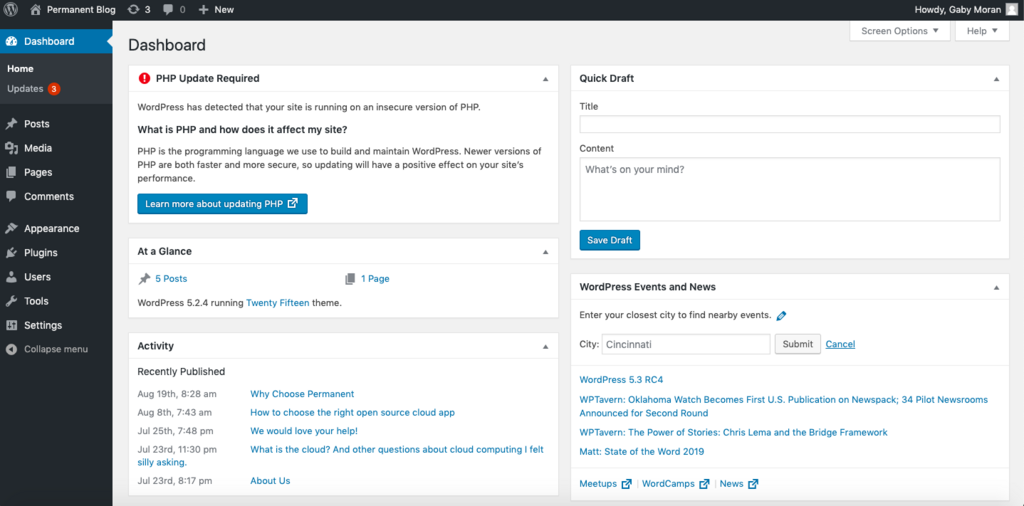
The Maintenance Checklist
A good maintenance routine focuses on three core areas. Think of it as a checklist for keeping your website healthy.
- Security: This involves regularly updating the WordPress core files, themes, and plugins. It also includes running security scans and creating backups of your site in case something goes wrong.
- Performance: This is about keeping your site fast and responsive. Tasks include optimizing your database, compressing images, and ensuring your code is clean and efficient.
- Functionality: This means routinely checking that everything on your site works as intended. You'll test forms, check for broken links, and review your site on different devices to ensure a consistent experience for all users.
In the upcoming articles, we'll dive into the specifics of how to handle each of these areas.
Ready to check your understanding?
What is the primary security risk associated with neglecting to update your website's software (like WordPress core, themes, and plugins)?
Over time, a website can slow down. Which of these is a common cause of poor website performance that regular maintenance can address?
Now that you understand why maintenance is crucial, we can explore how to perform these essential tasks.