SQL for Product Managers
Introduction to SQL
The Language of Data
Think of a massive library, filled with millions of books. If you need to find a specific piece of information, you don't just wander around aimlessly. You go to the librarian and ask a clear, specific question. SQL, or Structured Query Language, is the language you use to ask questions of your data.
SQL (Structured Query Language) is a standard programming language used for managing and manipulating relational databases.
Databases that use SQL are called "relational databases." This just means they store data in a structured way, using tables with rows and columns. Imagine a simple spreadsheet for your customers. Each row is a different customer, and each column holds a specific piece of information like their name, email, or sign-up date. Different tables can be related to each other. For example, you might have one table for customers and another for their orders. SQL lets you connect the dots between them.
Setting Up Your Workspace
Before you can start querying, you need a database system. Two popular and free options are MySQL and PostgreSQL. Setting one up on your computer gives you a playground to practice in. Once installed, you can connect to it using a command-line tool or a graphical interface like MySQL Workbench.
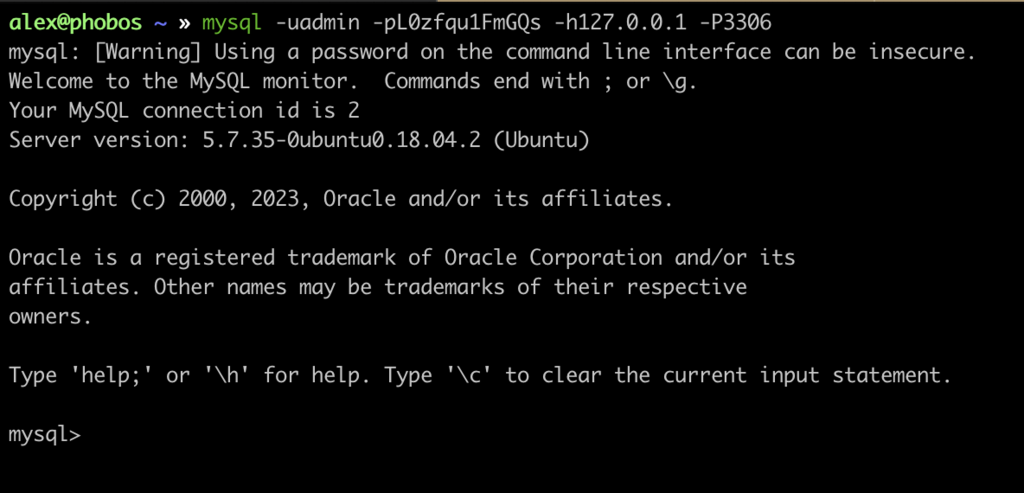
The first thing you'll likely do is create a database. This is like creating a dedicated filing cabinet for a new project. The command is straightforward.
CREATE DATABASE new_project_db;
Every SQL command, or "query," ends with a semicolon. It's like the period at the end of a sentence, telling the database you're done with your request.
Basic Conversations with Data
Once you have a database and some tables, you can start the real work: creating, reading, updating, and deleting data. These four operations are the foundation of almost everything you'll do in SQL.
To talk to data, you use specific commands. Think of them as verbs:
SELECT,INSERT,UPDATE, andDELETE.
Let's imagine we have a customers table.
To see what's in it, you use SELECT. The asterisk (*) is a wildcard that means "all columns."
-- This query retrieves all data from the customers table.
SELECT * FROM customers;
To add a new customer, you use INSERT INTO. You specify the table, the columns you're adding data to, and then the values themselves.
INSERT INTO customers (name, email)
VALUES ('Jane Doe', 'jane.doe@example.com');
What if a customer changes their email? You'll need to UPDATE their record. This is where the WHERE clause becomes critical. It tells the database which specific row to change. Without it, you'd update every single customer!
UPDATE customers
SET email = 'jane.d@example.com'
WHERE name = 'Jane Doe';
Similarly, to remove a record, you use DELETE. And just like with UPDATE, the WHERE clause is your safety net. It ensures you only delete the record you intend to.
DELETE FROM customers
WHERE name = 'Jane Doe';
Changing the Structure
Sometimes you need to modify the database structure itself, not just the data inside it. You might need to add a new column to a table or remove a table you no longer need.
To modify an existing table, like adding a column for a customer's phone number, you use ALTER TABLE.
ALTER TABLE customers
ADD phone_number VARCHAR(20);
There are also ways to get rid of things entirely. TRUNCATE TABLE removes all rows from a table but keeps the table structure. It's fast but irreversible.
-- This will delete all customer data, but the 'customers' table will still exist.
TRUNCATE TABLE customers;
If you want to remove the entire table—data, structure, and all—you use DROP TABLE. Be careful with this one; there's no undo button.
-- This permanently deletes the 'customers' table.
DROP TABLE customers;
These basic commands are the building blocks for asking much more complex and powerful questions of your data.
What does SQL stand for?
In an UPDATE or DELETE statement, what is the critical function of the WHERE clause?