SQL Database Fundamentals
Introduction to SQL
What Is SQL?
Databases store vast amounts of information, from your social media contacts to your online shopping history. But how do we communicate with them? We can't just ask a database in plain English to find a specific piece of information. We need a common language, and for most databases, that language is SQL.
SQL stands for Structured Query Language. Think of it as the universal translator for talking to databases. It provides a standard set of commands to ask a database to store, change, or retrieve data. Its syntax is designed to be readable, almost like a structured form of English, which makes it one of the most approachable languages for beginners in the tech world.
SQL, or Structured Query Language, is designed to "talk" to databases.
Whether you want to find all customers who live in California or update the price of a product, you use SQL to write a specific instruction, called a query, to get the job done. This simple yet powerful concept is the foundation of data management across countless industries.
A Brief History
SQL's story begins in the early 1970s at IBM. Researchers Donald D. Chamberlin and Raymond F. Boyce were inspired by a groundbreaking paper by Edgar F. Codd, which proposed a new way of organizing data called the "relational model."
To interact with data in this new model, they developed a language originally named SEQUEL (Structured English Query Language). The name was later shortened to SQL for trademark reasons. The language was simple, powerful, and built on principles that were easy to understand.
Over the years, its popularity grew. In the 1980s, it was adopted as a standard by both the American National Standards Institute (ANSI) and the International Organization for Standardization (ISO). This standardization was a huge deal. It meant that developers could learn one language and apply it to a wide variety of different database systems, like MySQL, PostgreSQL, and SQL Server.
Organizing Data with Tables
SQL is designed to work with relational databases. A relational database organizes data into tables, which are similar to spreadsheets. Each table has a specific topic, like Customers or Products.
A table is made up of rows and columns.
- Columns represent the attributes or characteristics of the data. For a
Customerstable, columns might includeCustomerID,FirstName,LastName, andEmail. - Rows represent individual records. Each row in the
Customerstable would hold the information for a single customer.
| CustomerID | FirstName | LastName | |
|---|---|---|---|
| 1 | Maria | Anders | maria.a@email.com |
| 2 | Ana | Trujillo | ana.t@email.com |
| 3 | Antonio | Moreno | antonio.m@email.com |
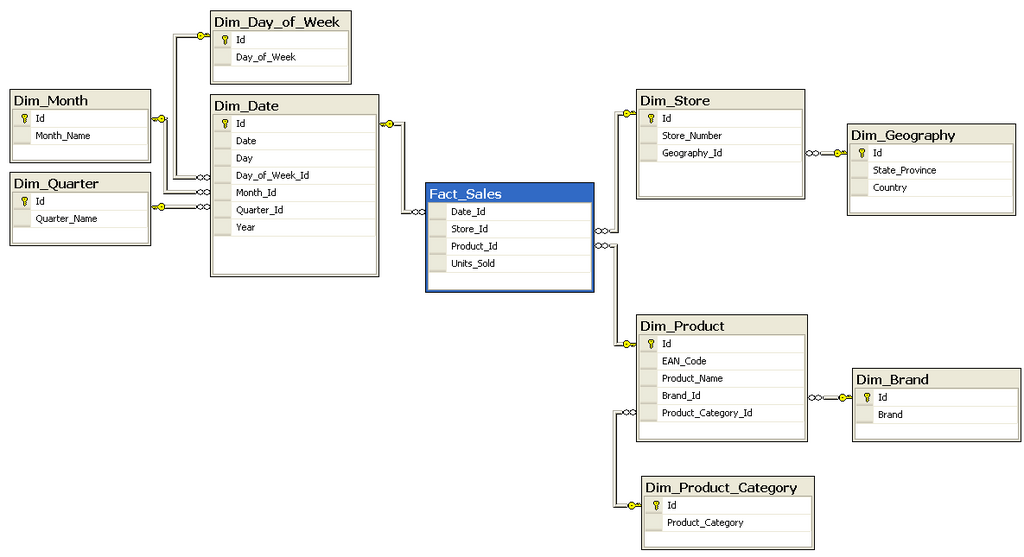
The real power comes from the "relational" part. Tables can be linked to each other. For example, we could have an Orders table that tracks every purchase. Instead of repeating customer information for every order, we can simply link to the customer using their unique CustomerID.
This structure prevents data redundancy and keeps information consistent. If a customer changes their name, you only need to update it in one place: the Customers table. SQL is the tool that lets us navigate these relationships to combine data from multiple tables into a single, meaningful result.
Why It Matters Today
In a world driven by data, SQL is more relevant than ever. Nearly every application that handles data, from a small business's inventory system to a massive social network, relies on a database. And to interact with that database, you need SQL.
It's a foundational skill for many roles:
- Data Analysts use SQL to pull data for reports and dashboards.
- Software Engineers use it to build applications that store and retrieve user information.
- Data Scientists use it to gather and clean large datasets for machine learning models.
Because it is a declarative language, you only have to describe what you want, not how to get it. You tell the database the result you're looking for, and the database management system figures out the most efficient way to retrieve it. This makes it an incredibly powerful and efficient tool for anyone working with data.
As we move forward, we'll dive into the specific commands that allow you to perform these powerful operations. For now, the key takeaway is that SQL is the essential bridge between us and the powerful world of relational databases.