Server-Side Website Tracking Explained
Introduction to Web Tracking
The Basics of Web Tracking
When you visit a website, you're rarely a complete ghost. Most sites keep a record of your visit to understand how people use their pages. This process is called web tracking. It’s the method of collecting and analyzing data about a user's behavior across web pages.
Why do businesses do this? It's not just about collecting data for its own sake. Tracking helps companies improve their services. By seeing which pages are popular and where users get stuck, they can enhance the user experience. It also powers personalized advertising and helps measure the effectiveness of marketing campaigns. Essentially, tracking provides the feedback needed to make a website better and more relevant to its audience.
What Data Is Collected
Web tracking can capture a wide range of interactions. It's not just about which pages you visit. The data often includes clicks on buttons, links, and images. It can record how far you scroll down a page, what you type into search bars, and information you submit through forms.
Other details might include your device type (like a phone or desktop), operating system, browser, screen resolution, and geographic location. Over time, this information helps build a picture of how different types of users interact with the site.
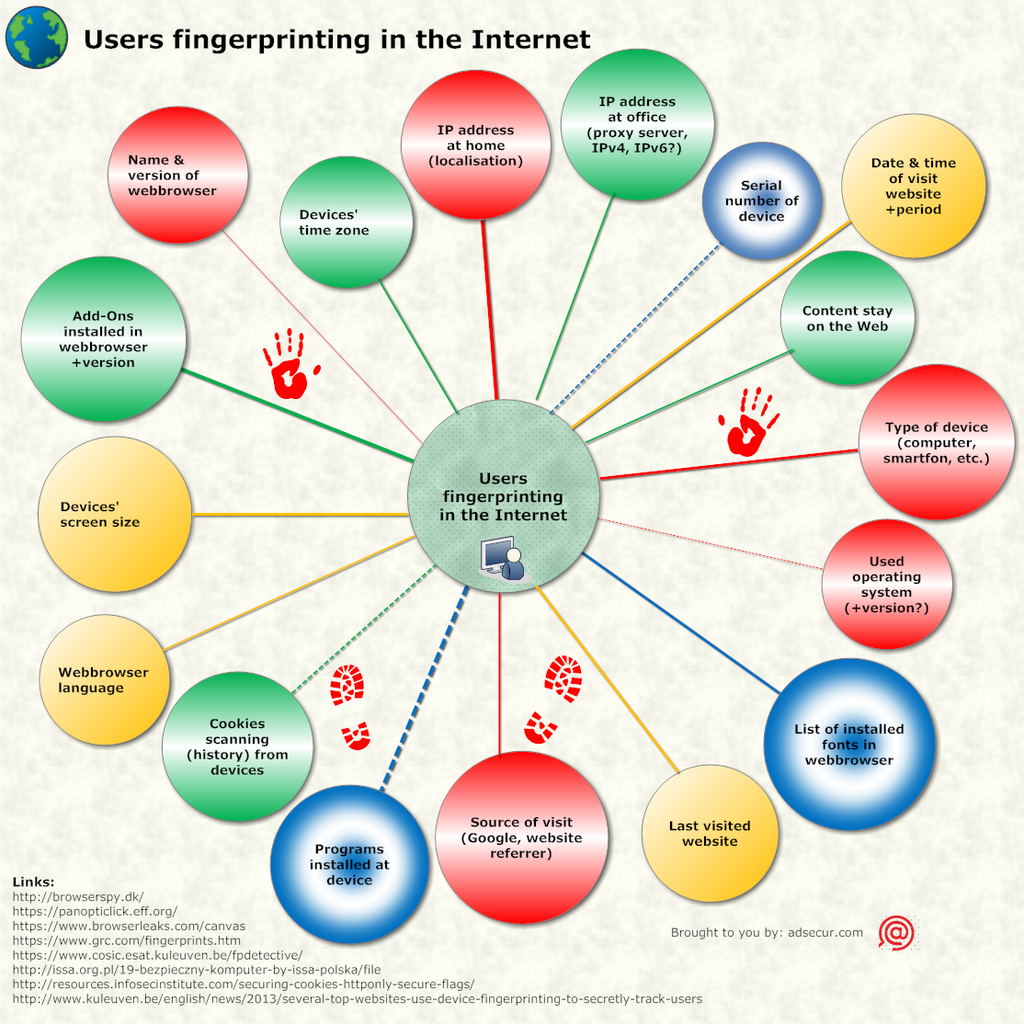
Imagine you're shopping online. A website might track that you viewed three different pairs of sneakers, clicked the “add to cart” button on one, but then left the site without buying. This is all valuable data.
How Tracking Works
So how do websites actually collect this information? They use a few common tools that work behind the scenes. You don't need to be a programmer to understand the basics.
cookie
noun
A small piece of data stored on the user's computer by the web browser while browsing a website.
Cookies are one of the most common methods. Think of them like a digital ticket. When you visit a site, it gives your browser a unique ticket. The next time you visit, the site reads the ticket to recognize you. This is how sites remember your login status or the items in your shopping cart.
Another tool is a tracking pixel. This is a tiny, often invisible 1x1 pixel image embedded on a webpage or in an email. When it loads, it sends information back to a server, confirming that you've visited a page or opened an email. It’s a simple but effective way to log an action.
Finally, there are tracking scripts. These are small pieces of code, usually written in JavaScript, that run in your browser. They are more powerful and can record a wide variety of interactions, like mouse movements, clicks, and how long you spend on a page. Most modern web analytics tools, like Google Analytics, rely on these scripts.
Online tracking enables sellers to amass troves of historical data, apply machine-learning tools to construct detailed customer profiles, and target those customers with tailored offers that best suit their interests.
Ready to check your understanding?
What is the primary purpose of web tracking for businesses, according to the text?
A website wants to remember the items you've added to your shopping cart, even if you close the browser and return later. Which technology is best suited for this?
Web tracking is a fundamental part of how the modern internet works, providing the data that helps websites adapt and improve for their users.