Selenium WebDriver with Java
Introduction to Selenium and Java
Automating the Web
Imagine you had to test a website's login form. You'd open a browser, type a username, type a password, and click 'Submit'. Then you'd repeat this for a different username, a wrong password, an empty password, and so on. This manual process is slow and prone to error.
Selenium is a tool that automates these kinds of browser actions. Instead of manually clicking and typing, you write a script that tells a web browser what to do. It can open a page, find an element like a search box, type text into it, click buttons, and check if the right results appear. It's like having a robot that can use a web browser just like a person, but much faster and more reliably.
Selenium is a tool to automate web application using different browsers such as Internet Explorer, Mozilla Firefox, Chrome etc.
To give Selenium these instructions, we need a programming language. While Selenium works with several languages like Python, C#, and Ruby, one of the most popular and powerful choices is Java.
Why Java?
Java is an object-oriented programming language, which means it organizes code in a way that's very structured and reusable. This is perfect for building complex automation scripts. Its strong community support and extensive libraries make it a robust choice for projects of any scale.
For now, you just need to understand a few core concepts.
syntax
noun
The set of rules that defines the combinations of symbols that are considered to be correctly structured statements or expressions in a language.
Java programs are built from variables, which store data, and methods, which perform actions. Think of variables as labeled boxes for holding information. You have to declare what type of information a box can hold.
| Data Type | Description | Example |
|---|---|---|
int | Stores whole numbers | int userCount = 10; |
String | Stores text | String username = "test_user"; |
boolean | Stores true or false values | boolean isLoggedIn = false; |
We also need ways to control the flow of our script. What if we want to perform an action only if a certain condition is met? For that, we use control structures like an if statement.
// An 'if' statement checks a condition
if (isLoggedIn == true) {
  // This code only runs if isLoggedIn is true
  System.out.println("User is logged in.");
} else {
  // This code runs if it's false
  System.out.println("User is not logged in.");
}
These are the fundamental building blocks we'll use to write instructions for Selenium.
Setting Up Your Workspace
Before you can write code, you need two things: the Java Development Kit (JDK) and an Integrated Development Environment (IDE).
-
Java Development Kit (JDK): This is the engine. It contains the tools to compile your Java code into a program that a computer can run. You'll need to download and install it from the official Oracle website or an alternative like OpenJDK.
-
Integrated Development Environment (IDE): This is your workshop. An IDE is a text editor with superpowers, designed specifically for writing code. It helps with autocompletion, debugging, and managing your project files. Popular choices for Java development include Eclipse and IntelliJ IDEA.
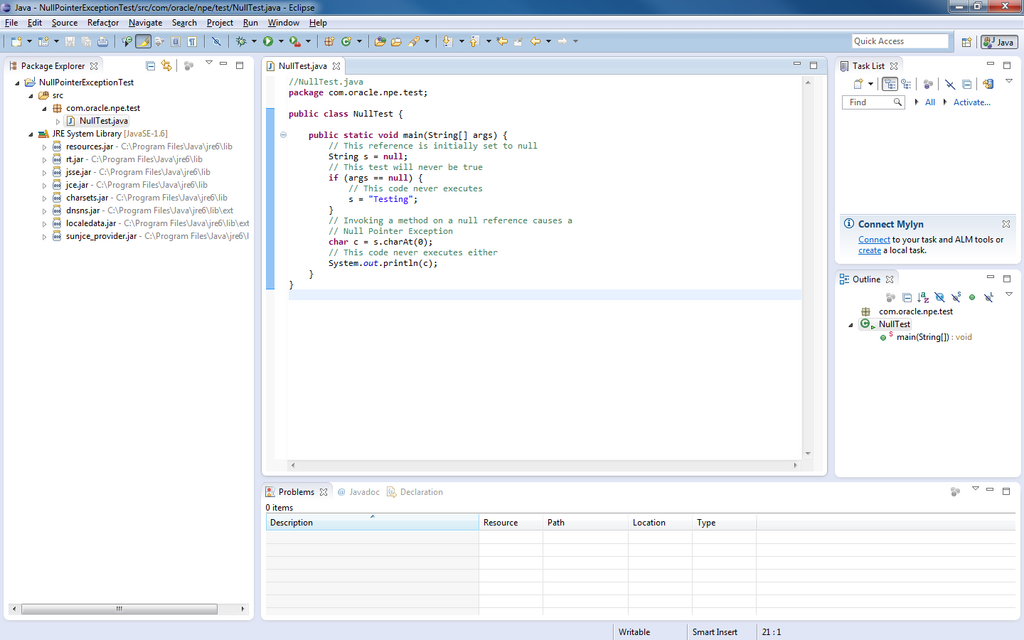
The installation process for both is straightforward. Simply download the installer for your operating system (Windows, macOS, or Linux) and follow the on-screen prompts. Once installed, you can launch your IDE and create a new Java project. This is where you'll write your first Selenium scripts.
Your goal is to have a working JDK and an IDE where you can create a new Java project. This setup is the foundation for everything we'll do next.
Time to check your understanding of these core ideas.
What is the primary function of Selenium?
Why is a programming language like Java necessary when using Selenium?
With your environment set up, you're ready to start telling browsers what to do.