SaaS Tech Stack Essentials
Introduction to SaaS
What is SaaS?
Think about how you watch movies. A couple of decades ago, you'd buy a DVD. You owned that physical copy, and you were responsible for storing it, keeping it from getting scratched, and buying a new one if it broke. Now, you probably use a streaming service like Netflix or Hulu. You pay a monthly fee for access to a huge library of movies and shows, all maintained by someone else. You just log in and watch.
Software as a Service, or SaaS, is the same idea, but for software. Instead of buying a program on a disc and installing it on your computer, you access it over the internet through a web browser or an app. The software provider hosts and maintains the application, the servers, and the databases.
SaaS
noun
A software licensing and delivery model in which software is licensed on a subscription basis and is centrally hosted. It is also known as "on-demand software".
Software as a Service (SaaS) represents a cloud computing model where software applications are hosted and provided to users over the internet on a subscription basis.
This model shifts the burden of maintenance, updates, and infrastructure from you to the provider. You don't need to worry about installing the latest version or whether your computer can handle it. All you need is an internet connection.
The Shift from Ownership to Access
The idea of centrally hosted applications isn't entirely new. In the 1960s, mainframe computers used a similar concept called time-sharing, where multiple users connected to a single large computer. But the rise of the personal computer in the 80s and 90s pushed software toward a model of individual ownership and installation.
The modern SaaS model began to take shape in the late 1990s with the growth of the internet. Companies like Salesforce pioneered the idea of delivering complex business applications entirely through a web browser. As internet speeds increased and cloud computing became more robust, SaaS exploded in popularity.
This evolution was driven by a desire for more flexibility, lower upfront costs, and easier access to powerful tools. The traditional model required a significant investment in hardware and software licenses, plus an IT team to manage it all. SaaS turned software from a capital expense into a predictable operating expense.
Key Benefits
Why has SaaS become so dominant? The advantages over traditional software are significant for both users and businesses.
| Benefit | SaaS Model | Traditional Software |
|---|---|---|
| Cost | Subscription-based (e.g., monthly fee). Low initial cost. | Large, one-time purchase. High initial cost. |
| Accessibility | Access from any device with an internet connection. | Limited to the specific computer where it is installed. |
| Updates | Automatic updates handled by the provider. | Manual updates and patches required by the user. |
| Scalability | Easily add or remove users and features as needed. | Difficult to scale; often requires new licenses. |
| Maintenance | No user maintenance; provider manages infrastructure. | User is responsible for hardware and software maintenance. |
Think of it this way: with SaaS, you're always on the latest and greatest version without having to lift a finger. The provider handles all the backend complexity, allowing you to focus on simply using the tool. This is especially powerful for small businesses that can access enterprise-level software without an enterprise-level budget.
Accessibility is a defining feature of SaaS. Users can work from anywhere, collaborate in real-time, and switch between devices seamlessly.
SaaS in the Wild
You probably use SaaS applications every day without even thinking about it. The model has permeated almost every aspect of our digital lives, from personal productivity to complex business operations.
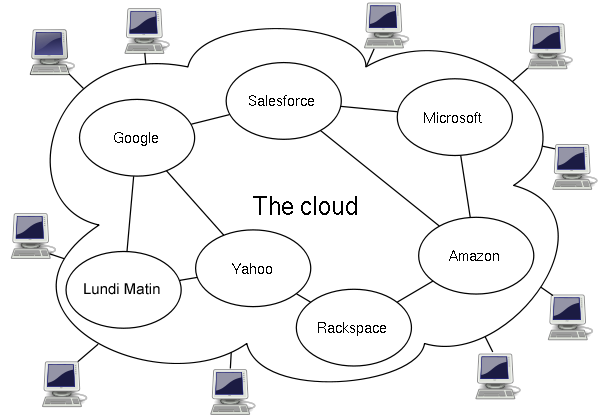
Here are a few common examples:
- Email & Office Suites: Google Workspace (Gmail, Docs, Sheets) and Microsoft 365 are prime examples. You access them through your browser and your work is saved to the cloud.
- Customer Relationship Management (CRM): Salesforce is a giant in this space, allowing businesses to manage customer data and interactions online.
- Communication: Tools like Slack and Zoom have become essential for team collaboration, replacing traditional phone calls and emails for many tasks.
- Creative Software: Adobe Creative Cloud moved its popular tools like Photoshop and Illustrator to a subscription model, providing continuous updates and cloud storage.
- Streaming Services: Netflix, Spotify, and other media platforms are consumer-facing SaaS products. You subscribe for access to a library of content.
Time to review what we've covered.
Let's check your understanding with a few questions.
Which statement best describes the Software as a Service (SaaS) model?
The shift from traditional software to SaaS is most similar to the shift from...
Understanding the SaaS model is the first step. Next, we'll look at the specific technologies that make it all possible.