Revive Your Slow Computer
Understanding Computer Slowdowns
What's Slowing Down Your Computer?
It happens to everyone. The computer that was once blazing fast now takes its time opening a simple file. Clicks seem to register a second too late. This slowdown isn't just your imagination; it's a common issue with clear causes. Understanding why your computer is lagging is the first step to getting its speed back.
Hardware Limitations
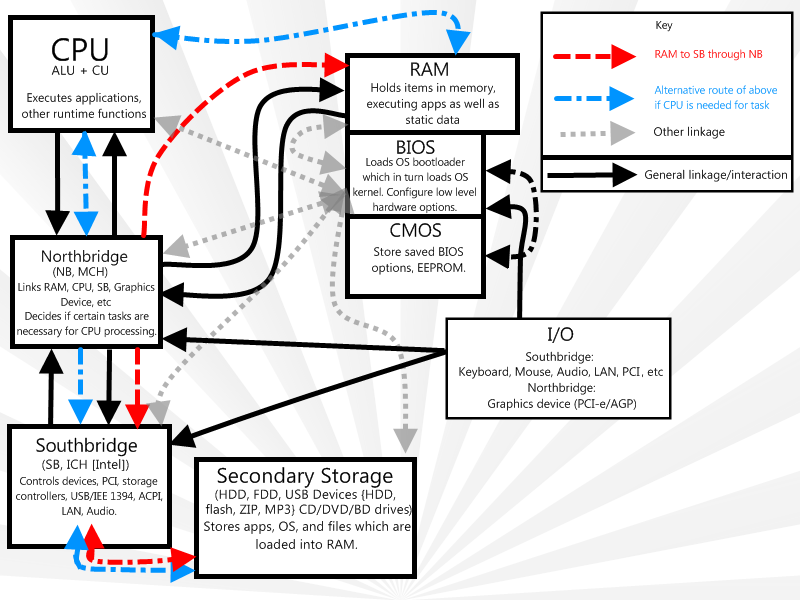
Your computer is a team of specialized components, and if one member can't keep up, the whole team slows down. Think of your computer's performance as a chain—it's only as strong as its weakest link.
RAM (Random Access Memory) is your computer's short-term memory, like a workbench. When you open an application, it gets placed on this workbench for quick access. If you open too many programs or browser tabs, the workbench fills up. To make space, the computer moves things to a much slower storage area (your hard drive). This constant shuffling back and forth is a major cause of sluggishness.
The CPU (Central Processing Unit) is the brain of the operation. It performs all the calculations and executes instructions. An older or less powerful CPU can get overwhelmed by the demands of modern software, like editing high-resolution video or playing new games. When the CPU is at 100% capacity, everything else has to wait in line.
Your hard drive is the long-term storage, like a filing cabinet. Traditional hard disk drives (HDDs) use spinning platters and a mechanical arm to read data. As they fill up, finding the right piece of information takes longer. They are much slower than modern solid-state drives (SSDs), which have no moving parts.
Software and System Resources
What's running on your computer is just as important as what's inside it. Inefficient software and poor resource management can bring even powerful hardware to its knees.
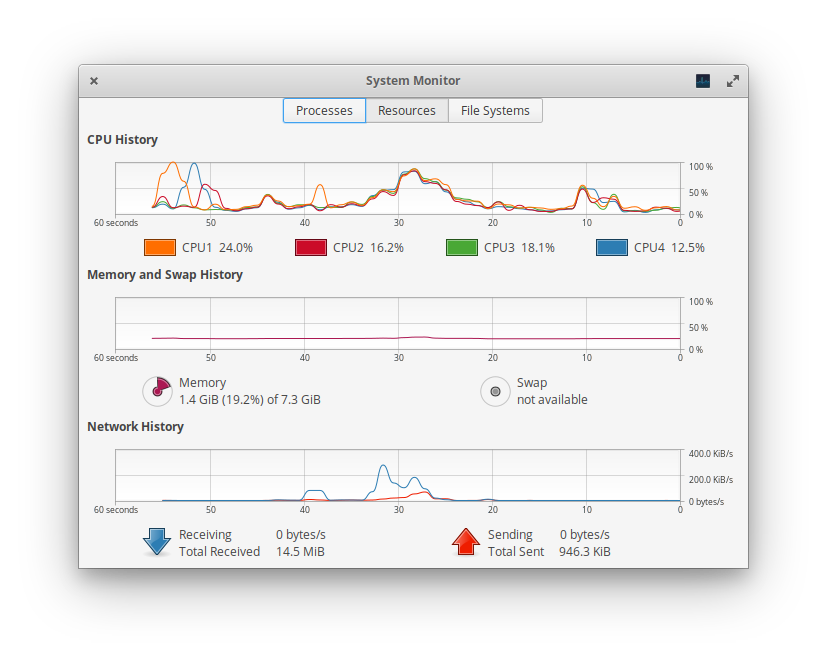
Programs that run in the background will take up valuable processing power and slow your computer down.
Many applications are designed to launch the moment you turn on your computer. While this can be convenient for programs you use daily, having too many startup programs creates a bottleneck right from the beginning. Your computer is forced to juggle dozens of tasks before you've even opened a single file.
Even programs you aren't actively using can run processes in the background. Antivirus software, cloud storage clients, and software updaters constantly use a slice of your computer's RAM and CPU power. When too many are running at once, there's little left for the task at hand.
Malicious Software
Sometimes, the cause of a slowdown is more sinister. Malware, a term that includes viruses, spyware, and adware, is designed to run on your computer without your knowledge. These malicious programs can consume a massive amount of system resources, slowing your machine to a crawl.
Spyware might be recording your keystrokes and sending them over the internet. Adware could be constantly running to inject pop-up ads into your browser. Viruses can be doing anything from corrupting your files to using your computer's power to mine cryptocurrency. Besides being a security risk, this unwanted activity hogs your CPU, RAM, and network connection.
A sudden, unexplained slowdown is often a red flag for a malware infection. Regular security scans are essential for maintaining both performance and privacy.
Ready to test your knowledge? Let's see what you've learned about the common culprits behind a slow computer.
Which computer component's function is best described as a 'workbench' for short-term memory, holding currently running applications for quick access?
What is the primary consequence when a computer's CPU is overwhelmed and reaches 100% capacity?
Understanding these core issues—hardware limits, software bloat, and malware—is the foundation for troubleshooting. By identifying the root cause, you can take targeted steps to restore your computer's performance.