Python Programming Fundamentals
Python Basics
Getting Started with Python
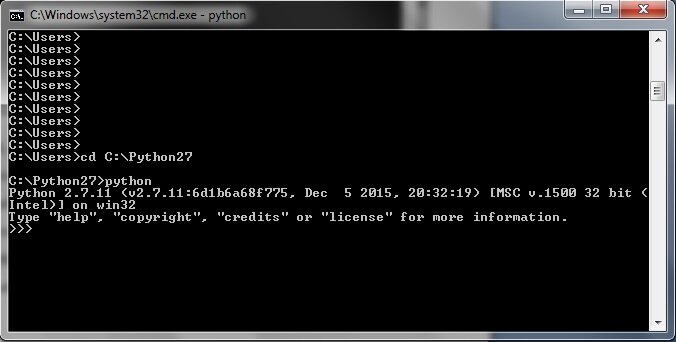
Python is a popular programming language known for its clear and readable syntax. It's designed to be straightforward, which makes it a great choice for beginners. Before you can write any code, you need a way to run it. This is done with a Python interpreter, a program that reads your code and executes the instructions.
While you can install Python directly on your computer, many websites offer online interpreters that let you write and run code right in your browser. They're perfect for getting started without any setup.
Your First Program
A long-standing tradition in programming is to make your first program display the text "Hello, World!". In Python, this is incredibly simple. You use a built-in command called print() to show output on the screen. Anything you put inside the parentheses and quotation marks will be displayed.
print("Hello, World!")
This single line is a complete Python program. The text inside the quotation marks is called a string, which is just a sequence of characters. We'll explore strings and other data types soon.
One of the most important rules in Python is indentation. The spacing at the beginning of a line is meaningful. While it doesn't affect a simple one-line program, it's crucial for organizing more complex code. Unlike many other languages where indentation is just for readability, in Python, it's a strict rule.
Python uses indentation to define the structure of the code. Incorrect indentation will cause errors.
Variables and Data
To do anything useful, programs need to work with information. We store this information in variables. Think of a variable as a labeled box where you can keep a value. You give the box a name, and you can put something inside it. You can also change what's inside or just look at it.
Variable
noun
A named storage location in memory that holds a value.
To create a variable in Python, you just choose a name, use the equals sign (=), and provide a value.
# Assigning the string "Ada Lovelace" to a variable named 'pioneer'
pioneer = "Ada Lovelace"

# Printing the value stored in the variable
print(pioneer)
Every value in Python has a data type. This is a classification that tells the interpreter what kind of data the variable is holding. Let's look at a few basic types:
| Data Type | Description | Example |
|---|---|---|
String (str) | A sequence of text characters. | "Hello, Python!" |
Integer (int) | A whole number. | 42 |
Float (float) | A number with a decimal point. | 3.14159 |
Boolean (bool) | A value that is either True or False. | True |
Python automatically detects the data type when you assign a value. You don't have to declare it yourself.
name = "Babbage"    # This is a string
year = 1837          # This is an integer
pi_approx = 3.14   # This is a float
is_running = True    # This is a boolean
Working with Operators
Now that we can store data, let's perform operations on it. Python supports standard arithmetic operators for numbers.
| Operator | Name | Example | Result |
|---|---|---|---|
+ | Addition | 5 + 3 | 8 |
- | Subtraction | 5 - 3 | 2 |
* | Multiplication | 5 * 3 | 15 |
/ | Division | 10 / 2 | 5.0 |
** | Exponentiation | 2 ** 3 | 8 |
You can use these directly in your code or with variables.
apples = 10
oranges = 5

total_fruit = apples + oranges
print(total_fruit) # Output: 15
Besides doing math, we often need to compare values. Comparison operators let us do this. The result of a comparison is always a Boolean value: True or False.
| Operator | Description | Example | Result |
|---|---|---|---|
== | Equal to | 5 == 5 | True |
!= | Not equal to | 5 != 3 | True |
> | Greater than | 5 > 3 | True |
< | Less than | 5 < 3 | False |
>= | Greater than or equal to | 5 >= 5 | True |
<= | Less than or equal to | 5 <= 3 | False |
These are the building blocks for making decisions in your code.
score = 95
passing_score = 70

is_passing = score >= passing_score
print(is_passing) # Output: True
Finally, we can combine Boolean values using logical operators.
| Operator | Description | Example |
|---|---|---|
and | True if both sides are true | (5 > 3) and (2 < 4) is True |
or | True if at least one side is true | (5 > 3) or (2 > 4) is True |
not | Inverts the value | not (5 > 3) is False |
Input from the User
Programs are more interactive when they can accept input from a user. The input() function pauses your program and waits for the user to type something and press Enter.
user_name = input("What is your name? ")
print("Hello, " + user_name + "!")
When you run this code, it will first display "What is your name? ". After you type your name and press Enter, the program will greet you. The + operator here is used to join strings together, a process called concatenation.
One important detail: the input() function always returns a string. If you need to perform math with the input, you must convert it to a number first using int() or float().
age_string = input("How old are you? ")
age_number = int(age_string)

years_until_100 = 100 - age_number
print("You will be 100 in", years_until_100, "years.")
Now you have a solid foundation in Python's core elements. Let's test your understanding.
What is the primary purpose of the print() function in Python?
In Python, what is the main significance of indentation (the spacing at the beginning of a line)?
You've now learned how to set up your environment, write simple commands, store data in variables, and perform basic operations. These are the fundamental skills every Python programmer uses.