Python Programming Fundamentals
Introduction to Python
What is Python?
Python is a popular, high-level programming language known for its simple, readable syntax. It was created in the late 1980s by Guido van Rossum and was designed to be easy to learn and write. Think of it like a set of instructions you can give a computer, but written in a language that’s closer to English than to the complex machine code computers actually understand.
The name "Python" doesn't come from the snake. Van Rossum was a fan of the British comedy group Monty Python, and he chose the name as a tribute.
One of Python's key features is its versatility. It's used for web development, data science, artificial intelligence, automation, and more. Companies like Google, Netflix, and Spotify use Python extensively. Its clean syntax means you can write programs with fewer lines of code than you might in other languages like Java or C++.
Setting Up Your Workspace
To start writing Python, you need two things: the Python interpreter and a place to write your code. The interpreter is a program that reads your Python code and translates it into instructions the computer can execute. You can download it for free from the official Python website.

While you can write code in a simple text editor, most programmers use an Integrated Development Environment, or IDE. An IDE is like a supercharged text editor designed specifically for programming. It includes features like syntax highlighting, which colors your code to make it more readable, and debugging tools to help you find and fix errors.
IDE
noun
An Integrated Development Environment is a software application that provides comprehensive facilities to computer programmers for software development.
Popular IDEs for Python include Visual Studio Code, PyCharm, and Thonny. Many, like Thonny, are designed specifically for beginners and come with Python bundled, making the setup process even simpler.
Your First Program
It's a tradition in programming to make your first program display the message "Hello, World!". This simple task confirms that your environment is set up correctly and you're ready to start coding. In Python, this is incredibly straightforward. It takes just one line of code.
# This is a comment. Python ignores anything after a #
# The print() function displays text to the screen.
print("Hello, World!")
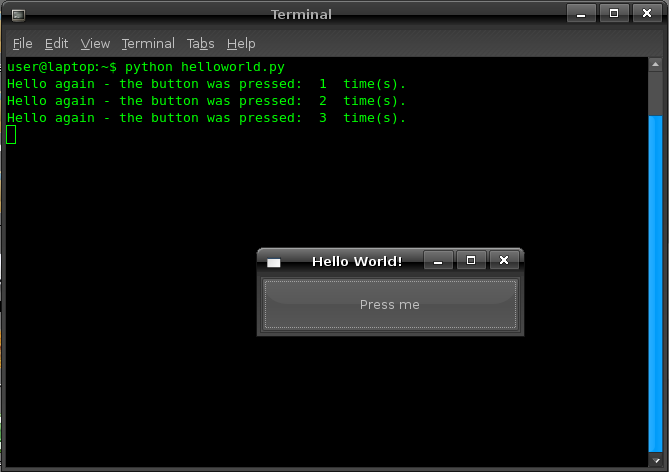
To run this program, you would:
- Open your IDE or text editor.
- Type the code exactly as shown above.
- Save the file with a
.pyextension, likehello.py. - Execute the file using the Python interpreter. In an IDE, this is usually done by clicking a "Run" button. If you're using a command line, you'd navigate to the file's directory and type
python hello.py.
Either way, you should see Hello, World! appear in the output window. Congratulations, you've just written and run your first Python program!
Now that you have the basics down, let's test your knowledge.
Who is credited with creating the Python programming language?
What is the primary function of a Python interpreter?
You're now set up and ready to dive deeper into what Python can do.