Python Programming Fundamentals
Introduction to Python
What is Python?
Python is a programming language known for its simplicity and readability. Think of it as a set of instructions you can give to a computer. Unlike many other languages that look cryptic, Python code often reads a lot like plain English. This makes it a great choice if you're just starting out.
Because it’s so easy to learn and use, Python allows you to build things quickly. You can focus on solving problems instead of getting stuck on complicated syntax.
But don't let its simplicity fool you. Python is incredibly powerful and versatile. It's used for all sorts of things, from building websites and automating repetitive tasks to conducting complex data analysis and developing artificial intelligence.

Getting Python on Your Machine
Before you can write Python code, you need to install it. The process is straightforward and differs slightly depending on your operating system.
| Operating System | Installation Steps |
|---|---|
| Windows | 1. Go to the official Python website (python.org). 2. Download the latest installer. 3. Run the installer. Important: Check the box that says "Add Python to PATH." 4. Click "Install Now." |
| macOS | 1. Python usually comes pre-installed. To check, open the Terminal app and type python3 --version.2. If it's not there or you want the latest version, download the installer from python.org and run it. |
| Linux | 1. Python is almost always pre-installed. Open your terminal and type python3 --version to check.2. If you need to install it, use your distribution's package manager. For example, on Ubuntu, you would run sudo apt-get install python3. |
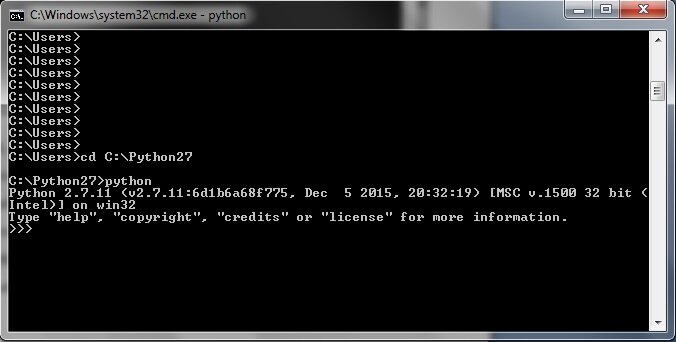
Once installed, you'll have access to the Python interpreter. This is a program that reads and executes your Python code. You'll typically interact with it through your computer's command line or terminal.
Your First Program
It's a tradition for new programmers to start with a simple program that just prints "Hello, World!" to the screen. This helps you confirm that your setup is working correctly.
First, open a plain text editor (like Notepad on Windows or TextEdit on Mac) and type the following line of code:
print("Hello, World!")
This code uses Python's built-in print() function to display the text inside the parentheses. Save this file as hello.py. The .py extension is important because it tells your computer that this is a Python file.
Now, let's run it. Open your terminal or command prompt and navigate to the folder where you saved your file. Once you're in the correct directory, type the following command and press Enter:
python3 hello.py
If everything is set up correctly, you should see the text Hello, World! printed in the terminal.
Congratulations! You've just written and run your first Python program. This simple act of printing text is the foundation for building much more complex and interesting applications.
What is the primary reason Python is often recommended for beginners?
What is the purpose of the .py extension at the end of a filename like hello.py?
You now have a basic grasp of what Python is, how to get it running, and how to write a simple program. You're ready to start exploring what this language can do.