Python Programming Fundamentals
Python Basics
Meet Python
Python is a popular programming language created in the late 1980s by Guido van Rossum. It was designed with a simple goal: make code easy to read and write. Unlike many other languages that can look like a cryptic puzzle, Python aims for clarity.
This philosophy is often summarized in a collection of principles called "The Zen of Python," which includes lines like "Readability counts" and "Simple is better than complex."
This focus on simplicity makes Python a great first language for beginners. But it's also powerful enough for experts. Professionals use it for everything from building websites and analyzing data to creating artificial intelligence and automating repetitive tasks. Its versatility is a huge part of its appeal.

Getting Your Tools
To start writing Python, you need a couple of things. First, you need the Python interpreter itself. This is the program that reads your Python code and carries out its instructions. You can download it for free from the official Python website, python.org.
Second, while you can write code in any plain text editor, most developers use an Integrated Development Environment, or IDE. An IDE is just a text editor with extra features that make coding easier, like syntax highlighting and debugging tools. When you install Python, it comes with a simple IDE called IDLE, which is perfect for starting out.

Your First Program
Let's write a program. The traditional first step in any language is to make it say "Hello, World!". In Python, this is incredibly straightforward. It takes just one line.
print("Hello, World!")
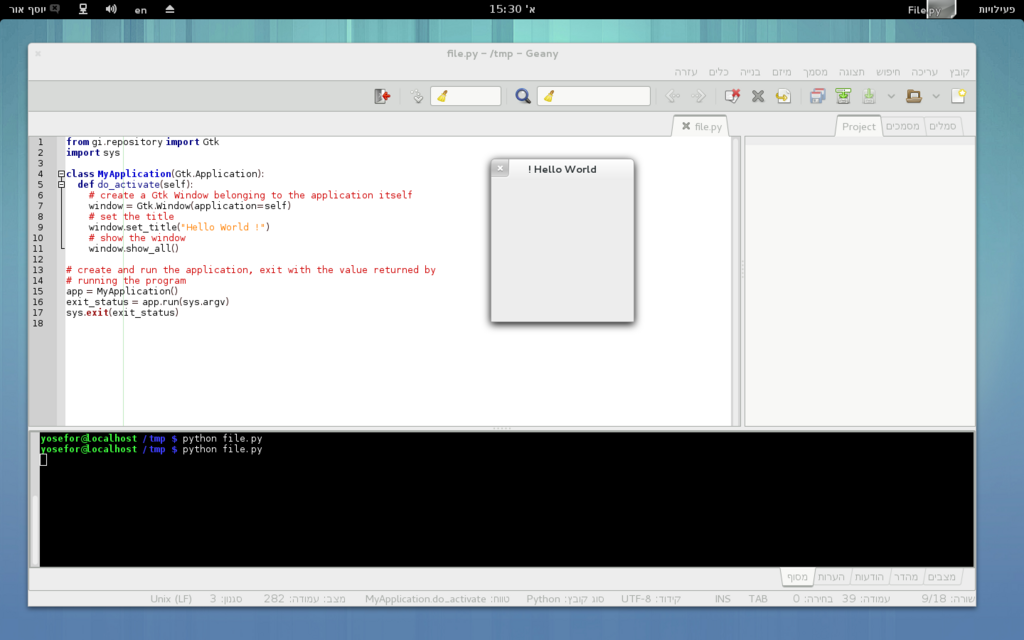
That's it. To run this, open your text editor or IDE, type that line, and save the file with a .py extension, like hello.py.
Then, open your computer's terminal or command prompt, navigate to the directory where you saved the file, and type python hello.py. The text "Hello, World!" will appear on your screen.
Whitespace Matters
One of the most unique features of Python is how it uses indentation. In many other programming languages, programmers use curly braces {} or keywords to group lines of code into blocks. Python uses whitespace—spaces or tabs—instead.
This isn't just a style suggestion; it's a rule. Indentation tells the Python interpreter which lines of code belong together. For example, when you write a conditional statement, the code that should run if the condition is true must be indented.
# This is a block of code.
# The print statement is indented,
# so it's part of the if statement.

if 5 > 2:
    print("Five is greater than two!")
If you forget to indent, your program will produce an error. This might seem strict at first, but it forces programmers to write clean, organized code that is easy for anyone to read. It's a core part of Python's commitment to readability.
Now that you have the basics down, let's check your understanding.
What was the primary design philosophy behind Python when it was created by Guido van Rossum?
Which line of code correctly prints 'Hello, World!' to the screen in Python?
You've successfully set up your environment and written your first line of Python. You're officially a Python programmer.