Python Programming From Zero to Hero
Python Basics
Getting Started with Python
Python is a versatile programming language used for everything from web development and data science to artificial intelligence. Its design philosophy emphasizes code readability, which makes it a great language for beginners.
Before you can write code, you need a place to run it. The easiest way to get started is to use an online Python interpreter. Websites like Replit let you write and run code directly in your browser without installing anything.
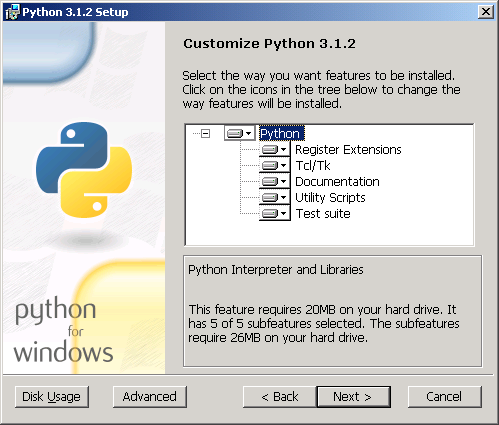
For a more permanent setup, you can install Python on your computer. Head over to the official website, python.org, and download the latest version for your operating system. The installer will guide you through the process.
When you install Python, it comes with a simple program called IDLE (Integrated Development and Learning Environment). Think of it as a basic text editor that knows how to understand and run Python code. It's a perfect place to write your first program.
Your First Program
Let's start with a classic tradition in programming: making the computer say hello. In Python, we use a built-in command called print() to display information on the screen. Whatever you put inside the parentheses (and inside quotes) will be printed.
print("Hello, World!")
Type that into your Python environment and run it. You should see Hello, World! appear as output. Congratulations, you've just written and executed your first Python script!
Storing Information
Programs need to remember things. We use variables to store information so we can use it later. A variable is like a labeled box where you can keep a piece of data. You create a variable by giving it a name and assigning it a value using the equals sign =.
# This is a comment. Python ignores anything after a '#'.

# Create a variable named 'greeting'
greeting = "Hello there!"

# The variable 'year' stores a number
year = 2024
Here, greeting is a variable holding text, and year is a variable holding a number. Comments, marked with a #, are notes for humans; Python completely ignores them. They're a good way to explain what your code does.
Notice the different kinds of information we stored. "Hello there!" is text, while 2024 is a number. These different kinds of information are called data types.
| Data Type | Description | Example |
|---|---|---|
String (str) | A sequence of characters (text). | "Python", 'Welcome!' |
Integer (int) | A whole number, positive or negative. | -10, 0, 42 |
Float (float) | A number with a decimal point. | 3.14, -0.001, 99.9 |
Python is smart enough to figure out the data type on its own when you assign a value to a variable. You can use the print() function on variables, too.
message = "Welcome to programming."
print(message)
Interacting with the User
So far, our programs have just been talking. But what if we want them to listen? We can get input from a user with the input() function. This function pauses the program and waits for the user to type something and press Enter.
You can place a prompt inside the parentheses to ask the user a question. The text the user types is then returned by the function, and you can store it in a variable.
# Ask for the user's name and store it in the 'name' variable
name = input("What is your name? ")

# Say hello to the user
print("Hello, " + name + "!")
Try running the code above. It will ask for your name, wait for you to type it, and then greet you personally. Notice how we used the + symbol to combine strings. This is called concatenation.
One important detail: the
input()function always gives you back a string, even if the user types numbers. If you need to treat the input as a number, you'll have to convert it first. We'll explore how to do that later on.
Let's check your understanding of these basic concepts.
What is the primary purpose of the print() function in Python?
Which symbol is used to create a single-line comment in Python, which is ignored by the interpreter?
You've taken your first steps into Python. You know how to display messages, store information in variables, and get input from a user. These are the fundamental building blocks for every program you'll write.