Python Programming from Scratch
Introduction to Python
What Is Python?
Python is a powerful and popular programming language. It's known for having a simple, clean syntax that reads a bit like plain English, which makes it an excellent choice for beginners. A Dutch programmer named Guido van Rossum created Python in the late 1980s, and it has since grown into one of the world's most widely used languages.
One reason for its popularity is its versatility. You can use Python for almost anything, from building websites and automating repetitive tasks to conducting complex data analysis and developing artificial intelligence.

Setting Up Your Workspace
To start writing Python, you need two key things: the Python interpreter and a code editor.
The interpreter is a program that reads your Python code and carries out its instructions. You have to install it on your computer to run any Python programs.
A code editor is where you'll write your code. While you could use a basic text editor, most programmers use an Integrated Development Environment (IDE). An IDE is a specialized editor with helpful features like syntax highlighting, which colors your code to make it more readable, and tools for running your programs.
For beginners, we recommend an IDE called Thonny. It’s designed for learning and comes with the Python interpreter bundled, so you only need to do one installation.
To get started, visit the official Thonny website, download the installer for your operating system (Windows, Mac, or Linux), and run it. The setup is straightforward, and once it's finished, you'll have everything you need to start programming.

Your First Program
It's a tradition for new programmers to start by making the computer say "Hello, World!". Let's do that now. In Python, we use the print() function to display text on the screen.
print("Hello, World!")
The text you want to display goes inside the parentheses and must be wrapped in quotation marks. These quotes tell Python that you're working with a piece of text, also known as a string.
Now, let's run this code in Thonny:
- Open Thonny. You'll see two main panels: a large one at the top (the editor) and a smaller one at the bottom (the Shell).
- Type the
print()command into the editor at the top. - Go to
File > Saveand save your program. It's a good habit to give your files descriptive names, likehello.py. The.pyextension is essential—it tells the computer this is a Python file. - Click the green "Run" button in the toolbar.
You should see the text "Hello, World!" appear in the Shell panel at the bottom. The Shell is where the output of your programs will be displayed.
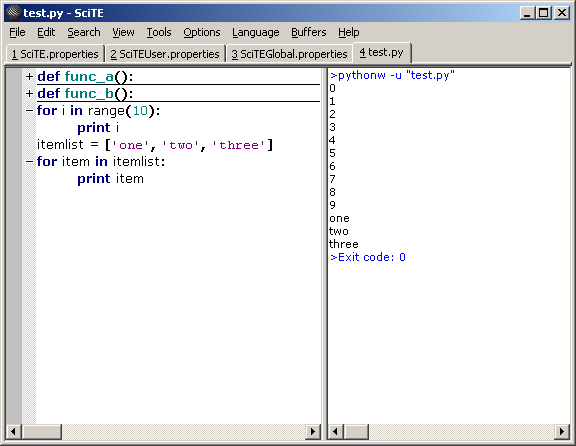
Congratulations! You've just written and executed your first computer program. This basic workflow of writing code in the editor, saving it, and running it is the foundation of all software development.
Who created the Python programming language?
What is the primary role of the Python interpreter?