Python Fundamentals for Beginners
Setting Up Python
Getting Python
Before you can write any Python code, you need to install the Python interpreter on your computer. Think of the interpreter as the engine that understands and runs your Python instructions. The best place to get it is from the official source, python.org.
Head over to the downloads page and grab the latest stable version for your operating system, whether it's Windows, macOS, or Linux. The website usually detects what you're using and suggests the correct file.

When you run the installer, especially on Windows, you'll see a checkbox that says something like "Add Python to PATH." It's a good idea to check this box. It makes it easier to run Python from anywhere on your computer without having to specify its exact location every time.
Your Coding Workspace
Once Python is installed, you need a place to write your code. You could use a plain text editor, but most programmers use a code editor or an Integrated Development Environment (IDE). These are specialized text editors that make coding much easier. They provide features like syntax highlighting, which colors your code to make it more readable, and auto-completion.
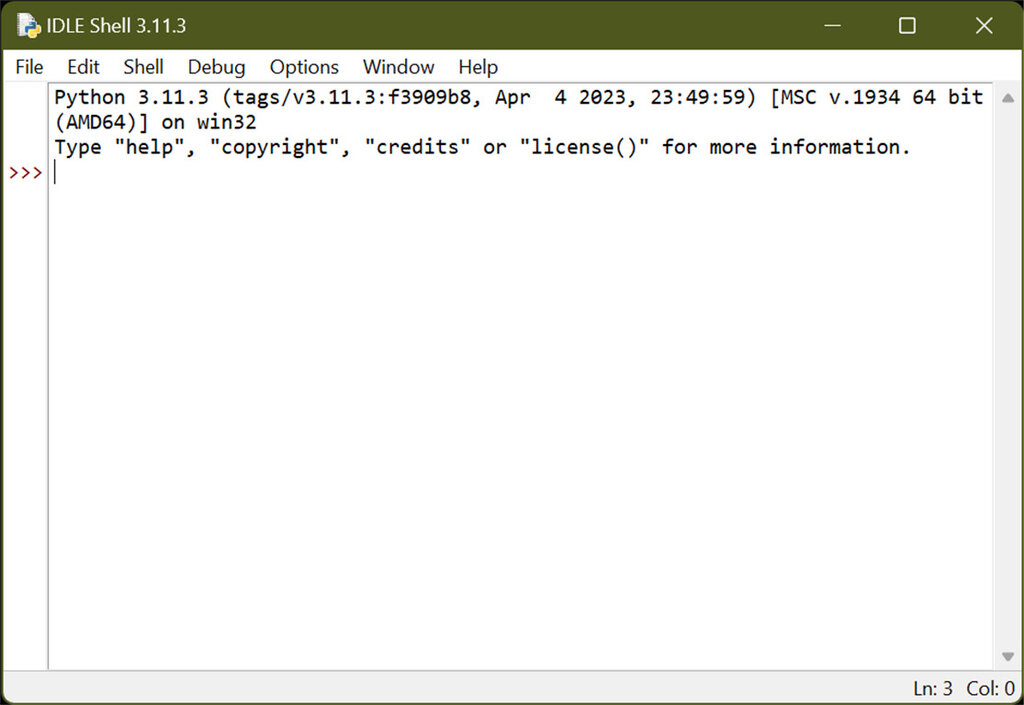
Python comes with its own simple IDE called IDLE (Integrated Development and Learning Environment). It's a great place to start because it’s straightforward and already on your computer. When you open IDLE, you'll first see the Python Shell. This is an interactive window where you can type Python commands one at a time and see the results immediately.
As you get more experienced, you might want to try more powerful editors like Visual Studio Code or PyCharm. For now, IDLE is all you need.
Hello World
It's a tradition in programming to make your first program display the text "Hello, World!". It's a simple way to confirm that everything is set up correctly and working. Let's write yours.
In Python, we use the print() function to display text on the screen. A function is a named block of code that performs a specific task. In this case, the print() function's job is to output whatever you put inside its parentheses.
print("Hello, World!")
The text you want to print, like "Hello, World!", must be enclosed in quotation marks. This tells Python that it's a string of text, not a command to be interpreted.
To run this, just open IDLE. At the prompt, which looks like >>>, type the code exactly as it appears above and press Enter. You should see the message "Hello, World!" appear on the next line. That's it, you've just written and run your first Python program.
What is the official website to download the Python interpreter?
During Python installation on Windows, what is the recommended action regarding the 'Add Python to PATH' option?
Congratulations on getting set up. With the environment ready, you can now start exploring what Python can do.