Python for Operations Automation
Python Basics
Your First Lines of Code
The first step in programming is telling the computer what to do. In Python, we can display a message on the screen using the print() function. The rules for writing code that a computer can understand are called syntax. Python's syntax is designed to be clean and readable, almost like plain English.
Let's write a program that prints a classic first message: "Hello, World!". The text you want to print goes inside the parentheses, wrapped in quotes.
print("Hello, World!")
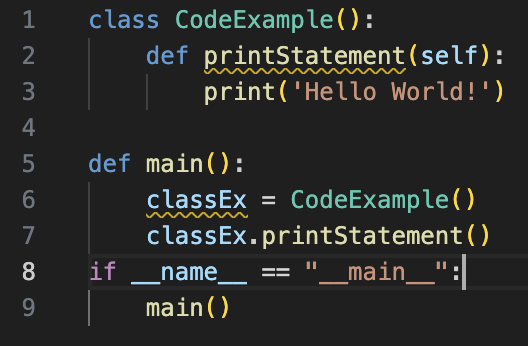
When you run this code, the computer will display Hello, World! on the screen. Simple as that. You've just written your first program.
Storing Information with Variables
Programs need to remember information. We store data in variables. Think of a variable as a labeled box where you can put something. You give the box a name, and later you can look inside to see what's there or even put something new in it.
To create a variable, you choose a name and use the equals sign (=), also known as the assignment operator, to give it a value.
# We are assigning the text "Alice" to a variable named 'name'.
name = "Alice"

# Now we can print the value stored in the variable.
print(name)
Running this code will print Alice. The variable name holds the text "Alice", so printing name prints the text it holds. You can change the value of a variable by assigning it something new.
Different Kinds of Data
Variables can hold different types of data. Python automatically recognizes the type of data you assign. Here are the most common basic types:
Strings: Text, like
"Hello, World!"or"Alice". Strings are always surrounded by quotes. Integers: Whole numbers, like10,-5, or1234. Floats: Numbers with a decimal point, like3.14or-0.5. Booleans: Represent truth values. They can only beTrueorFalse.
# A string variable
greeting = "Welcome to Python!"

# An integer variable
user_age = 25

# A float variable
pi_value = 3.14159

# A boolean variable
is_learning = True

print(greeting)
print(user_age)
Each of these variables holds a different kind of information, and Python knows how to work with each one.
Making Things Happen
Once you have data, you can perform operations on it. Operators are special symbols that perform calculations or comparisons.
Arithmetic operators work with numbers to perform math. For example, + adds, - subtracts, * multiplies, and / divides.
apples = 5
oranges = 3
total_fruit = apples + oranges
print(total_fruit)  # This will print 8
Comparison operators compare two values and result in a Boolean (True or False). For example, > checks if a value is greater than another, and == (two equal signs) checks if two values are equal.
score = 95
passing_score = 70

is_passing = score > passing_score
print(is_passing)  # This will print True
Making Decisions and Repeating Actions
Programs often need to make decisions or repeat actions. We use control structures for this. The most common one for decisions is the if statement. It runs a block of code only if a certain condition is true.
age = 18

if age >= 18:
    print("You are eligible to vote.")
Notice the indentation (the space before print). In Python, indentation is very important. It tells the program which lines of code belong to the if statement.
To repeat actions, we use loops. A for loop repeats a block of code a specific number of times. For example, this loop will count from 0 to 4.
for i in range(5):  # range(5) generates numbers 0, 1, 2, 3, 4
    print(i)
This code will print the numbers 0, 1, 2, 3, and 4, each on a new line.
Interacting with the User
You can make your programs interactive by getting input from the user. The input() function pauses the program and waits for the user to type something and press Enter.
user_name = input("What is your name? ")
print("Hello, " + user_name + "!")
When you run this code, it will first display "What is your name? ". After you type your name and press Enter, it will greet you personally. The + operator here combines the strings into one longer string.
Now's a good time to review these core concepts.
Ready to test your knowledge?
Which line of code correctly prints the message Hello, Python! to the screen?
What will be the output of the following code snippet?
x = 10
y = 5
x = y
print(x)
With these building blocks—variables, data types, operators, and control structures—you can start to write useful and interesting programs.