Practical Java Programming
Java Basics
Setting Up Your Workspace
Before you can write Java code, you need two key things: a Java Development Kit (JDK) and an Integrated Development Environment (IDE). The JDK is a software package that contains the tools needed to compile your Java code into a format the computer can run. The IDE is a text editor with superpowers, designed to make coding easier with features like code completion, debugging, and project management.
Think of the JDK as the engine and tools, and the IDE as the workshop where you build everything. You can get the JDK from providers like Oracle or Adoptium (OpenJDK). For an IDE, popular choices include IntelliJ IDEA, Eclipse, and Visual Studio Code with Java extensions. We won't walk through the installation steps here, as they can change, but a quick search for "Install JDK and IntelliJ" will give you the latest guides.
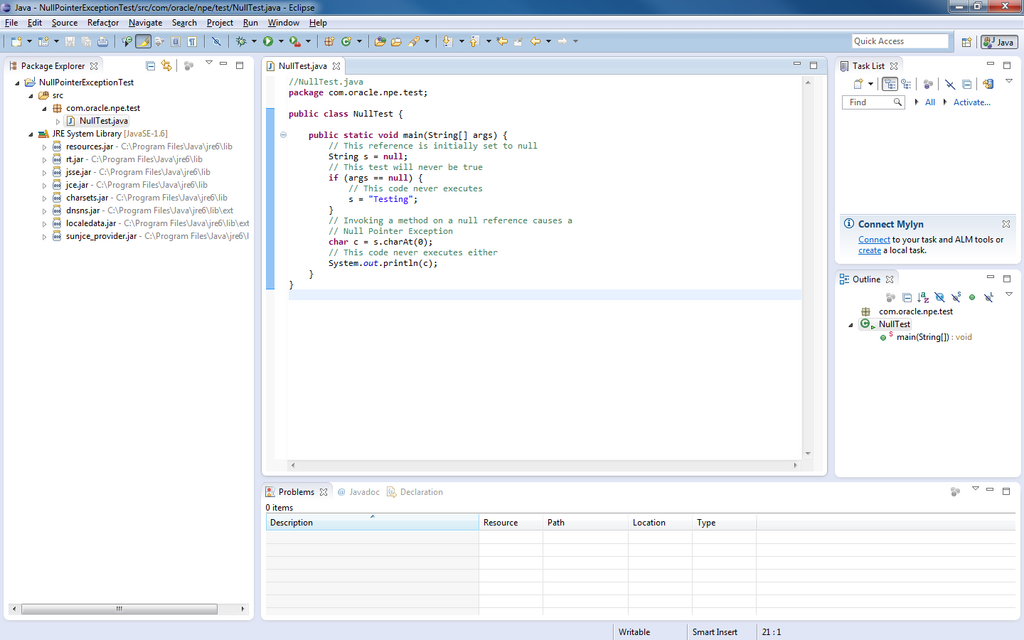
Your First Java Program
It's a tradition in programming to start with a program that prints "Hello, World!" to the screen. It's a simple way to confirm that your setup is working correctly. Let's look at the code.
public class HelloWorld {
    public static void main(String[] args) {
        // This line prints text to the console
        System.out.println("Hello, World!");
    }
}
Let's break that down.
public class HelloWorld { ... }: In Java, all code lives inside a class. For now, just think of it as a container for your program. We named oursHelloWorld.public static void main(String[] args) { ... }: This is the main method. It's the entry point of your application. When you run the program, the Java Virtual Machine (JVM) looks for this exact method to start execution.System.out.println("Hello, World!");: This is the statement that does the work. It tells the system to print a line of text to the console. The text inside the double quotes is what gets printed. Notice the semicolon at the end; Java requires it to end most statements.
Variables and Data Types
Programs need to store and manage information. We do this using variables. A variable is like a labeled box where you can keep a piece of data. Before you use a variable, you must declare it by specifying its data type and giving it a name.
Java is a statically-typed language, which means you must declare the type of a variable before you can use it. This helps catch errors early.
Here are some of the most common, or primitive, data types in Java:
| Data Type | Description | Example |
|---|---|---|
int | Whole numbers | int score = 100; |
double | Floating-point numbers | double price = 19.99; |
char | A single character | char grade = 'A'; |
boolean | true or false | boolean isLoggedIn = true; |
String | A sequence of characters | String name = "Alice"; |
Note that String isn't a primitive type (it's actually a class), but it's so fundamental that we often treat it like one when starting out. You can declare a variable and assign it a value in one step, or do it separately.
// Declare and initialize at the same time
int year = 2024;

// Declare first, then initialize
String playerName;
playerName = "Bob";
Operators and Control Flow
Once you have variables, you need to do things with them. Operators are special symbols that perform operations on variables and values.
| Operator Type | Symbols | Example |
|---|---|---|
| Arithmetic | +, -, *, /, % | int sum = 5 + 2; |
| Assignment | =, +=, -= | counter += 1; |
| Relational | ==, !=, >, < | age > 18 |
| Logical | &&, ` |
These operators become powerful when combined with control flow statements, which allow your program to make decisions and repeat actions.
The if statement checks a condition and executes a block of code only if the condition is true.
int temperature = 30;

if (temperature > 25) {
    System.out.println("It's a hot day!");
} else {
    System.out.println("It's not too hot.");
}
For repeating actions, we use loops. The for loop is great when you know how many times you want to repeat something.
// This loop will print numbers from 1 to 5
for (int i = 1; i <= 5; i++) {
    System.out.println(i);
}
The while loop is useful when you want to repeat a block of code as long as a certain condition remains true.
int countdown = 3;

while (countdown > 0) {
    System.out.println(countdown);
    countdown--; // Decrement the counter
}

System.out.println("Liftoff!");
With these building blocks—variables, operators, and control flow—you can start writing simple but useful Java programs.