Photometric Mosaics in PixInsight
Introduction to PixInsight
What Is PixInsight?
If you've ever marveled at a stunning image of a distant galaxy, chances are it was processed with specialized software. While general-purpose photo editors like Photoshop are powerful, astrophotography deals with very faint signals buried in noise. To handle this unique challenge, astronomers and hobbyists often turn to PixInsight.
Think of PixInsight not as a photo editor, but as an image processing environment. It's designed from the ground up to work with scientific data from telescopes. Its main goal is to preserve the integrity of your astronomical data while allowing you to pull out the faint details of nebulas and galaxies. Every action is precise and repeatable, which is crucial for good results.
A Tour of the Workspace
Opening PixInsight for the first time can feel a bit intimidating. The interface is clean but dense. Unlike other programs where tools are in a toolbar, PixInsight organizes its functions into processes. You can find them all under the 'Process' menu.
The main components of the workspace are:
- The Workspace: This is the large central area where your images are displayed.
- Process Explorer: A window, usually docked on the left, that gives you quick access to all available processes. Instead of hunting through menus, you can find the tool you need here.
- Process Windows: When you open a process (like for color balancing or noise reduction), it appears in its own floating window. You adjust the settings in this window and then apply it to your image.
To apply a process, you drag the small blue triangle icon from the process window and drop it onto your image. This unique drag-and-drop interface is a core part of the PixInsight workflow.
Fundamental Tools and Concepts
Astrophotography images, especially raw data fresh from the camera, often look completely black with a few white specks. The vast majority of the data is compressed into a very narrow, dark region of the histogram. Our first job is always to 'stretch' this data to make the faint details visible.
In PixInsight, a 'stretch' is the process of remapping the brightness values in an image to make faint objects visible.
PixInsight has a fantastic tool for this called ScreenTransferFunction (STF). It performs a temporary, on-the-fly stretch so you can see your image. It's like putting on night-vision goggles. The data itself isn't changed, but you can finally see what you've captured. For a permanent stretch that saves with the image, you would use a different tool, like HistogramTransformation.
This distinction between a temporary preview (STF) and a permanent change (HistogramTransformation) is a key concept in PixInsight. Many processes should be done on the 'linear', or unstretched, data for the best results.
Why It Matters for Mosaics
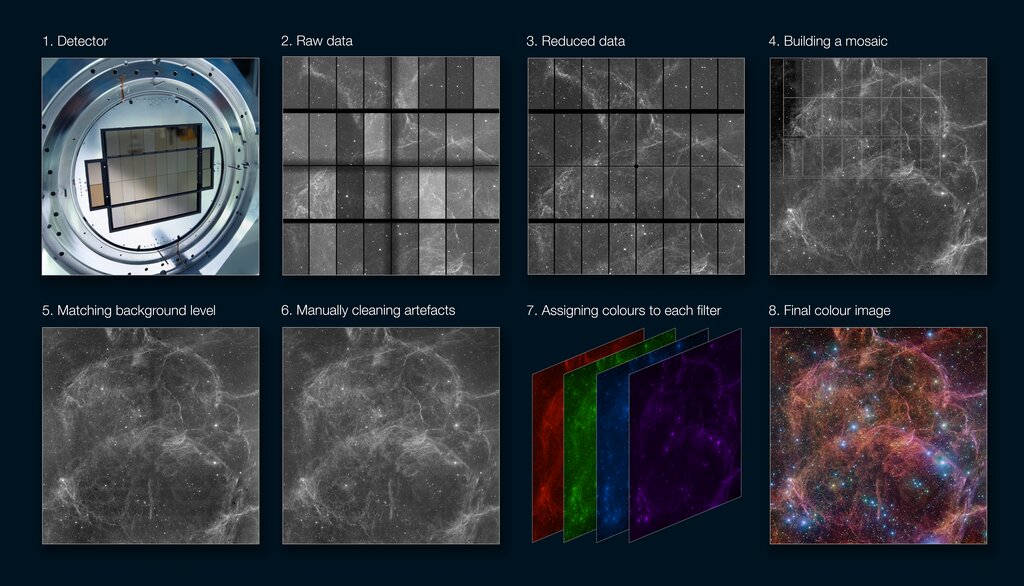
Creating a seamless mosaic of different sections of the night sky is one of the most demanding tasks in astrophotography. You need to ensure the brightness, color, and star positions match perfectly across all the panels.
This is where PixInsight's precision becomes essential. Its tools are designed to analyze the brightness levels and star positions with mathematical accuracy. When you tell PixInsight to stitch images together, it isn't just blending the edges. It's performing complex photometric and astrometric calculations to ensure that a star in the corner of one frame is identical in brightness and location to the same star in the corner of an adjacent frame.
Without this level of data-centric processing, creating a large, believable mosaic would be nearly impossible. The tools we'll explore next build on this foundation, allowing us to combine multiple images into a single, breathtaking view of the cosmos.
Ready to check your understanding?
What is the primary advantage of using PixInsight for astrophotography compared to a general-purpose photo editor like Photoshop?
In the PixInsight workspace, how do you apply a configured process (e.g., ColorCalibration) to an image?
This introduction gives you a basic map of PixInsight. As you spend more time with it, its logic will become second nature.