Operating System Fundamentals
Introduction to Operating Systems
The Computer's Conductor
A computer without an operating system is like an orchestra without a conductor. You have all the talented musicians (the hardware: processor, memory, hard drive) and the sheet music (the applications: your browser, games, and word processor), but no one to direct them. Nothing happens. The operating system (OS) is that conductor. It's the master program that manages all the hardware and software, making sure everything works together in harmony.
At its core, an operating system is the bridge between you and the physical components of your computer. It translates your clicks and keystrokes into actions the hardware can understand.
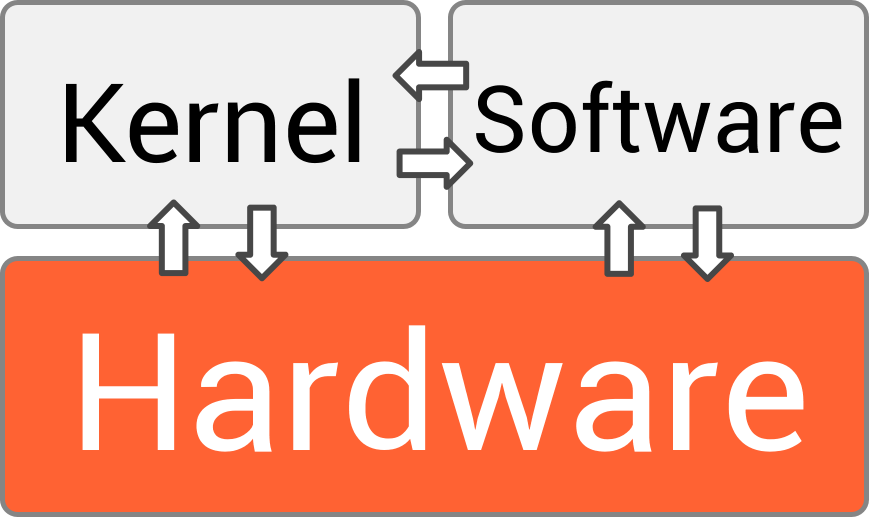
You interact with the OS every time you turn on a device, whether it's a laptop running Windows, a MacBook with macOS, or a smartphone powered by Android or iOS. It's the first thing to load and the last thing to shut down, quietly orchestrating a complex performance behind the scenes. To do this, it juggles several critical responsibilities.
The Core Responsibilities
An OS has four main jobs that keep your computer functional and efficient.
Process Management: Imagine you're listening to music, browsing the web, and downloading a file all at once. The OS is the ultimate multitasker, managing all these running programs (called processes). It allocates the computer's processing power to each task, switching between them so quickly that it feels like they're all happening simultaneously.
Memory Management: Your computer's memory, or RAM, is its short-term workspace. The OS acts like a librarian for this space. It assigns a section of memory to each application that needs it and ensures that no two programs try to use the same spot, which would cause a crash. When you close an application, the OS cleans up and reclaims that memory for the next task.
File Systems: Without an OS, your storage drive would be a chaotic jumble of data with no structure. The OS organizes everything into a familiar system of files and folders. It keeps track of where every file is stored, so when you want to open a document or a photo, it can find and retrieve it instantly. It handles everything from creating and deleting files to controlling who has permission to access them.
Device Management: How does your word processor know how to talk to your printer? It doesn't. Your OS handles it. The operating system manages communication with all hardware devices, from your keyboard and mouse to your speakers and webcam. It uses special software called drivers to act as translators, allowing your applications to use hardware without needing to know the technical specifics of each device.
Inside the OS
Operating systems aren't single, monolithic programs. They're made of several key components that work together.
kernel
noun
The central component of an operating system that manages the most low-level tasks, such as handling input/output requests and allocating resources for processes.
Think of the kernel as the engine of the OS. It's the core that directly controls the hardware and performs the most essential functions, like process and memory management. It's the heart of the entire operation, running at a highly privileged level to ensure stability.

The user interface (UI) is the part you actually see and interact with. It's the bridge between you and the kernel. There are two main types:
- Graphical User Interface (GUI): This is what most people are familiar with. It uses windows, icons, menus, and pointers (like your mouse cursor) to make the computer easy to use. Windows, macOS, and Android all use GUIs.
- Command-Line Interface (CLI): This interface uses text-based commands. Users type commands to tell the computer what to do. It's less visual but often more powerful and faster for certain tasks, favored by developers and system administrators.

Finally, system utilities are small programs that help manage and maintain the computer. These aren't part of the kernel, but they are essential tools provided by the OS. Examples include tools for managing disks, installing or removing software, and configuring network settings. They handle the important housekeeping tasks that keep the system running smoothly.
Together, these components create a powerful system that makes modern computing possible, turning complex hardware into a useful, interactive tool.
The provided text compares an operating system to what?
What is the core component of the operating system that directly controls the hardware and performs the most essential functions?