Operating System Essentials
Introduction to Operating Systems
The Computer's Conductor
Think of an orchestra. You have musicians and instruments, but without a conductor, you just have noise. The conductor doesn't play an instrument but organizes everyone, keeps time, and turns individual sounds into a beautiful piece of music. An operating system, or OS, is the conductor for your computer.
It's the core software that manages all the hardware and software, acting as a translator between you and the machine.
Operating System
noun
System software that manages computer hardware and software resources and provides common services for computer programs.
Every computer, from your phone to a massive server, has an operating system. Without it, your applications wouldn't know how to use the computer's processor, memory, or storage. You wouldn't be able to type on a keyboard and see letters appear on the screen. The OS handles all these complex interactions behind the scenes, so you don't have to.

A Quick Trip Through Time
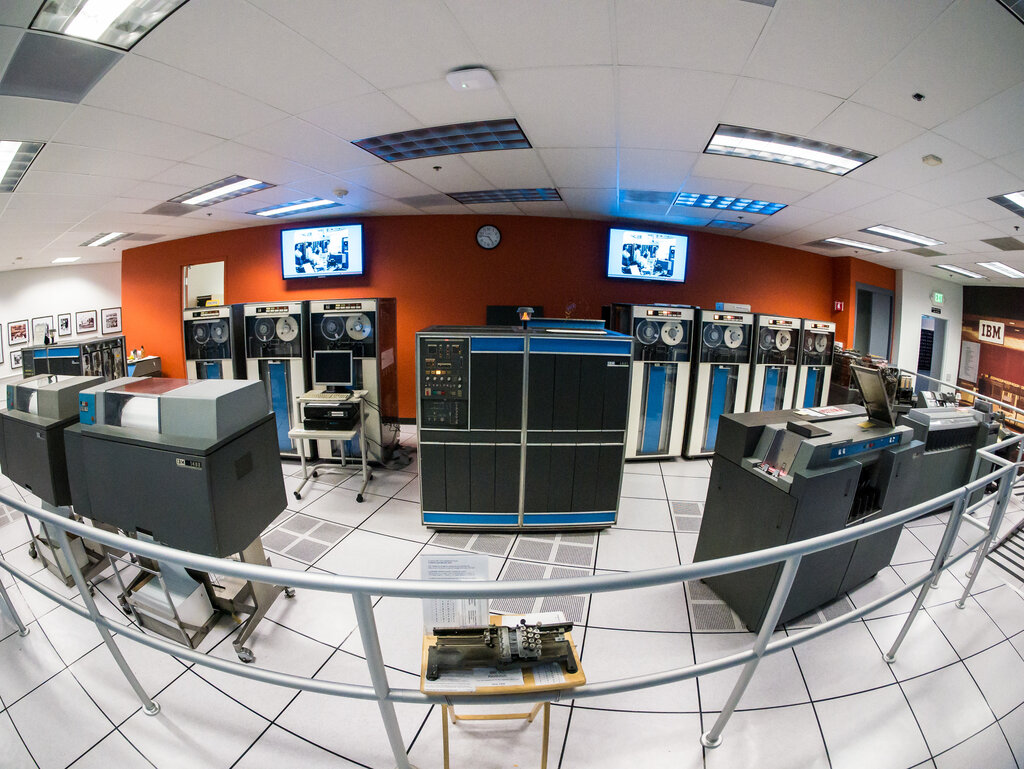
Early computers didn't have operating systems. Programmers had to manually load their programs using punch cards or toggle switches, and a single computer could only run one program at a time. It was slow and incredibly inefficient.
To speed things up, operators began grouping similar jobs together into batches. This was the birth of the first type of OS: the batch system. Instead of running one job at a time, a computer would process a whole batch of them in sequence, without any user interaction. It was like loading a dishwasher — you put everything in, start the cycle, and come back when it's all done.
The next big leap was time-sharing. These systems were clever enough to switch between different user programs very quickly. Each user felt like they had the entire computer to themselves, even though they were sharing it with dozens of others. This interactive model is the foundation for most modern operating systems.
Different Systems for Different Jobs
Just as there are different tools for different tasks, there are different types of operating systems. While many modern systems are based on time-sharing principles, some are designed for very specific purposes.
A Real-Time Operating System (RTOS) is used when the timing of a result is just as important as the result itself. These systems must respond to inputs within a strict, predictable timeframe. You'll find them in car engines, medical devices like pacemakers, and industrial robots. A delay of even a few milliseconds could be catastrophic.
Other types you might encounter include:
- Distributed OS: Manages a group of independent computers and makes them appear to be a single computer.
- Embedded OS: Designed to run on small devices with limited resources, like smartwatches or home appliances.
- Mobile OS: Optimized for mobile devices like smartphones and tablets, focusing on user interface and power management. Examples include Android and iOS.
The Core Responsibilities
No matter the type, all operating systems juggle a few key responsibilities to keep everything running smoothly. These are its core functions.
The OS's primary responsibilities include managing hardware resources (such as the CPU, memory, and storage), facilitating application execution, and providing services to users.
Resource Management The OS is the ultimate resource manager. It decides which programs get to use the CPU and for how long. It allocates memory to applications and makes sure they don't interfere with each other. It also manages access to storage devices, printers, and network connections. Without this management, programs would fight over resources, and the whole system would grind to a halt.
User Interface The OS provides the bridge between you and the hardware. This can be a text-based Command-Line Interface (CLI), where you type commands, or a Graphical User Interface (GUI) with icons, windows, and menus. The GUI made computers much more accessible to the average person.
Application Management Beyond just launching applications, the OS provides a platform for them to run on. It offers common services that all programs need, like reading and writing files or accessing the network. This means app developers don't have to reinvent the wheel for every new program; they can just ask the OS to do it for them.
Security The OS is also a gatekeeper. It controls who can access the system and what they're allowed to do. It isolates different programs and users from each other, preventing a malfunctioning app or a malicious user from taking down the entire system.