Operating System Essentials
Introduction to Operating Systems
The Computer's Conductor
Think of a symphony orchestra. You have dozens of musicians, each with their own instrument and sheet music. Without a conductor, the result would be chaos. The conductor tells the violins when to play, cues the trumpets, and keeps the rhythm for everyone. They don't play an instrument themselves, but they manage all the other parts to create a beautiful piece of music.
An operating system, or OS, is the conductor for your computer. It's the master program that manages all the hardware and software. It doesn't write your emails or browse the web, but it makes it possible for the programs that do to run smoothly.
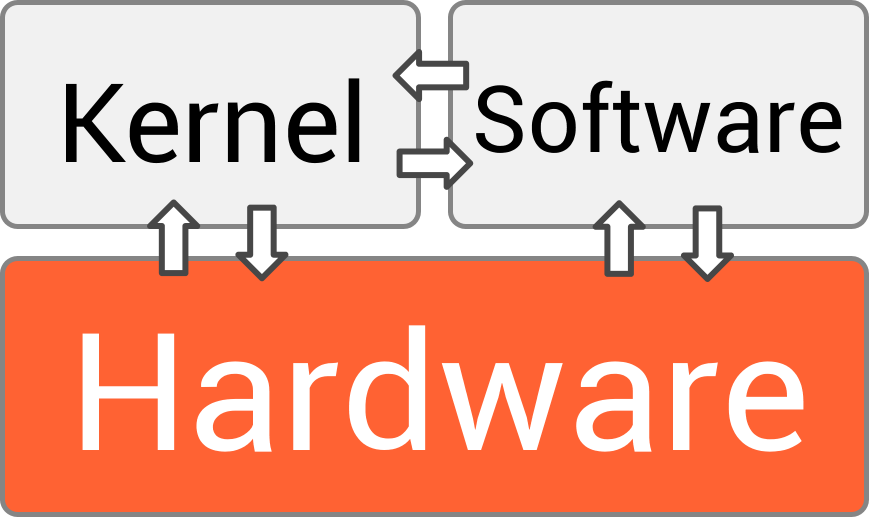
An Operating System (OS) is the essential software layer that bridges the gap between a computer's hardware and its users.
Essentially, the OS is a translator. Your web browser doesn't know how to speak directly to the physical screen or the network card. The OS provides a common language and set of services that applications use to get work done. It handles the nitty-gritty details of the hardware so your apps don't have to.
The Four Core Jobs
To keep everything running, an operating system juggles four main responsibilities. Each one is critical for a functioning computer.
The operating system is often called the "resource manager" of a computer system because it is responsible for allocating and managing hardware resources such as the CPU, memory, storage, and input/output (I/O) devices.
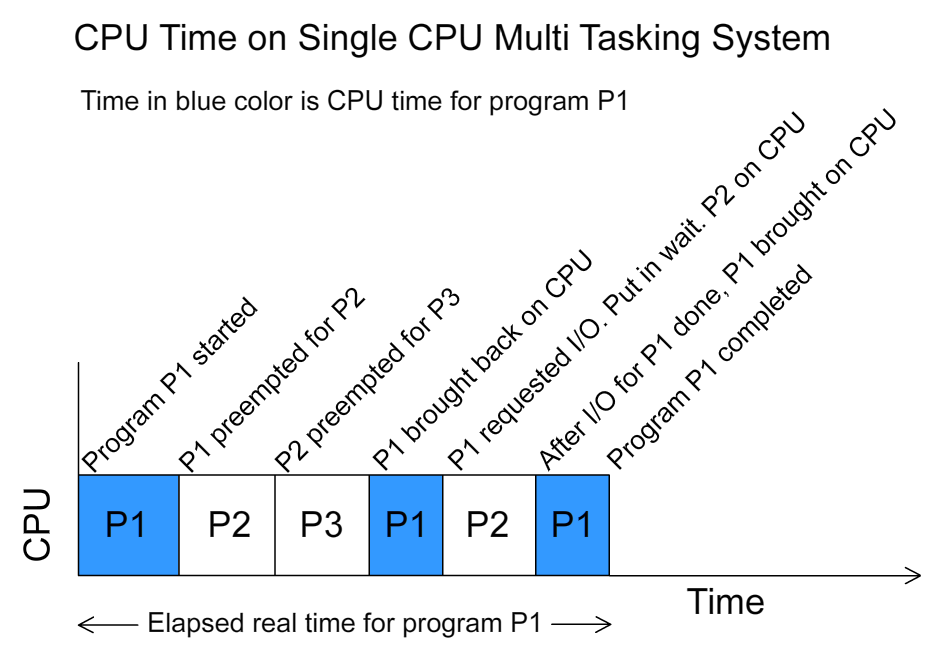
1. Process Management When you run a program, you create a process. If you're listening to music while writing a document and browsing the web, you have at least three processes running. The OS's job is to manage these processes, deciding which one gets to use the Central Processing Unit (CPU) at any given moment. This rapid switching, called scheduling, creates the illusion that everything is happening at once.
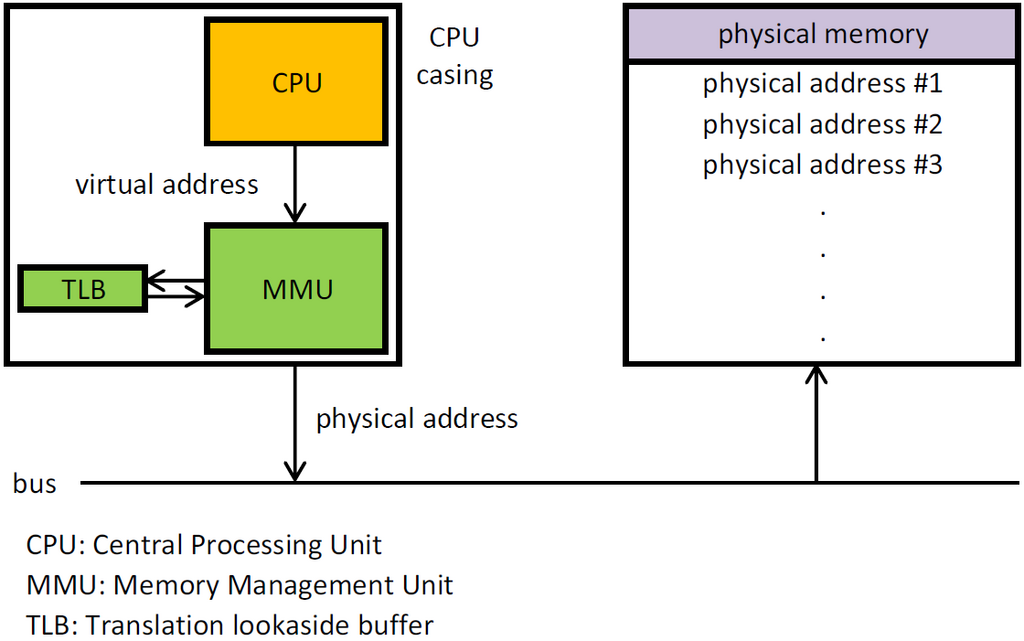
2. Memory Management Each process needs a workspace in the computer's memory (RAM) to store its data and instructions. The OS is like a meticulous librarian for the computer's memory. It allocates a specific section of RAM to each process and ensures that no process interferes with another's space. When you close a program, the OS reclaims that memory so it can be used by something else. This prevents programs from crashing into each other and keeps the system stable.
3. File Management All of your documents, photos, and applications are stored as files on a hard drive or solid-state drive. The OS provides the file system, which is the structure that organizes all this data. Think of it as a digital filing cabinet. The file system lets you create folders, name files, and know where everything is. When you save a document, the OS finds an empty spot on the disk and writes the data. When you open it, the OS retrieves it for you.
4. Device Management Your computer has many parts: a keyboard, a mouse, a screen, a printer, and speakers. The OS manages the communication between your software and all of these physical devices. It uses special programs called drivers to translate general commands (like "print this page") into the specific instructions that a particular piece of hardware understands. This way, your word processor doesn't need to know how to operate every printer ever made; it just talks to the OS.
Types of Operating Systems
Not all operating systems are built for the same job. They can be designed for different tasks and scales.
| Type | Description | Example Use Case |
|---|---|---|
| Single-User | Allows only one user to operate the computer at a time. | A personal desktop or laptop computer running Windows or macOS. |
| Multi-User | Allows multiple users to access and run programs on the computer simultaneously. | A university's central server where many students can log in to access files and software. |
| Real-Time (RTOS) | Processes data as it comes in, without delay. Timing is critical. | The anti-lock braking system in a car, which must react instantly to prevent skidding. |
| Distributed | Manages a group of independent computers and makes them appear to be a single computer. | A search engine like Google, which uses thousands of computers to handle search requests. |
From the phone in your pocket to the servers that power the internet, operating systems are the invisible force that makes modern computing possible. They handle the complex, low-level tasks so we can focus on ours.
Time to check what you've learned.
Using the analogy of a symphony, what is the role of an operating system?
When you run multiple programs like a web browser, a music player, and a word processor at the same time, which core OS function is responsible for rapidly switching the CPU's attention between them?
Understanding these core concepts provides the foundation for exploring how computers work at a deeper level.