Object-Oriented Programming in C++
Introduction to C++
What Is C++?
C++ is a powerful programming language created in the 1980s by Bjarne Stroustrup. It was designed as an extension of the older C language, adding features that make it easier to build large, complex software. Think of C as a foundational toolkit with essential tools, and C++ as that same toolkit plus a whole set of advanced power tools.
Because it’s fast and allows for detailed control over computer hardware, C++ is used everywhere. It powers video games, web browsers, operating systems, and financial trading software. It strikes a balance between high-level features that make programming easier and low-level control that makes programs efficient.
Your First Program
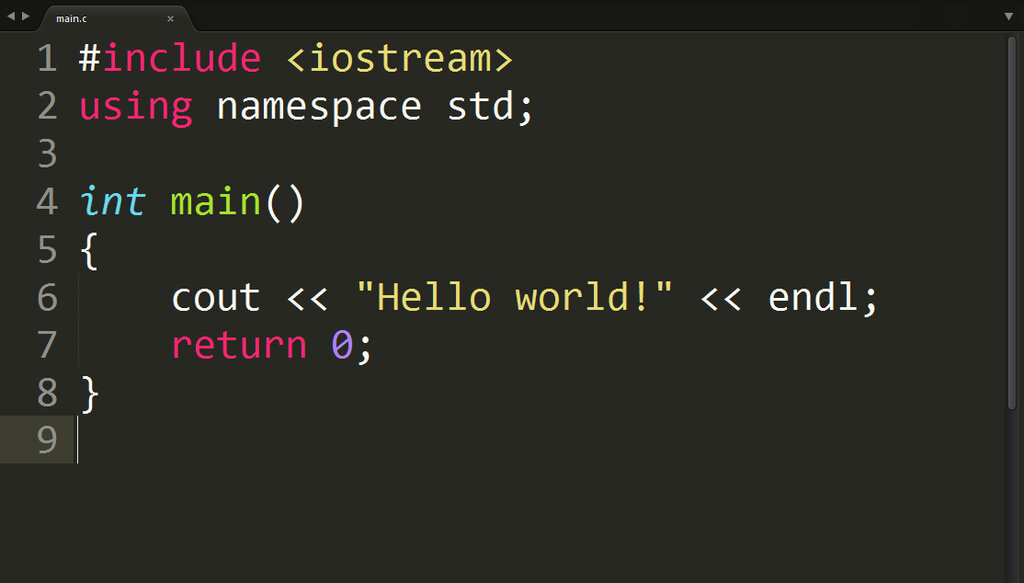
Let's look at the basic structure of a C++ program. It might look a bit cryptic at first, but each part has a specific job.
// This line includes a library for input and output
#include <iostream>

// This is the main function where the program starts
int main() {
    // This line prints text to the screen
    std::cout << "Hello, C++!";

    // This tells the operating system the program ran successfully
    return 0;
}
Here's a breakdown:
#include <iostream>: This line tells the compiler to include theiostreamlibrary, which handles input and output operations, like printing text to the console.int main(): Every C++ program has amainfunction. It's the starting point. When you run your program, the code inside these curly braces{}is what gets executed first.std::cout << "Hello, C++!";: This is a statement that does something.std::coutis the command to print,<<is an operator that sends the text on the right to the output on the left, and the text itself is in double quotes. The semicolon;at the end marks the end of the statement, like a period in a sentence.return 0;: This signals that themainfunction has finished successfully. A return value of 0 is the standard for success.
Storing Information
To do anything useful, programs need to store information. In C++, we use variables for this. A variable is just a named piece of memory that holds a value. Before you use a variable, you must declare it by giving it a type and a name.
variable
noun
A named storage location in memory that holds a value which can be modified by the program.
C++ has several fundamental data types to store different kinds of information:
| Data Type | Description | Example |
|---|---|---|
int | Integers (whole numbers) | int score = 100; |
double | Floating-point numbers (with decimals) | double price = 19.99; |
char | A single character | char initial = 'A'; |
bool | A boolean value (true or false) | bool isLoggedIn = true; |
std::string | A sequence of characters (text) | std::string name = "Alice"; |
Once a variable is declared, you can change its value using the assignment operator =. You can also perform calculations using operators.
int score = 100; score = score + 10; // score is now 110
Making Decisions and Repeating Actions
Programs often need to make decisions. This is done with control flow statements. The most common is the if-else statement. It checks if a condition is true and runs a block of code accordingly.
int score = 85;

if (score > 60) {
    std::cout << "You passed!";
} else {
    std::cout << "You failed.";
}
In this example, because score is greater than 60, the program prints "You passed!". If score were 50, it would print "You failed.". The condition in the parentheses () must evaluate to either true or false.
Sometimes you need to repeat an action multiple times. That's what loops are for. The for loop is great when you know exactly how many times you want to repeat something.
// This loop will run 5 times
for (int i = 0; i < 5; i = i + 1) {
    std::cout << "This is loop number " << i << "\n";
}
This loop initializes a counter variable i to 0. It will keep running as long as i < 5 is true, and after each run, it increases i by 1. The \n is a special character that creates a new line in the output.
Another common loop is the while loop, which repeats as long as its condition is true. It's useful when you don't know in advance how many times you'll need to loop.
int countdown = 3;

while (countdown > 0) {
    std::cout << countdown << "...\n";
    countdown = countdown - 1; // Decrease the countdown
}

std::cout << "Liftoff!";
This covers the absolute basics. With variables, operators, and control flow, you have the fundamental building blocks for writing C++ programs.
Time to test what you've learned.
What is the primary role of the int main() function in a C++ program?
Who is the creator of the C++ programming language?
These concepts form the foundation of C++. Mastering them is the first step toward building powerful and efficient applications.