MySQL Database Essentials
Introduction to MySQL
What is MySQL?
MySQL is a tool for storing and organizing data. It's known as a relational database management system, or RDBMS. That's just a formal way of saying it organizes data into tables, much like a collection of spreadsheets.
Think of a spreadsheet for your contacts. You have columns for FirstName, LastName, and PhoneNumber. Each row is a different person. A relational database works on the same principle, but on a much larger and more powerful scale. It uses a language called SQL (Structured Query Language) to manage this data. When you want to add, retrieve, or update information, you send instructions written in SQL.
MySQL is open-source, which means it's free to use and modify. This has made it incredibly popular, powering everything from small websites to large corporate applications.
How MySQL Works
MySQL operates on a client-server model. This might sound complex, but it's a setup you use every day. Imagine you're at a library. You (the client) go to the librarian (the server) and ask for a specific book. The librarian finds the book in the library's vast collection (the database) and gives it to you.
In the world of MySQL, your application is the client. It needs some data, so it sends a request written in SQL to the MySQL server. The server processes that request, fetches the data from the database, and sends it back to your application. This separation is efficient because the powerful server can focus entirely on managing the database, while multiple clients can connect to it to get the information they need.
Getting MySQL Running
To start working with MySQL, you first need to install it. The exact steps vary depending on your operating system, whether it's Windows, macOS, or Linux. The official place to get the software is the MySQL Community Server download page. It provides installers that guide you through the process.
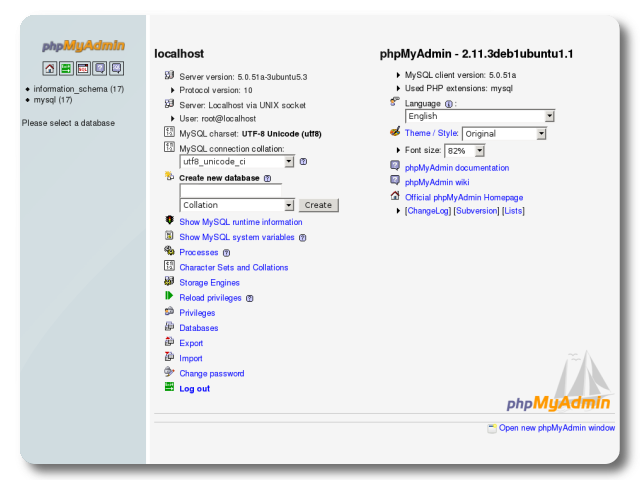
During installation, you'll be prompted to configure a few key settings. The most important one is setting the password for the 'root' user. The root user is the super-administrator for your database, with full permissions to do anything. Choose a strong password and, more importantly, remember it.
Losing your root password can be a major headache. Store it in a safe place, like a password manager.
Most installers will also help you configure the MySQL server to start automatically when your computer boots up. For most learning purposes, the default settings are perfectly fine. Once the installation is complete, the MySQL server will be running in the background, ready to accept connections from a client.
What is MySQL?
Which analogy best describes MySQL's client-server model?
With the server set up, you're ready to start interacting with it using SQL. We'll explore how to do that next.