Mastering React Key Concepts
Introduction to React
What Is React?
React is a JavaScript library for building user interfaces. Created by Facebook, its main job is to make it easier to create interactive, dynamic, and reusable UI elements. Think of the dynamic parts of a webpage you use every day—a live feed that updates, a button you can like, or a comment section. React helps developers build those pieces efficiently.
At its core, React lets you build a user interface out of individual pieces called components.
Thinking in React
To understand React's power, you need to grasp a few key concepts. These ideas change how you approach building what a user sees and interacts with.
Declarative
adjective
A style of programming where you describe what you want the outcome to be, without specifying how to achieve it.
First, React is declarative. Imagine you're ordering a pizza. You don't tell the chef to first take out the dough, then spread the sauce, then sprinkle cheese, and so on. You just say, "I'd like a pepperoni pizza." You declare the final state you want, and the chef handles the steps to get there.
Programming UIs can be similar. With React, you describe what the screen should look like based on its current state. When the state changes (like a user clicking a button), React automatically updates the screen to match. You don't have to manually write the step-by-step instructions for changing the display. This makes your code more predictable and easier to debug.
React is all about components.
Second, React is built on components. Think of them like LEGO bricks. You build small, self-contained pieces—a button, a search bar, a user profile—and then you assemble them to create entire pages. Each component manages its own state and logic, which keeps your code organized and reusable. You can build a button component once and use it all over your application.
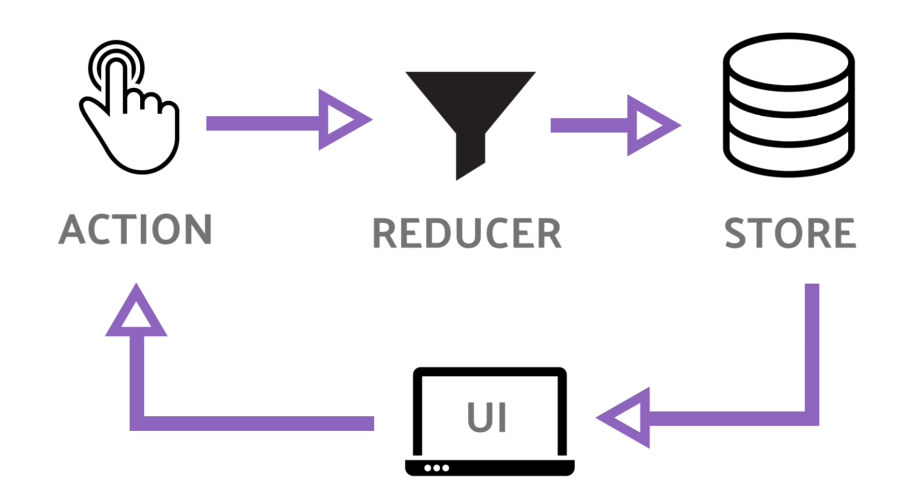
Finally, React uses unidirectional data flow. This sounds complex, but it's a simple idea: data has a one-way street to follow. It flows from parent components down to child components.
This structure makes it much easier to understand how your application works. If something goes wrong, you can trace the data flow from its source (the parent) down through the chain of components to find the problem. It prevents the kind of confusing bugs where a change in one small part of the app unexpectedly breaks something completely unrelated.
Setting Up Your First Project
The fastest way to start a new React project is with a tool called Create React App. It sets up a complete development environment for you with just one command. You'll need to have Node.js and npm (Node Package Manager) installed on your computer first.
Once you have Node.js, open your terminal or command prompt and run this command:
npx create-react-app my-first-app
This creates a new directory called my-first-app with everything you need. To start the development server and see your new app in the browser, navigate into the directory and run the start command:
cd my-first-app
npm start
Your web browser will open a new tab with a spinning React logo. You're now ready to start building! In the next section, we'll dive into what a component actually looks like in code.