Mastering Python Fundamentals
Pythonic Syntax and Indentation
The Pythonic Way
Unlike many other programming languages, Python has a strong philosophical backbone. The goal isn't just to write code that works; it's to write code that is clear, readable, and elegant. This philosophy is often called writing "Pythonic" code. It values simplicity and readability over complex, clever solutions. The community has even created a set of style guidelines called to help programmers write clean, consistent code.
This focus on readability is so central that it's even codified in a poem called "The Zen of Python," which you can read by typing
import thisinto a Python interpreter.
Whitespace Is Syntax
The most striking feature of Python for newcomers is its use of indentation. In languages like Java, C++, or JavaScript, curly braces {} are used to define blocks of code, such as the body of a loop or a conditional statement. The indentation is purely for human readability.
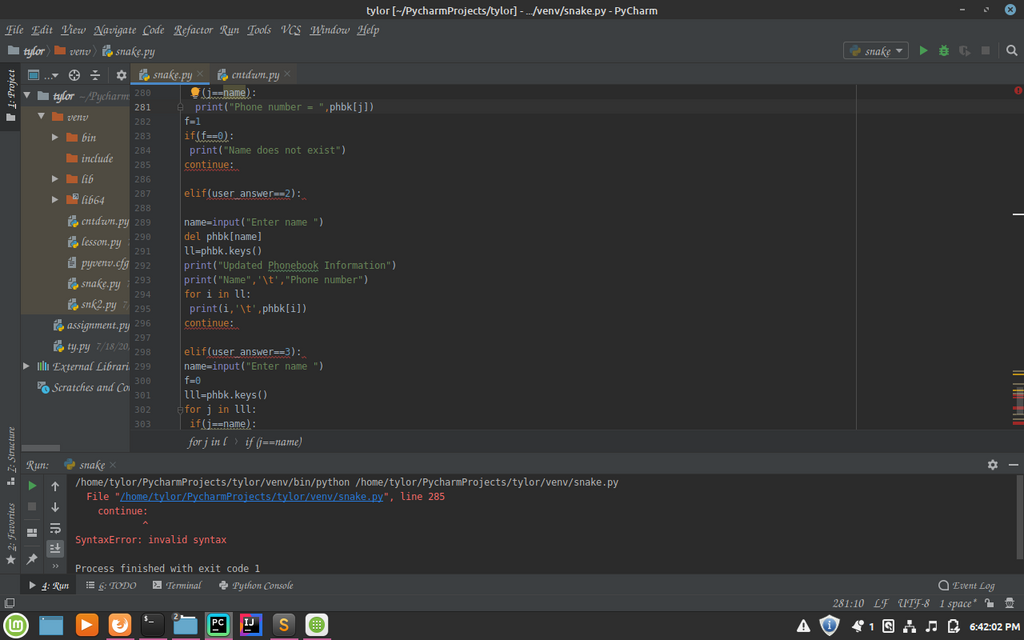
Python is different. It uses whitespace—specifically, indentation—to define code blocks. There are no curly braces. The level of indentation tells the Python interpreter which statements belong to which block. This isn't just a style suggestion; it's a hard rule of the language's syntax.
# In Python, indentation defines the block.
x = 10
if x > 5:
    # This line is inside the if block
    print("x is greater than 5")
    print("This is also inside the block")
else:
    # This line is inside the else block
    print("x is not greater than 5")

# This line is outside of the if/else block
print("Done checking")
The standard convention is to use four spaces for each level of indentation. Using a mix of tabs and spaces is a common source of errors. If you get the indentation wrong, Python will raise an IndentationError, and your code won't run. This forces programmers to write visually structured and clean code from the start. This design choice was made by Python's creator, , to enforce readability.
Flexible by Design
Another key feature of Python is its dynamic typing system. In statically typed languages (like C++ or Java), you must declare the data type of a variable before you can use it, like int age = 30;. The type is fixed and checked at compile time.
Python, however, uses type inference. You don't declare the type; you just assign a value to a variable, and Python figures out the type on its own when the code runs. The type of a variable can even change during the program's execution.
# Python infers the type at runtime
my_variable = 101      # my_variable is an integer
print(type(my_variable))

my_variable = "Hello"  # Now it's a string
print(type(my_variable))

my_variable = 3.14     # And now it's a float
print(type(my_variable))
This flexibility makes Python very fast for prototyping and writing scripts, as it requires less boilerplate code. The trade-off is that some type-related errors might not be caught until the program is actually running, whereas a static language would catch them during compilation.
Leaving Notes for Yourself
Good code explains itself, but sometimes you need to leave notes for other developers or for your future self. Python has two main ways of doing this: comments and docstrings.
A comment starts with a hash symbol (#) and continues to the end of the line. Python completely ignores comments when executing the code. They are purely for human readers.
# This is a single-line comment
user_age = 25 # This comment explains what the variable is for
For longer documentation, especially for functions, classes, and modules, Python uses . A docstring is a string literal that occurs as the first statement in a module, function, class, or method definition. It's enclosed in triple quotes (""" or '''). While they look like multi-line comments, they are technically strings that are accessible at runtime. This allows documentation generators and other tools to automatically create help files from your code.
def calculate_area(radius):
    """Calculate the area of a circle given its radius.

    Args:
        radius (int or float): The radius of the circle.

    Returns:
        float: The area of the circle.
    """
    pi = 3.14159
    return pi * (radius ** 2)

# You can access the docstring like this:
print(calculate_area.__doc__)
Running Your Code
There are two primary ways to execute Python code. The first is to save your code in a file with a .py extension (e.g., my_script.py) and run it from your terminal.
# From your terminal or command prompt
python my_script.py
The second way is to use Python's interactive interpreter, also known as the REPL.
REPL
noun
Stands for Read-Eval-Print Loop. It's an interactive programming environment that takes single user inputs, evaluates them, and returns the result to the user.
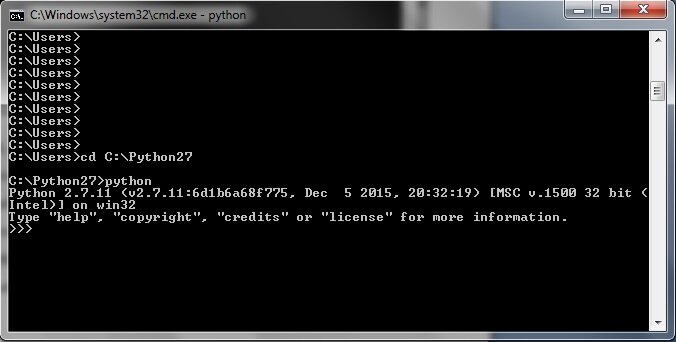
You can start the REPL by simply typing python in your terminal. You'll see a >>> prompt, where you can type Python code one line at a time and see the results immediately. It's an excellent tool for testing small snippets of code, exploring language features, and debugging.
Now that you understand the basic rules and feel of Python syntax, it's time to test your knowledge.
What is the primary philosophy behind writing "Pythonic" code?
In Python, how are blocks of code (like the body of a function or a loop) defined?