Mastering C++ Programming
Introduction to C++
What is C++?
C++ is a powerful and versatile programming language. Think of it as an upgraded version of an older language called C. Created in the early 1980s by Bjarne Stroustrup, C++ was designed to add modern features to C without sacrificing its speed and efficiency.
One of its key features is that it's a "middle-level" language. This means it has the power to work directly with a computer's memory (low-level), like C, but also includes high-level features that make writing complex programs easier. This flexibility is why C++ is used for so many different things, from video games and web browsers to operating systems and financial trading software.
C++ combines the raw power of C with modern programming techniques, making it a popular choice for performance-critical applications.
Getting Your Tools Ready
To start writing C++ programs, you need a development environment. This consists of two main tools: a text editor to write your code and a compiler to translate it into a language the computer can understand.
Compiler
noun
A special program that translates source code written in a programming language (like C++) into machine code that a computer's processor can execute.
While you can use a simple text editor and a separate compiler, most developers use an Integrated Development Environment (IDE). An IDE bundles a text editor, a compiler, and other helpful tools into a single application. For beginners, using an online IDE is often the easiest way to start, as it requires no setup.
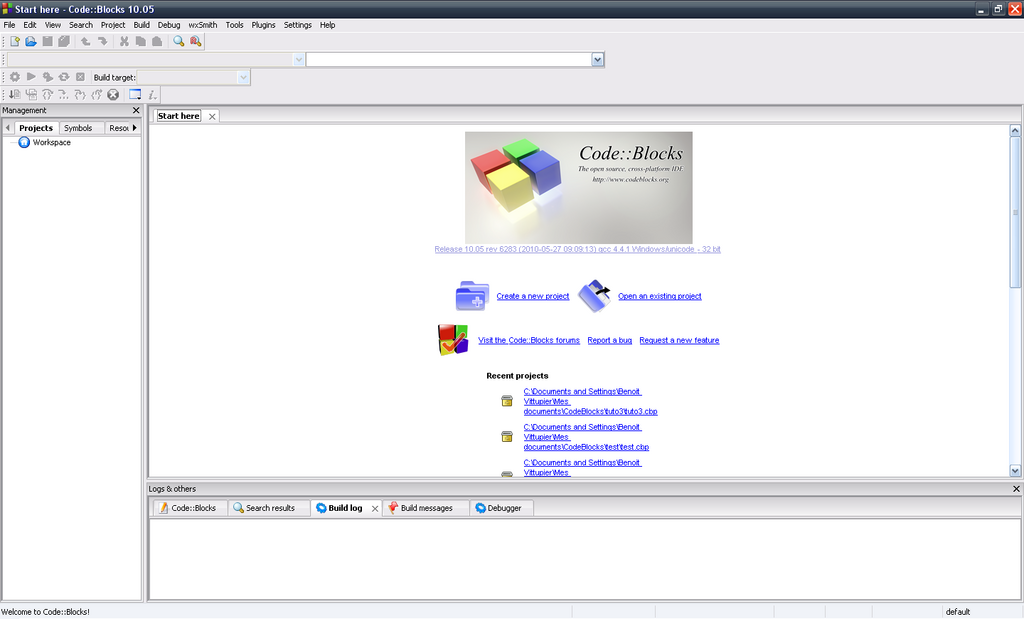
Your First Program
A long-standing tradition in programming is to make your first program display the text "Hello, World!" on the screen. It's a simple way to confirm that your development environment is set up correctly. Here's what it looks like in C++:
// This is a simple C++ program

#include <iostream>

int main() {
    // Print "Hello, World!" to the console
    std::cout << "Hello, World!" << std::endl;
    return 0;
}
Let's break this down line by line to understand the basic structure of a C++ program.
| Code | Explanation |
|---|---|
#include <iostream> | This is a preprocessor directive. It tells the compiler to include the iostream file, which contains code for handling input and output (like printing text to the screen). |
int main() | This is the main function. Every C++ program starts executing from here. The int means the function will return an integer value. |
{ ... } | The curly braces mark the beginning and end of the main function's code block. |
| `std::cout << |
Let's break this down line by line to understand the basic structure of a C++ program.
| Code | Explanation |
|---|---|
#include <iostream> | This is a preprocessor directive. It tells the compiler to include the iostream file, which contains code for handling input and output (like printing text to the screen). |
int main() | This is the main function. Every C++ program starts executing from here. The int means the function will return an integer value. |
{ ... } | The curly braces mark the beginning and end of the main function's code block. |
std::cout << "Hello, World!" << std::endl; | This is the statement that does the work. std::cout is the standard output stream (the console), << sends the text to it, and std::endl adds a new line. |
return 0; | This line tells the operating system that the program ran successfully. A return value of 0 conventionally means success. |
// ... | Any line starting with two slashes is a comment. The compiler ignores it; it's just a note for human readers. |
When you compile and run this code, the output will be a single line of text: Hello, World!
Who is credited with creating the C++ programming language?
C++ is often described as a 'middle-level' language. What does this mean?
You've just taken your first step into C++. You've seen what the language is, what tools you need, and how to write a simple program.