Master Your Digital Security with a Password Manager
Understanding Password Security
Your First Line of Defense
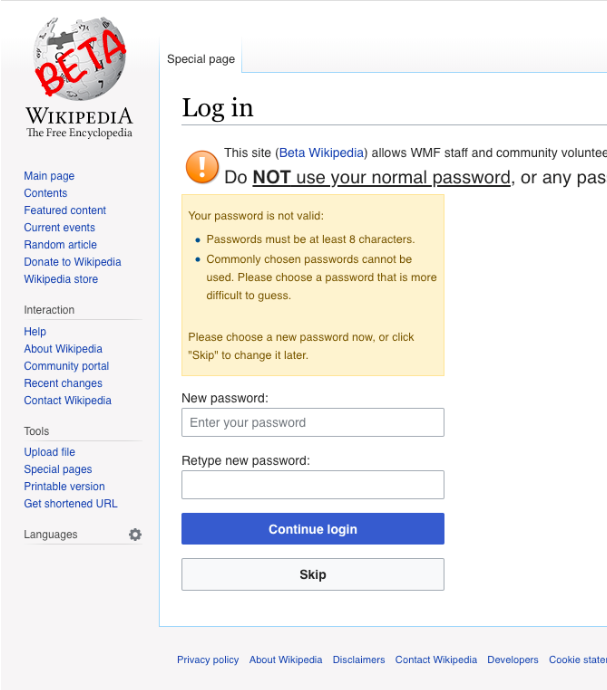
Your passwords are the keys to your digital life. They protect your emails, bank accounts, and personal information. A weak or reused password is like leaving the key to your house under the doormat — it’s the first place an intruder will look.
So, what makes a password strong? Two things: length and complexity. A long password with a mix of uppercase letters, lowercase letters, numbers, and symbols is much harder to guess. Forget trying to remember something like Jg$7!2_k. A better approach is creating a long, memorable passphrase, like Correct-Horse-Battery-Staple!. It's easier for you to recall but difficult for a computer to crack.
How Attackers Break In
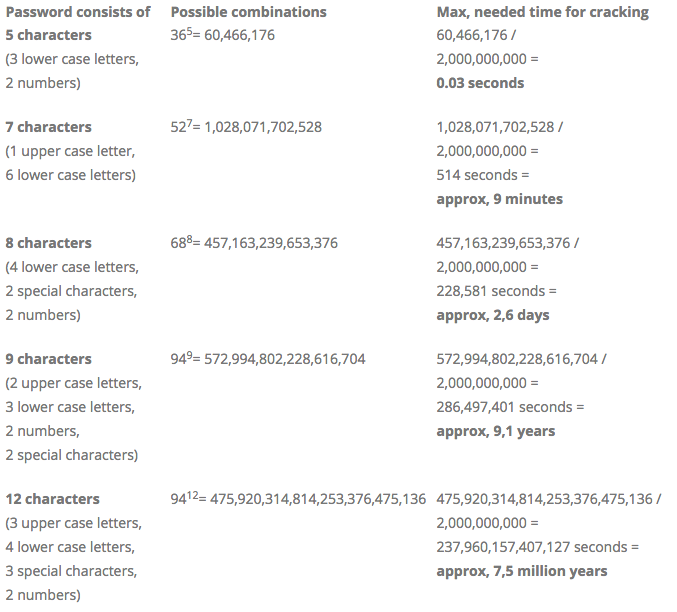
Hackers rarely guess your password by hand. They use automated software to try millions of combinations in a very short time. This is one of the most common types of password attacks.
Brute Force Attack
noun
An attack where a program systematically tries every possible combination of letters, numbers, and symbols to guess a password.
Another major threat is credential stuffing. This happens after a data breach at one company exposes a list of usernames and passwords. Attackers take that list and use automated bots to try the same login credentials on hundreds of other popular websites, like banking and social media sites. If you reuse passwords, a breach at one service can lead to all your accounts being compromised.
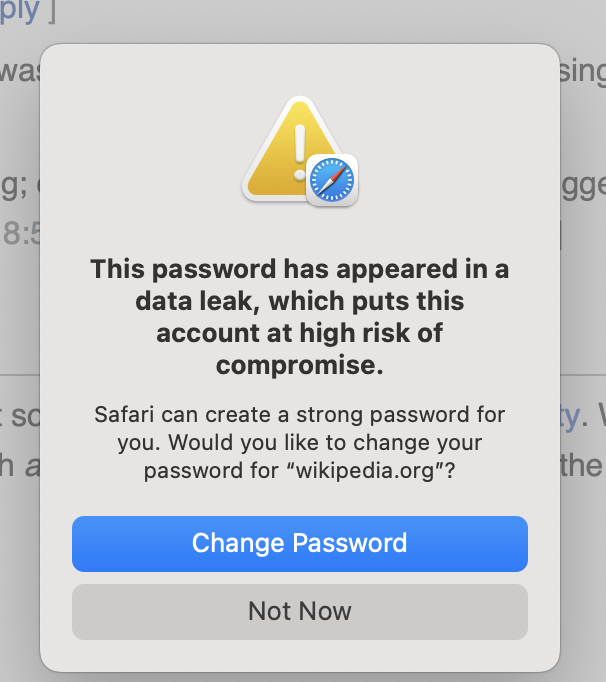
Using a unique password for every account is one of the most effective ways to protect yourself online. If one account is compromised, the others remain safe.
A Better Way to Manage Passwords
Remembering dozens of long, unique, and complex passwords is an impossible task for any human. That's where password managers come in.
A password manager is a secure application that creates and stores unique, strong passwords for all your accounts. Think of it as a digital vault. You only need to remember one strong "master password" to unlock the vault and access all your other credentials.
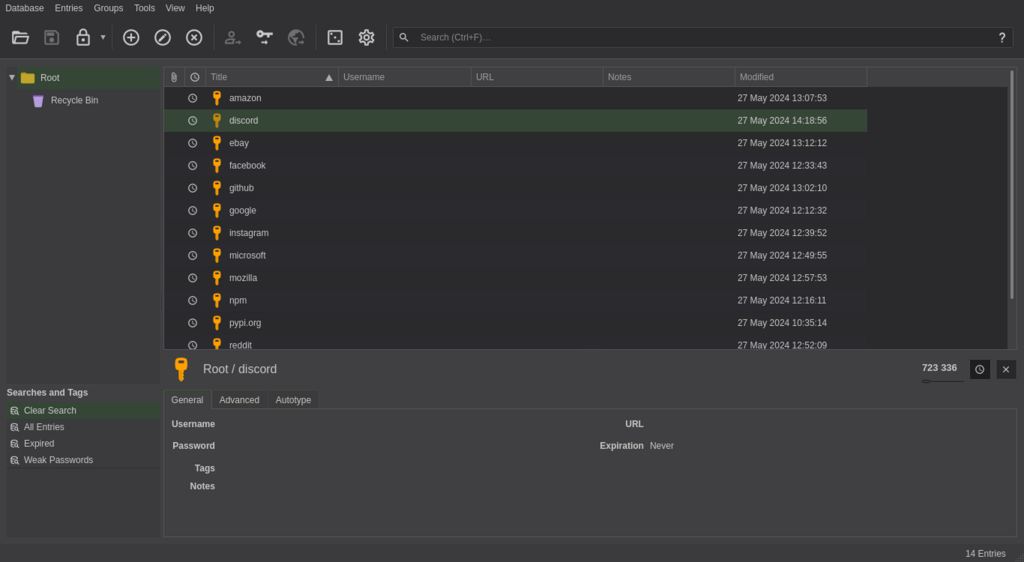
These tools can automatically generate highly complex passwords (like zN7#p!qR$*3sF&gW) that you never have to see or remember. When you visit a login page, the password manager can fill in your credentials for you. It's both more secure and more convenient.
A password manager simplifies password use across different sites, helping users create and manage strong and unique passwords to keep them more secure.
Adding Another Lock
Even a strong password can be stolen. For your most important accounts, you need an additional layer of security. This is called multi-factor authentication, or MFA. It's also commonly known as two-factor authentication (2FA).
MFA requires you to provide two or more pieces of evidence to prove your identity. It combines something you know (your password) with something you have (like your phone) or something you are (like your fingerprint).
A common example of MFA is receiving a one-time code on your phone via a text message or an authenticator app after entering your password.
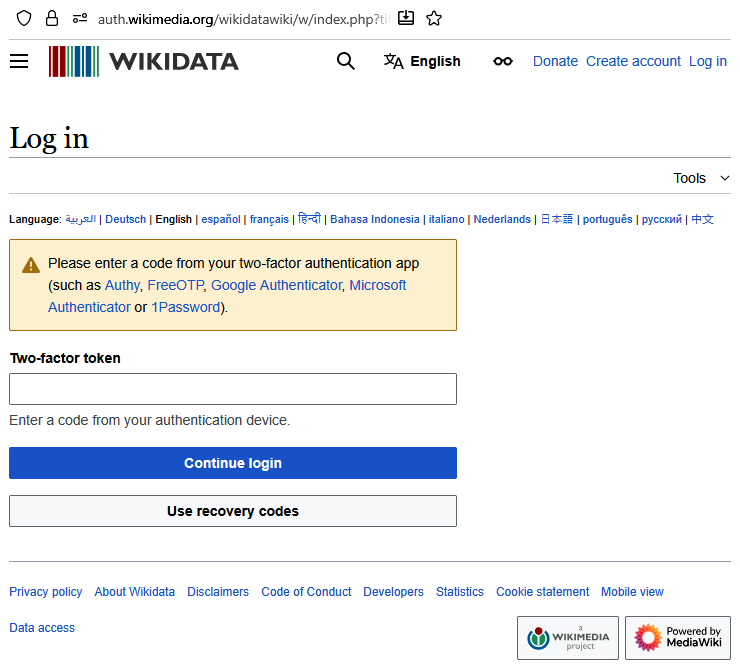
Even if a hacker steals your password, they won't be able to access your account without that second factor. Enabling MFA wherever it's available is one of the single best steps you can take to secure your online life.
Ready to check your understanding? Let's review the key concepts we've covered.
What is 'credential stuffing'?
Which of the following is the best example of a strong, memorable passphrase?
By using strong, unique passwords, a password manager, and multi-factor authentication, you're building a powerful defense against the most common online threats.