Linux Memory Allocation Explained
Linux Memory Basics
Physical vs. Virtual Memory
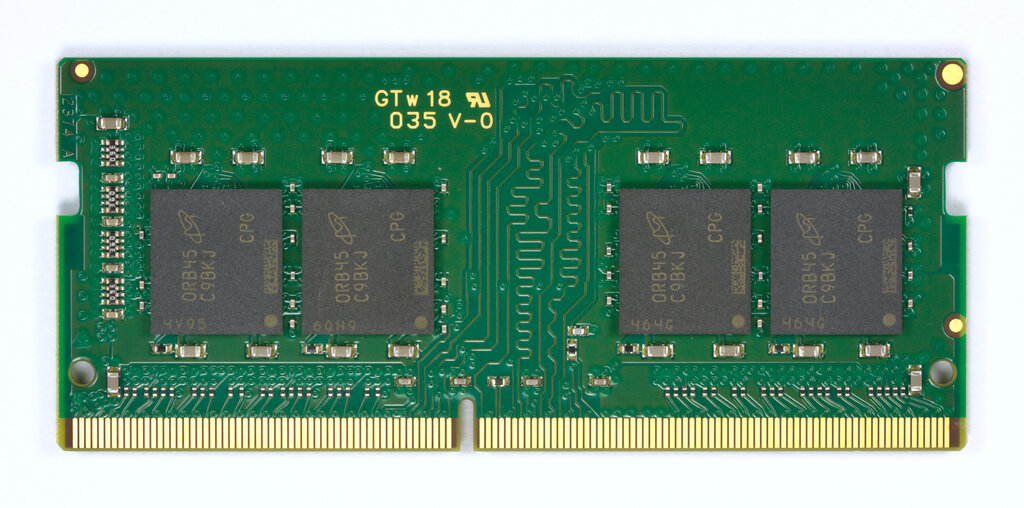
Your computer has physical memory, known as RAM (Random Access Memory). Think of RAM as a large bookshelf with a fixed number of slots. Each slot can hold a piece of information, and the computer's processor can quickly access any of these slots. This is where your running programs and their data live.
However, programs in Linux don't interact with this physical bookshelf directly. Instead, they operate in their own private world called virtual memory. The kernel gives every single program the illusion that it has the entire bookshelf all to itself. This private, virtual bookshelf looks just like the real one, but it's an abstraction.
This separation is powerful for two main reasons:
-
Isolation: Since each program has its own virtual memory space, it can't accidentally (or maliciously) peek into or overwrite the memory of another program. This is a fundamental security and stability feature. One buggy application can't bring down the whole system.
-
Flexibility: A program's virtual memory space can be much larger than the actual physical RAM available. The kernel can cleverly use hard disk space as a temporary overflow area, a process known as swapping. This allows you to run more or larger programs than your RAM would normally allow.
The Kernel as Memory Manager
The Linux kernel is the mastermind behind this entire operation. It acts as a strict and efficient manager, controlling all access to the physical RAM. No program is allowed to touch physical memory directly; it must always go through the kernel.
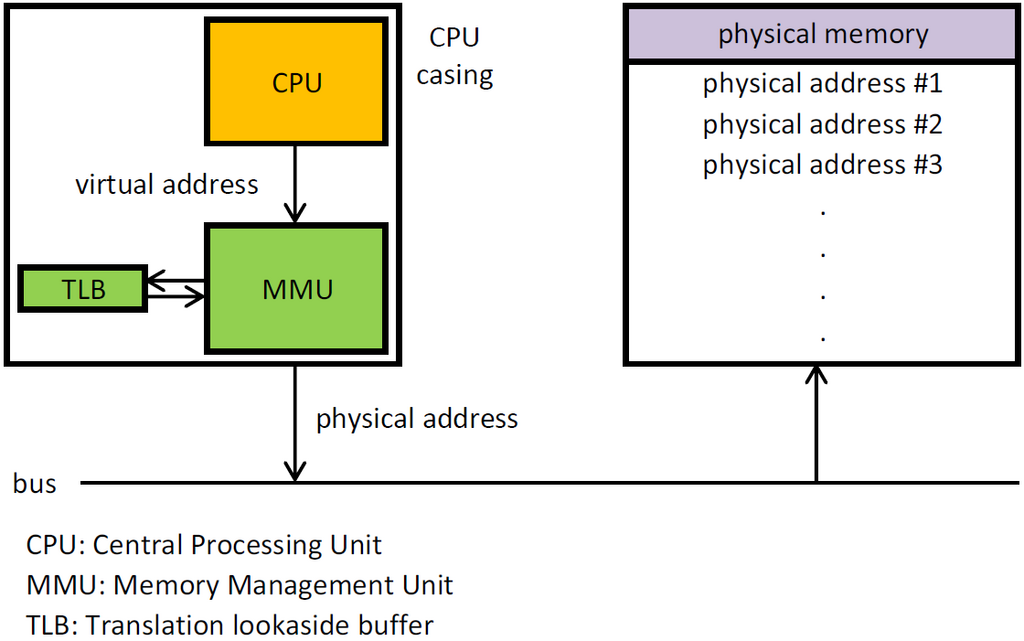
The kernel maintains a set of tables, like a master ledger, that map each program's virtual addresses to actual physical addresses in RAM. When a program tries to access a memory address—say, address 42 in its virtual space—the kernel (with help from a hardware component called the Memory Management Unit, or MMU) looks up its tables. It might find that for this specific program, virtual address 42 actually corresponds to physical address 58,416 on the RAM chip. The kernel then directs the request to the correct physical slot.
The kernel is the core of the Linux operating system, responsible for managing hardware resources, system calls, and communications between hardware and software.
This translation process is fundamental to how modern operating systems work. It allows the kernel to arrange data in physical RAM efficiently, regardless of how the program thinks its memory is laid out.
How Programs Get Memory
So how does a program actually get the memory it needs to run? It doesn't just take it; it asks for it.
When you launch an application, the kernel creates a new process and assigns it a virtual address space. Initially, this space is mostly empty. As the program runs, it might need more memory to store variables, load data, or perform calculations. When it does, it sends a formal request to the kernel. This is done through special requests called system calls.
The kernel receives this request and checks if there's enough free physical RAM. If there is, it finds an available block, updates its internal mapping tables to link the program's virtual address to this new physical block, and then gives the program the green light to use that memory. From the program's perspective, it just received a clean, contiguous block of memory. Behind the scenes, the kernel may have pieced it together from different physical locations.
This request-based system ensures that memory is managed centrally and fairly. The kernel makes sure that no single process can hog all the resources and that the system remains stable and responsive.
What is the primary role of the Linux kernel in memory management?
Why can two different programs access the same memory address (e.g., address 0x4000) without causing a conflict?
Understanding these core concepts—the distinction between physical and virtual memory, and the kernel's central role as a manager—is the first step to understanding how Linux works at a deeper level.