JavaScript Fundamentals
Introduction to JavaScript
The Language of the Web
Think of a website as a house. HTML is the foundation and the walls—the basic structure. CSS is the paint, the furniture, and the decorations that give the house its style. But what makes the house come alive? The lights that turn on when you enter a room, the doorbell that rings, the garage door that opens automatically. That's JavaScript.
JavaScript (JS) is the programming language that makes websites interactive and dynamic.
Without it, webpages would be static documents, like digital brochures. With JavaScript, you can create animations, validate forms, load new content without reloading the page, and build complex applications that run right in your web browser.
A Brief History
JavaScript was born in 1995 at Netscape, the company behind the once-dominant Netscape Navigator browser. A developer named Brendan Eich created it in just ten days. Originally, it was called Mocha, then LiveScript, before being renamed JavaScript in a marketing move to piggyback on the popularity of another language, Java. Despite the similar names, JavaScript and Java are completely different languages.
Initially, every browser had its own version of JavaScript, which was a nightmare for developers. To solve this, the language was submitted to a standards organization, ECMA International, which created a standard specification called ECMAScript. This ensures that JavaScript code runs consistently across different browsers.
Today, JavaScript is more than just a browser language. With platforms like Node.js, developers can use JavaScript to build server-side applications, making it a language that can power an entire web application from front to back.
Setting Up Your Toolbox
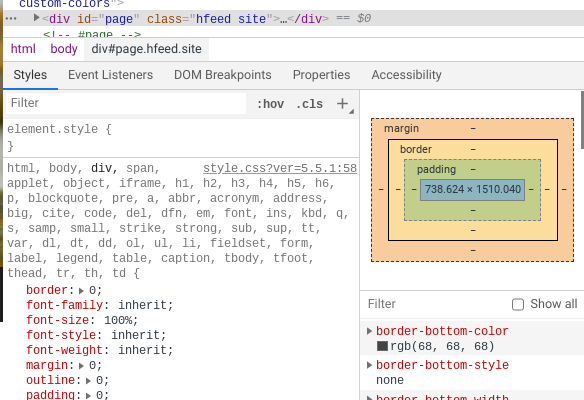
Getting started with JavaScript is surprisingly simple. You already have the most important tool: your web browser. Modern browsers like Chrome, Firefox, and Edge come with powerful built-in developer tools that let you write, test, and debug JavaScript right on the page.
While you can write code in a basic text editor like Notepad, most developers use a specialized code editor. These programs offer helpful features like syntax highlighting (coloring your code to make it easier to read), auto-completion, and error checking.
Some popular free code editors include Visual Studio Code, Atom, and Sublime Text. For now, just pick one and get it installed. You can always switch later.

Connecting JavaScript to HTML
To make JavaScript do its magic on a webpage, you need to connect it to your HTML file. There are two common ways to do this.
The first is to write the JavaScript code directly inside your HTML file using <script> tags. This is called an "internal script."
<!DOCTYPE html>
<html>
<head>
  <title>My First JS Page</title>
</head>
<body>

  <h1>Hello, World!</h1>

  <script>
    // JavaScript code goes here
    alert('This is an alert from JavaScript!');
  </script>

</body>
</html>
The second, and more common, method is to write your JavaScript in a separate file with a .js extension. You then link to this file from your HTML using a <script> tag with a src (source) attribute. This is called an "external script."
<!-- In your index.html file -->
<!DOCTYPE html>
<html>
<head>
  <title>My First JS Page</title>
</head>
<body>

  <h1>Hello, World!</h1>

  <script src="myscript.js"></script>

</body>
</html>


// In your myscript.js file
alert('This is an alert from an external JavaScript file!');
Using external files is the preferred approach. It keeps your code organized and allows you to reuse the same script on multiple pages of your website.
Best practice is to place your
<script>tag just before the closing</body>tag. This ensures that the browser loads all the HTML and CSS content first, so your users see the page structure before any interactive elements start running.
Now you know what JavaScript is, where it came from, and how to hook it up to a webpage. You've laid the groundwork for adding interactivity to your web projects.
Using the analogy of a website as a house, what role does JavaScript play?
What is the name of the official standard that ensures JavaScript code runs consistently across different browsers?