Java Programming Fundamentals
Introduction to Java
Meet Java
Java is a programming language, which is a way to give instructions to a computer. It was created in the mid-1990s by a team at Sun Microsystems. The goal was to create a language that was powerful but also simple and reliable.
Think of it like a universal remote. Instead of needing a different remote for your TV, your sound system, and your streaming device, you have one that can control everything. Java was designed with a similar philosophy for software.
Java is a class-based, object-oriented programming language that is designed to be secure and portable.
One of Java's most famous features is its motto: "Write Once, Run Anywhere." This means a developer can write a program on one type of computer, say a Mac, and it can run on a Windows PC or a Linux machine without any changes. This is called platform independence, and it's a huge deal.
How does it work? Through something called the Java Virtual Machine, or JVM. When you write Java code, it isn't converted directly into the native language of your computer. Instead, it's compiled into a special format called bytecode. The JVM acts as a translator, reading the bytecode and converting it into instructions that the specific computer can understand. Every major operating system has its own JVM, which is why the same Java bytecode can run everywhere.
Getting Your Tools Ready
To start writing Java, you need two main things: the Java Development Kit (JDK) and an Integrated Development Environment (IDE).
First, the JDK. This is your core toolkit. It contains essential tools like the compiler, which translates your human-readable code into the bytecode the JVM understands. Without the JDK, your computer wouldn't know what to do with your Java files.
Think of the JDK as the engine and tools for a car. You need it to build and run anything.
Next, you need an IDE. While you could write code in a simple text editor, an IDE makes your life much easier. It's a software application that combines everything you need for programming into one place.
An IDE is like a chef's kitchen. It has your workspace (a code editor), your oven (the compiler), and your pantry (project files), all organized and ready to go. It also provides helpful features like code completion, debugging tools, and syntax highlighting, which make writing code faster and less error-prone. Popular IDEs for Java include IntelliJ IDEA, Eclipse, and Visual Studio Code.
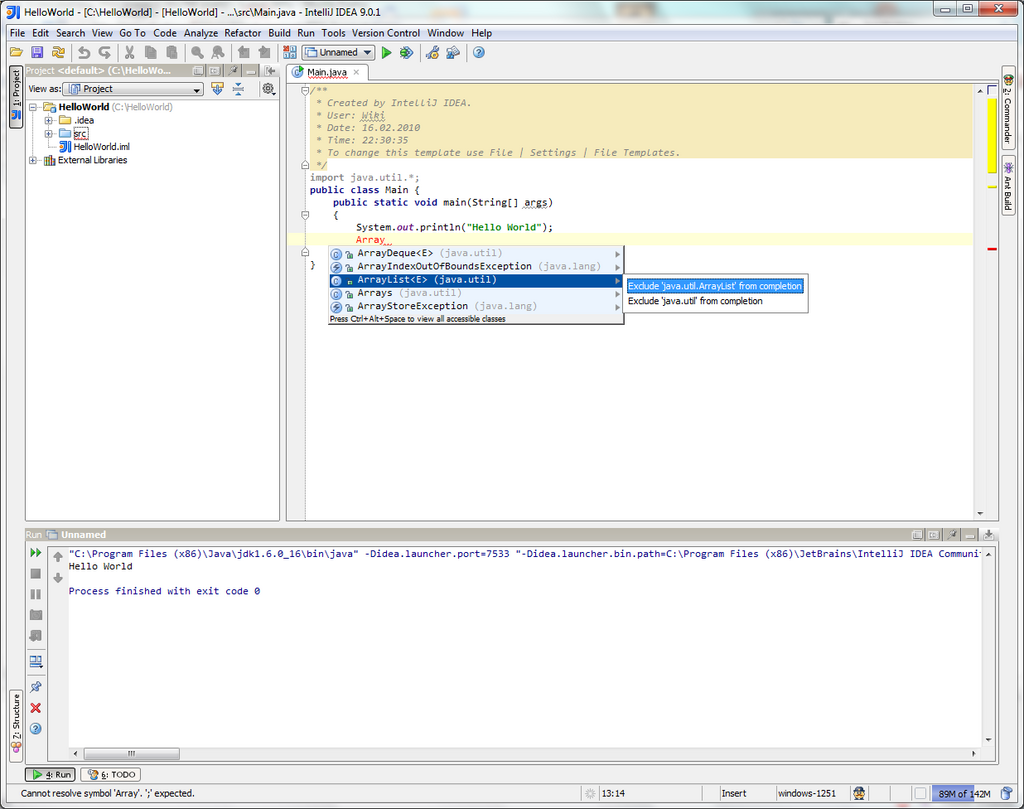
Once you have the JDK installed and an IDE set up on your computer, you'll be ready to write your first program.
What does the Java motto "Write Once, Run Anywhere" refer to?
Which component is responsible for translating Java bytecode into machine-specific instructions?
With the basic concepts and tools in place, you're prepared to dive into the code itself.