Java Programming Essentials
Java Basics
Write Once, Run Anywhere
That's the core promise of Java. It means you can write your program on a Mac, and it will run on a Windows PC or a Linux server without any changes. This was a revolutionary idea when Java was created in the 1990s.
How does it work? Through something called the Java Virtual Machine, or JVM. Think of the JVM as a universal translator. When you write Java code, you don't compile it for a specific operating system. Instead, you compile it into a special format called bytecode. The JVM on any computer knows how to read this bytecode and translate it into instructions that the local machine can understand.
This bytecode is the key. Because the JVM handles the final translation, your original Java code remains platform-independent. To start writing Java, you'll need the Java Development Kit (JDK).
Setting Up Your Toolkit
The JDK is a software package that contains everything you need to build Java applications. It includes the compiler (to turn your code into bytecode) and the JVM (to run it), along with a set of pre-written code libraries to help with common tasks.
Installing the JDK is your first step. Once it's set up on your computer, you have the power to both write and run Java programs. You can write the code in a simple text editor, but most developers use an Integrated Development Environment (IDE) like IntelliJ IDEA, Eclipse, or VS Code, which offers helpful features like code completion and debugging.
Your First Java Program
It's a tradition for programmers to start with a "Hello, World!" program. It's a simple way to confirm that your setup is working correctly. Here’s what it looks like in Java:
// This is the basic structure of a Java program.
public class HelloWorld {
    // This is the main method, the entry point of the program.
    public static void main(String[] args) {
        // This line prints the text to the console.
        System.out.println("Hello, World!");
    }
}
Let's break that down. Every Java application has at least one class, which acts as a container for your code. Here, our class is named HelloWorld. The name of the file must match the public class name, so this code would be saved in a file called HelloWorld.java.
Inside the class is the main method. This is a special method that the JVM looks for when it starts your program. It's the official entry point. For now, you can just memorize the line public static void main(String[] args). We'll explore what each of those words means later on.
Finally, the line System.out.println("Hello, World!"); is the instruction that does the work. It tells the system to print the text inside the parentheses to the console, and then move to a new line.
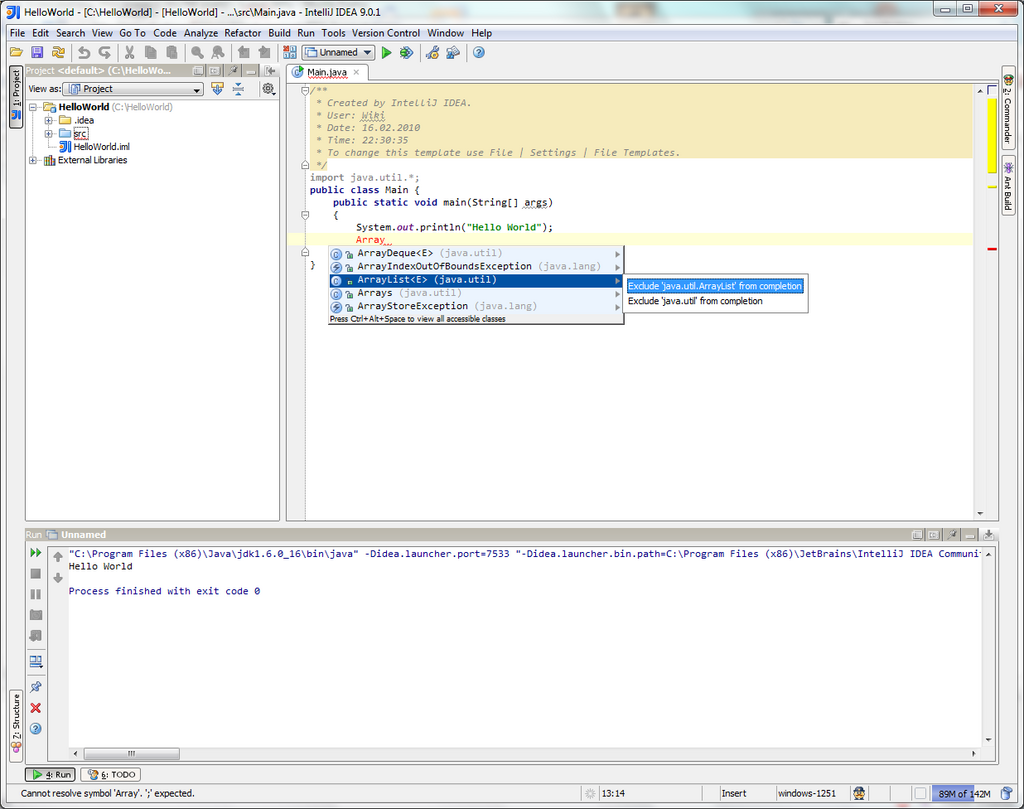
To run this, you would first compile the HelloWorld.java file into bytecode using the Java compiler. This creates a new file called HelloWorld.class. Then, you would use the java command to tell the JVM to execute the code in that class file. The result would be the text "Hello, World!" appearing in your terminal.
The structure is key: a statement goes inside a method, and a method goes inside a class.
Now let's review the key terms we've introduced.
Time to check your understanding.
What is the primary role of the Java Virtual Machine (JVM)?
If you have a Java class named MyFirstApp, what must the corresponding source file be named?
With these fundamentals, you're ready to explore what makes Java such a powerful and widely-used language.