Java Essentials for Beginners
Introduction to Java
What is Java?
Java is a programming language used to build everything from mobile apps to large-scale enterprise systems. It was created in the mid-1990s by a team at Sun Microsystems led by James Gosling. Interestingly, it was originally named "Oak" after an oak tree outside Gosling's office.
The goal was to create a language that could run on various electronic devices, like a universal remote. This idea of portability became Java's superpower. When the internet took off, Java was in the perfect position to build applications that could run on any computer, regardless of its operating system.
Java is a high-level, object-oriented programming language used to build web apps, mobile applications, and enterprise software systems.Known for its Write Once, Run Anywhere capability, which means code written in Java can run on any device that supports the Java Virtual Machine (JVM).
Core Features
Two key features make Java so powerful: it's platform-independent and object-oriented.
Platform independence means you can write your code once and run it anywhere. This is Java's famous "WORA" promise: Write Once, Run Anywhere.
How does this work? Java code doesn't run directly on your computer's processor. Instead, it runs on a special piece of software called the Java Virtual Machine, or JVM. Think of the JVM as a universal translator. You write your code in Java, and the JVM translates it into instructions that the specific operating system—whether it's Windows, macOS, or Linux—can understand.
Java is also an object-oriented programming (OOP) language. This is a way of organizing code that models the real world. In OOP, you create "objects" that have their own data (attributes) and behaviors (methods).
For example, you could model a car as an object. Its attributes might be color, brand, and speed. Its behaviors could be startEngine(), accelerate(), and brake(). This approach helps programmers write modular, reusable, and easy-to-understand code.
Getting Started
To start writing Java code, you need a couple of tools. The first is the Java Development Kit, or JDK.
JDK
noun
A software development kit required to develop applications in Java. It includes the Java Runtime Environment (JRE), a compiler, a debugger, and other tools.
Think of the JDK as a toolbox. It contains everything you need to build Java applications, including the compiler (which turns your code into bytecode) and the JRE (which allows you to run Java programs). Without the JDK, you can't create Java software.
While you can write Java code in a simple text editor, most developers use an Integrated Development Environment (IDE). An IDE is a powerful application that combines a code editor, a compiler, a debugger, and other helpful tools into one place. It makes coding faster and easier by providing features like code completion and error checking.
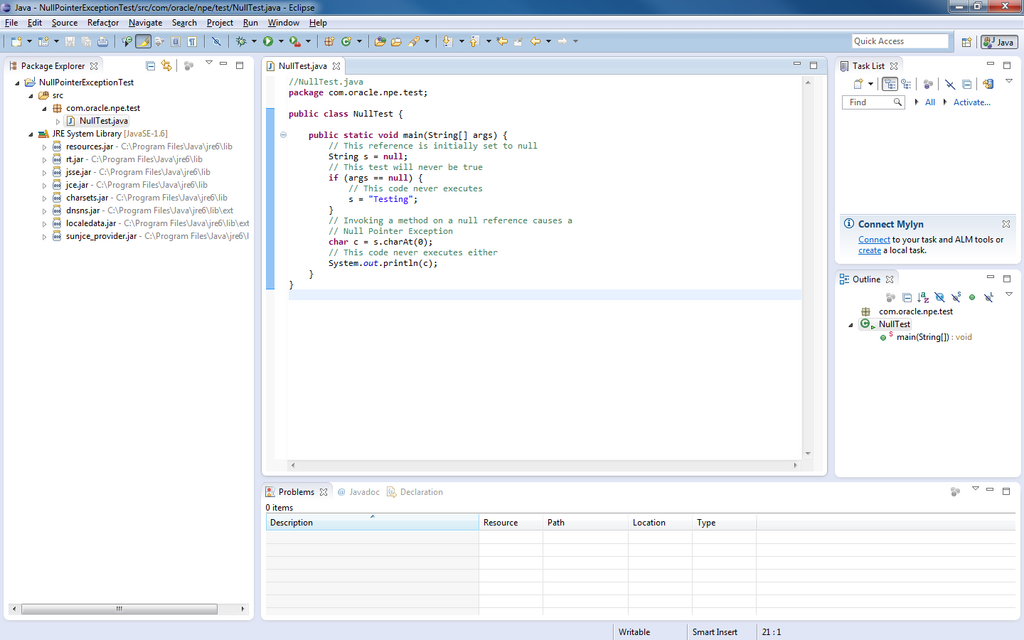
Two of the most popular IDEs for Java development are Eclipse and IntelliJ IDEA. Both are excellent choices for beginners and professionals alike.
What was the original name of the Java programming language?
What is the primary function of the Java Virtual Machine (JVM)?
Now that you understand the basics of what Java is and what you need to get started, you're ready to set up your own development environment.