Introduction to Python Programming
Python Basics
What is Python?
Python is a high-level programming language known for its clear, readable syntax. Created by Guido van Rossum and first released in 1991, its design philosophy emphasizes code readability. Think of it less like a cryptic machine code and more like a set of instructions written in a structured, English-like way.
Python is a versatile and beginner-friendly programming language that has become immensely popular for its readability and wide range of applications.
This simplicity doesn't mean it's not powerful. Python is used for a massive range of tasks. It powers websites and web applications, automates repetitive tasks, analyzes data, and is a dominant force in the fields of artificial intelligence and machine learning. From Instagram's backend to special effects at Industrial Light & Magic, Python is working behind the scenes.

Getting Set Up
Before you can write any code, you need to install Python on your computer. The official source for Python is the Python Software Foundation's website, python.org. You can download installers for Windows and macOS directly from there. Many Linux distributions come with Python pre-installed.
When you install Python, you'll also get a program called IDLE (Integrated Development and Learning Environment). This includes an interactive shell and a basic text editor for writing scripts.
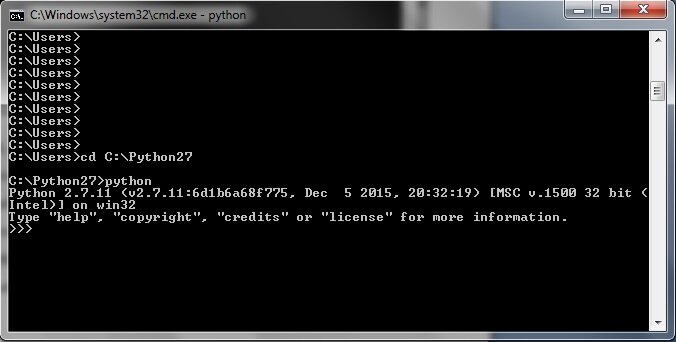
Once installed, you can open your computer's terminal or command prompt and type python (or python3 on some systems). This will start the Python interactive shell, also known as the REPL (Read-Eval-Print Loop). It's a great place to experiment with small snippets of code. You'll know you're in the shell when you see a >>> prompt.
print("Hello, world!")
Type the line above into the shell and press Enter. Python will immediately execute the command and display the output. This is the classic first step for any programmer.
Writing Your First Program
While the interactive shell is useful for quick tests, you'll write most of your programs in script files. A Python script is just a plain text file with a .py extension.
You can use any text editor to write a Python script, from simple ones like Notepad or TextEdit to more advanced code editors like VS Code, Atom, or PyCharm. Let's create a file named greeting.py and put the following code inside it:
# This is a comment. Python ignores it.
# We'll create a variable to hold a message.
message = "Hello from a Python script!"

# Now, we'll print the contents of the variable.
print(message)
Here, we've introduced two new concepts. The first is a comment, which starts with a #. Comments are notes for human readers and are ignored by Python. The second is a variable, message, which is a name we use to store a piece of data, in this case, a string of text.
To run this program, save the file. Then, open your terminal, navigate to the directory where you saved greeting.py, and run the following command:
python greeting.py
The computer will execute the script, and you'll see the message "Hello from a Python script!" printed to your console. You've just written and executed your first real Python program.
Time for a quick check on what we've learned.
What is the primary design philosophy of the Python programming language?
What is the standard file extension for a Python script?
That's your first step into the world of Python. You now know what it is, how to set it up, and how to write and run a simple program. From here, you can start exploring variables, data types, and logic to build more complex and useful applications.