Introduction to Python Programming
Python Basics
Getting Started with Python
Python is a popular programming language known for its clear, readable syntax. It's often recommended for beginners because it reads a bit like plain English, which makes it easier to pick up than many other languages. The first step is to get it running on your computer.
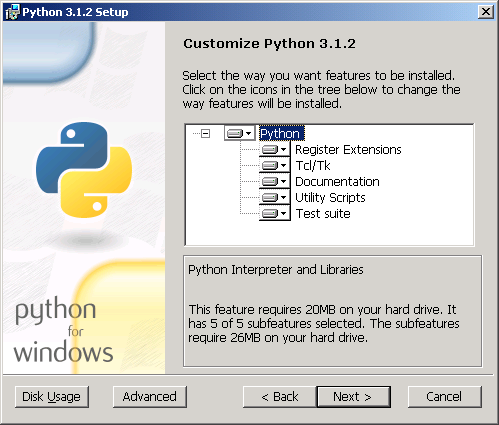
You can download Python for free from its official website, python.org. The site automatically suggests the best version for your operating system, whether it's Windows, macOS, or Linux. The installation process is straightforward; just run the installer and follow the on-screen instructions. A key tip for Windows users: make sure to check the box that says "Add Python to PATH" during installation. This will make it much easier to run Python from your command line.
Once installed, you'll have a program called IDLE (Integrated Development and Learning Environment). Think of IDLE as a simple notepad for writing and running Python code. It's perfect for when you're just starting out. When you open it, you'll see a window called the Python Shell, which lets you type and run commands one at a time. To write a full script, you can go to File > New File to open a separate text editor.
Writing Your First Code
It's a tradition in programming to make your first program display the message "Hello, World!". In Python, this is incredibly simple. It takes just one line of code.
print("Hello, World!")
This line uses a built-in function called print() to display whatever text is inside the parentheses and quotes. This is our first look at a fundamental concept: output, which is how a program shows information to the user.
Notice how clean that code is. There are no extra symbols or boilerplate words required. This simple, direct syntax is one of Python's biggest strengths.
Unlike many other programming languages, Python uses indentation, the spaces at the beginning of a line, to define blocks of code. While we haven't written code that needs it yet, it's a critical rule to remember. Consistent indentation is not just for style; it's a strict syntax requirement.
As your programs get more complex, you'll want to leave notes for yourself or other programmers to explain what your code does. These notes are called comments. Python ignores anything on a line that follows a hash symbol (#).
# This is a comment. Python will ignore this line.

# The line below displays a greeting.
print("Hello, again!") # You can also add comments at the end of a line.
The Building Blocks: Data Types
A program works by manipulating data. That data can be numbers, text, or simple logical values. Python categorizes this information into different data types. Let's look at the four most basic ones.
You can assign data to a variable, which is just a named placeholder for a value. For example,
age = 30creates a variable namedageand stores the number30in it.
integer
noun
A whole number, positive or negative, without any decimal points.
year = 2024
temperature = -5
float
noun
A number that contains a decimal point. The name comes from "floating-point number."
pi_approx = 3.14
price = 49.95
string
noun
A sequence of characters, such as letters, numbers, or symbols, enclosed in quotes.
You can use either single quotes (') or double quotes (") for strings. Just be consistent!
name = "Alice"
greeting = 'Welcome to Python!'
boolean
adjective
A value that can only be either True or False. Booleans are fundamental for logic and decision-making.
is_active = True
game_over = False
Here is a quick summary of these essential data types.
| Data Type | Description | Example |
|---|---|---|
| Integer | Whole numbers | 12, -3, 0 |
| Float | Decimal numbers | 3.14, -0.5 |
| String | Textual data | "Hello", 'Python' |
| Boolean | Logical true/false | True, False |
Interacting with the User
We've already seen how to show information to a user with print(). But what if you want to get information from the user? This is called input. Python has a built-in function for this, too.
# The text in the parentheses is the prompt shown to the user.
user_name = input("What is your name? ")

# Now we can use the variable that stored the user's input.
print("Hello, " + user_name + "!")
When you run this code, the program will pause and wait for you to type something and press Enter. Whatever you type is stored as a string in the user_name variable. The + symbol is used here to join strings together, a process called concatenation.
An important detail: the input() function always returns a string. If you ask for a number, you'll get the number back as text. We'll learn how to convert it to an integer or float later on.
Time for a quick check on these core concepts.
When installing Python on Windows, what is a crucial checkbox to select to make it easier to run Python from the command line?
Which line of code correctly prints the text "Hello, World!" to the screen in Python?
You've just taken your first steps into Python. You've set up your environment, written a program, and learned about the fundamental data types. These are the essential building blocks for everything that comes next.