Introduction to Python Programming
Python Basics
What is Python?
Python is a popular programming language used for everything from web development to data science and artificial intelligence. Think of it as a set of instructions a computer can understand. What makes Python special is its readability. Its syntax is clean and intuitive, which makes it one of the easiest languages for beginners to learn.
It was created in the late 1980s by Guido van Rossum, who wanted a language that emphasized code readability and simplicity. This design philosophy means you'll spend less time wrestling with complex syntax and more time building things.
A few key features make Python stand out:
- Interpreted: Python code is run line by line by an interpreter, which makes debugging easier. You don't need a separate compilation step like in languages such as C++ or Java.
- High-Level: It handles a lot of complex details for you, like memory management. This lets you focus on the logic of your application.
- Large Standard Library: Python comes with a vast collection of pre-written code, called modules, that you can use for tasks like working with dates, sending emails, or handling data.
Getting Set Up
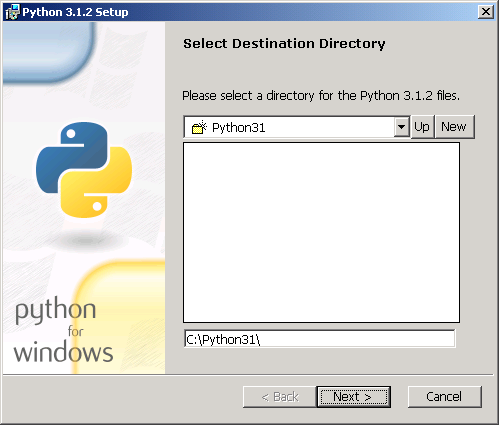
Before you can write Python code, you need to install it on your computer. You can download the official installer from the Python website, python.org. It's best to grab the latest stable version.
Once Python is installed, you need a place to write your code. You can use a simple text editor, but most programmers use a code editor or an Integrated Development Environment (IDE). These tools offer helpful features like syntax highlighting, which colors your code to make it easier to read, and code completion.
Python's installer includes a basic IDE called IDLE, which is great for starting out. As you advance, you might explore other popular options like Visual Studio Code or PyCharm.

Your First Program
It's a tradition in programming to start by making the computer say "Hello, World!". In Python, this is incredibly simple. All you need is the print() function, which tells the computer to display text to the screen.
Open your code editor or IDLE, create a new file, and type the following line of code. Save the file with a .py extension, for example, hello.py.
# This line of code will print a message to the console.
print("Hello, World!")
To run your program, you can use your editor's run command or open a terminal (like Command Prompt on Windows or Terminal on macOS/Linux), navigate to the directory where you saved your file, and type:
python hello.py
Press Enter, and you should see the output: Hello, World!. Congratulations, you've just written and run your first Python program.
Let's test what you've learned so far.
Who is the creator of the Python programming language?
What does it mean for Python to be an "interpreted" language?
That's the starting point. From here, you can begin to explore variables, data types, and all the other tools Python offers.