Introduction to Python Programming
Python Basics
What is Python?
Python is a programming language known for its clear, readable syntax. It was created in the late 1980s by Guido van Rossum, who wanted a language that was easy to learn and powerful enough for complex tasks. Think of it as a tool that lets you give instructions to a computer in a way that’s closer to English than many other languages.
Its design philosophy emphasizes code readability and simplicity. This makes it a popular first choice for beginners, but it's also used by major companies like Google, Netflix, and Instagram for everything from web development to data analysis and artificial intelligence.

One of Python's greatest strengths is its massive standard library, which is a collection of pre-written code you can use for common tasks like working with dates, sending emails, or fetching data from the internet. This saves you from having to write everything from scratch.
Getting Python Ready
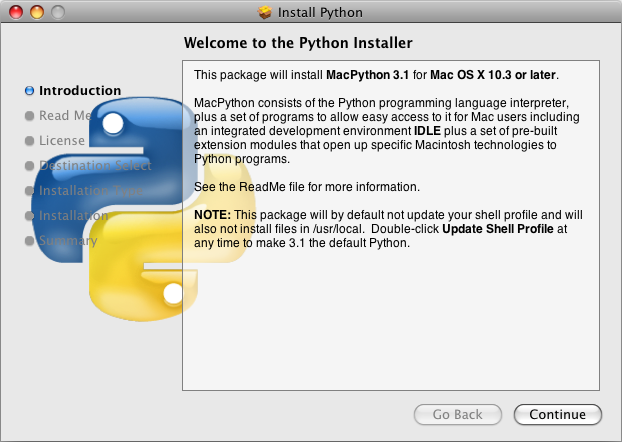
Before you can write Python code, you need to install it on your computer. The installation includes the Python interpreter, a program that reads your code line by line and executes the instructions.
The best place to get Python is from its official website, python.org. Download the latest stable version for your operating system (Windows, macOS, or Linux) and follow the installation instructions. On Windows, be sure to check the box that says "Add Python to PATH" during installation. This makes it easier to run Python from your command line.
Once installed, you'll have access to a simple code editor called IDLE (Integrated Development and Learning Environment). While IDLE is great for starting out, many developers use more advanced text editors or IDEs like Visual Studio Code, PyCharm, or Sublime Text. For now, IDLE is all you need.
Your First Program
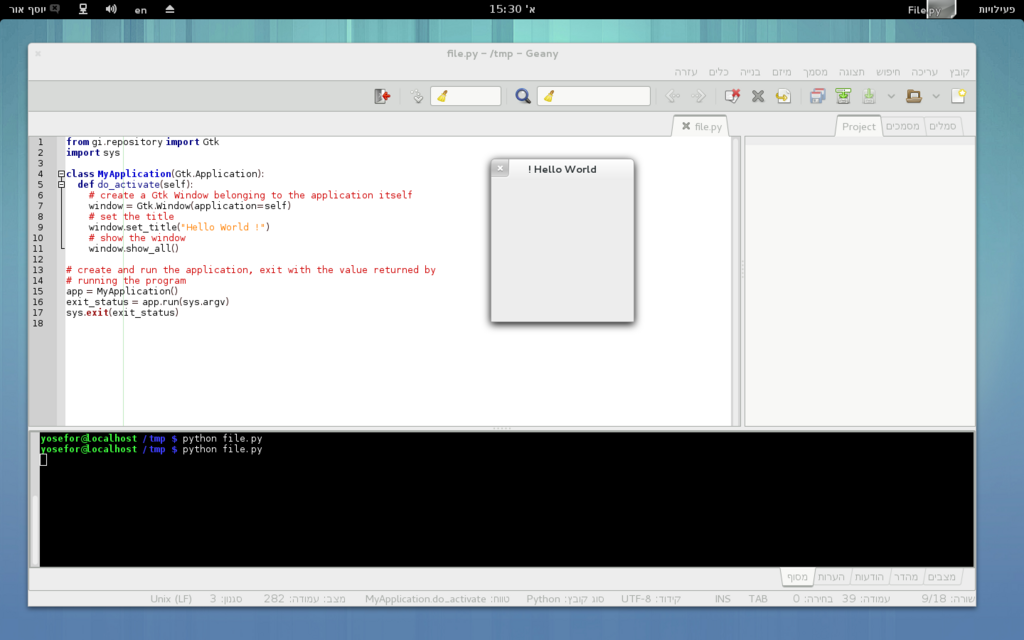
It's a tradition in programming to start by making the computer say "Hello, World!". This simple task confirms that your setup is working correctly. Open IDLE or your chosen editor and type the following line of code:
print("Hello, World!")
This line uses the print() function, which is a built-in Python command for displaying text on the screen. The text you want to display goes inside the parentheses, enclosed in double quotes.
Save the file with a .py extension, like hello.py. To run it, you can often just press a "run" button in your editor. Alternatively, you can open your computer's terminal or command prompt, navigate to the folder where you saved the file, and type python hello.py.
Whitespace and Words
Two final concepts are critical in Python: indentation and comments.
Indentation refers to the spaces at the beginning of a code line. In many languages, indentation is just for readability. In Python, it’s mandatory and has meaning. It’s how Python groups blocks of code together, such as the lines inside a loop or a function. You'll see this in action later, but for now, just know that consistent indentation (usually four spaces) is a rule.
# This is a comment. Python ignores it.
# Use comments to explain what your code does.

# The line below prints a message to the screen.
print("This line will run.")
Comments are notes for humans. The Python interpreter completely ignores any line that starts with a hash symbol (#). Good comments explain the why behind your code, not just the what. They make your code easier for you and others to understand later on.
Who is the creator of the Python programming language?
What is Python's standard library?
You've taken your first steps into the world of Python. You know what it is, how to set it up, and how to write and run a basic program. You've also learned two fundamental rules about syntax: the importance of indentation and the use of comments.