Introduction to Python Programming
Python Basics
Getting Python Ready
Before you can write Python code, you need to set up your environment. This just means installing the Python language on your computer. The best place to get it is the official website, python.org. You’ll find installers for Windows, macOS, and instructions for Linux.
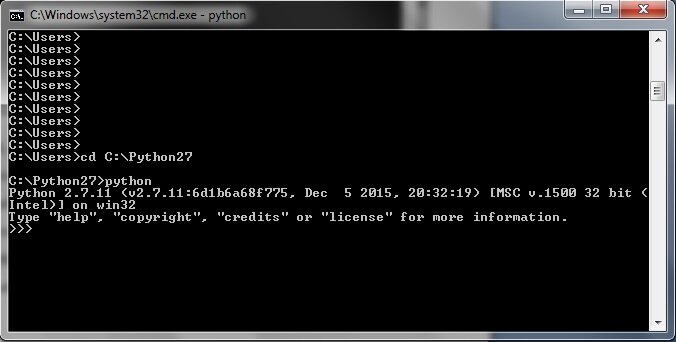
Once Python is installed, you can write code in any plain text editor. However, most developers use an Integrated Development Environment (IDE). An IDE is a special text editor that understands Python. It helps you by color-coding your text, catching errors, and making it easier to run your code.
Python comes with a simple, built-in IDE called IDLE, which is great for beginners. Other popular choices include VS Code, PyCharm, and Spyder.
Syntax and Spacing
Every language has rules, and programming languages are no different. These rules are called syntax. In Python, the syntax is designed to be clean and readable. One of its most important rules is about something you might not even think about: whitespace.
In Python, indentation isn't just for looks—it's part of the syntax. The spaces at the beginning of a line tell Python how to group code together.
You don't need to worry about this just yet, as it's most important for more complex code. For now, just remember to start your lines of code at the very beginning, with no spaces or tabs before them, unless instructed otherwise. Let's start with a classic first program: telling the computer to say hello.
print("Hello, World!")
This is an example of an output operation. The print() command is a built-in Python function that displays whatever you put inside the parentheses on the screen. The text inside the quotes is called a string, which is just a sequence of characters.
Variables and Data Types
Programming is all about working with information, or data. To keep track of this data, we use variables. A variable is like a labeled box where you can store a piece of information. You give it a name and assign it a value using the equals sign (=).
# Assigning the number 42 to a variable named 'answer'
answer = 42

# Assigning the text "Earth" to a variable named 'planet'
planet = "Earth"
Here, answer and planet are variable names. Once a value is stored in a variable, you can use the variable's name to access that value. For example, you can print it:
print(planet)
This code will display
Earthon the screen.
Variables can hold different kinds of data. These are called data types. Python automatically figures out the type of data you're storing. Let's look at a few basic types.
| Data Type | Description | Example |
|---|---|---|
int | Integer, a whole number. | 42, -100 |
float | Floating-point number, a number with a decimal. | 3.14, -0.5 |
str | String, a sequence of characters inside quotes. | "Hello", 'Python' |
bool | Boolean, which can only be True or False. | True, False |
Getting User Input
Besides showing information, your program can also ask the user for it. This is called an input operation. Python's input() function pauses the program and waits for the user to type something and press Enter.
# The text inside input() is the prompt shown to the user
user_name = input("What is your name? ")

# Greet the user by name
print("Hello, " + user_name)
When you run this code, it will first display What is your name? . After you type your name and press Enter, the program will store your entry in the user_name variable and then print a personalized greeting.
One important detail: the input() function always gives you back data as a string, even if the user types numbers. If you need to do math with a user's number, you'll have to convert it first. We'll explore that later.
Now, let's test your understanding of these basic concepts.
What is the official and recommended source for downloading the Python language installer?
What is the primary role of an Integrated Development Environment (IDE)?
You've just taken your first steps in Python. You've set up your environment, written code to display output, stored information in variables, and learned how to get input from a user. These are the fundamental building blocks for everything that comes next.