Introduction to Python Programming
Introduction to Python
What Is Python?
Think of a programming language as a set of instructions a human can give a computer. Just like we use English or Spanish to communicate with each other, we use programming languages to communicate with machines. Python is one of the most popular languages for this job.

It was created in the late 1980s by a programmer named Guido van Rossum. His goal was to make a language that was powerful but also easy to read and write. He succeeded. Python’s syntax is clean and looks a lot like plain English, which makes it a great choice for beginners.
Key features include:
- Readability: The code is designed to be uncluttered and easy to understand.
- Simplicity: You can often write programs in Python with fewer lines of code than in other languages.
- Versatility: It's a general-purpose language, meaning it isn't specialized for just one task.
What's It Used For?
Python’s versatility means you'll find it almost everywhere. From building websites to analyzing scientific data, it’s a tool that can handle a huge variety of problems. This flexibility is one of the main reasons for its popularity.
| Field | Example Application |
|---|---|
| Web Development | Building the backend of websites and apps (e.g., Instagram, Spotify). |
| Data Science | Analyzing large datasets, creating visualizations, and finding trends. |
| Machine Learning | Creating artificial intelligence models that can predict outcomes or recognize patterns. |
| Automation | Writing scripts to automate repetitive tasks, like sending emails or organizing files. |
Getting Set Up
To start writing Python, you need two things: the Python interpreter and a place to write your code.
-
The Interpreter: This is the program that reads your Python code and runs the instructions. You can download it for free from the official Python website, python.org. The site has installers and clear instructions for Windows, macOS, and Linux.
-
A Code Editor: You can write Python in a simple text editor, but most developers use an Integrated Development Environment (IDE) or a dedicated code editor. These programs offer helpful features like syntax highlighting (coloring your code to make it readable) and error checking.
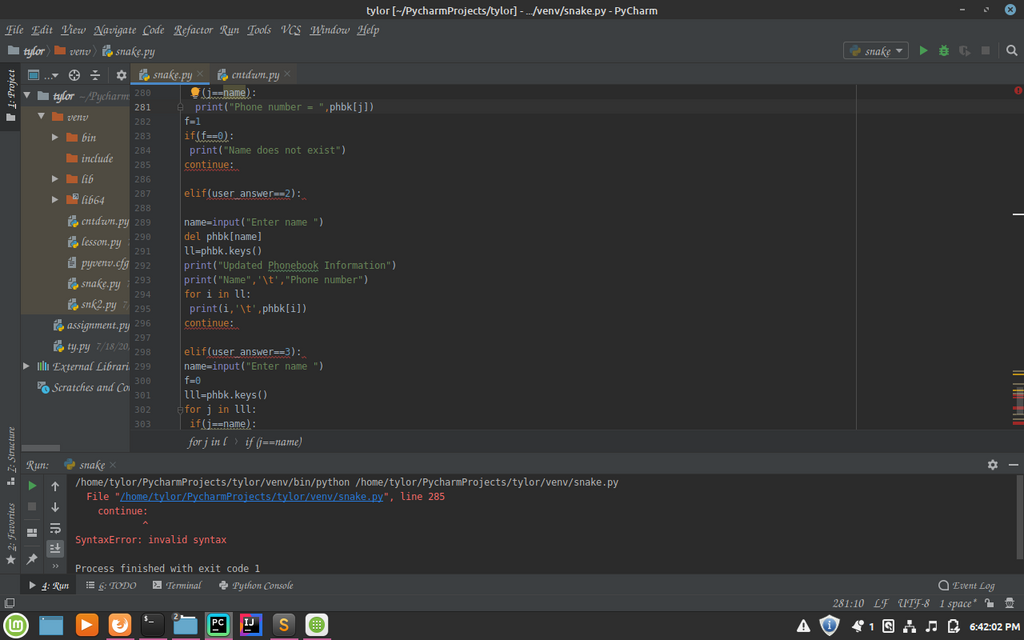
Popular choices include Visual Studio Code, PyCharm, and Sublime Text. For beginners, any of these will work just fine. Choose one, install it, and you're ready to go.
Your First Program
It's a tradition for a programmer's first program to simply display "Hello, World!" on the screen. In Python, this is incredibly simple. It takes just one line of code.
print("Hello, World!")
Let's break that down. print() is a built-in Python function that tells the computer to display text on the screen. The text you want to display goes inside the parentheses and is wrapped in quotation marks.
To run this program:
- Open your code editor.
- Type the line of code above.
- Save the file as
hello.py. The.pyextension is important; it tells the computer this is a Python file. - Open your computer's terminal or command prompt, navigate to the folder where you saved the file, and type
python hello.pythen press Enter.
You should see the text Hello, World! printed in the terminal.

Now let's review what we've learned.
Who is the creator of the Python programming language?
What is the primary role of the Python interpreter?
And that's it! You've successfully written and executed your first Python program. You now have a basic understanding of what Python is, what it's for, and how to get started.