Introduction to Python Programming
Python Basics
Getting Started with Python
Python is a popular programming language known for its clear, readable syntax. It's like writing in a simplified version of English, which makes it a great choice for beginners.
Before you can write code, you need a place to run it. You can install Python directly on your computer, but an even easier way to start is by using an online code editor. These websites let you write and run Python code directly in your browser, with no setup required. Find one you like, and you'll be ready for the next step.
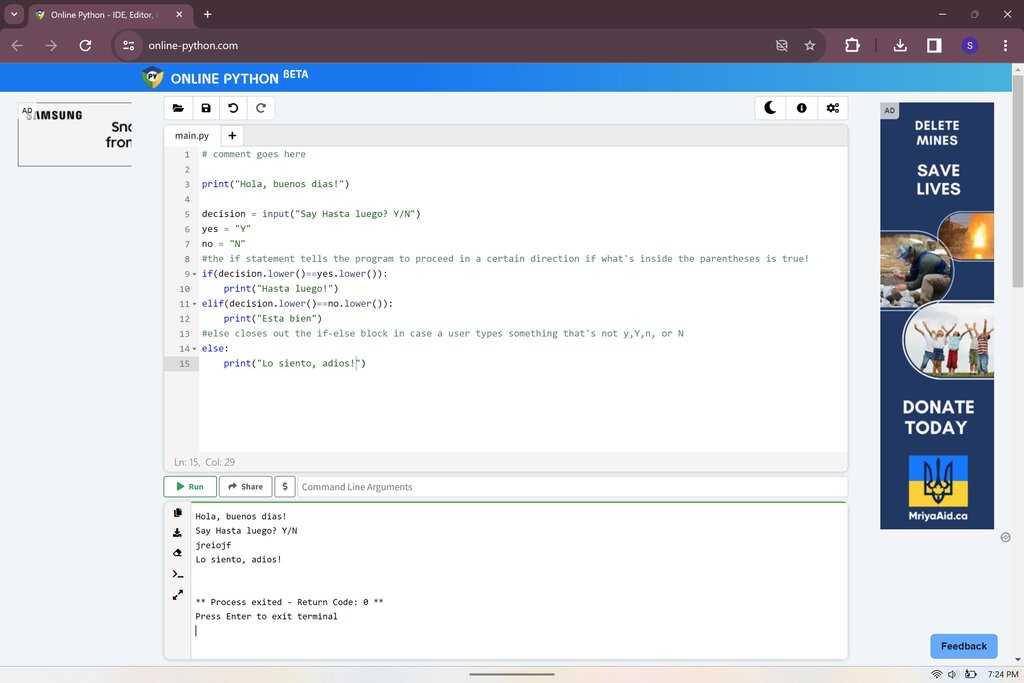
It's a tradition to make your first program in any new language display the text "Hello, World!". In Python, this is incredibly simple. You use the print() function, which tells the computer to show something on the screen.
print("Hello, World!")
When you run this code, the text Hello, World! will appear as the output. The print() function is your primary tool for showing text, numbers, or the values of variables to the user.
Syntax and Indentation
Every language has rules for grammar and punctuation, and programming languages are no different. These rules are called syntax. Python's syntax is designed to be uncluttered and easy to read.
One of Python's most famous features is its use of indentation. Where other languages might use parentheses or keywords to group code, Python uses whitespace. The amount of space at the beginning of a line of code is meaningful.
In Python, indentation isn't a suggestion. It's a rule.
For now, as we write simple, line-by-line scripts, you just need to ensure that your code starts at the very beginning of the line, with no leading spaces. As you learn about more complex structures, you'll see how indentation plays a crucial role in organizing your code.
Storing Information
To do anything useful, a program needs to remember information. We store information in variables. Think of a variable as a labeled box where you can keep a value. You can put data into the box, and you can see what's inside by using its label.
Creating a variable in Python is simple. You just pick a name, use the equals sign (=), and provide a value.
# This creates a variable named 'message' and stores text in it.
message = "Welcome to Python!"

# This creates a variable named 'year' and stores a number in it.
year = 2024
Notice the text starting with a # symbol. These are called comments. The Python interpreter ignores them, but they're very helpful for humans who are reading the code.
Common Data Types
Variables can hold different kinds of data. These are called data types. Python automatically figures out the type of data you're storing. The most common types you'll encounter at first are:
| Data Type | Description | Example |
|---|---|---|
str | String (text) | "Hello" or 'Python' |
int | Integer (whole number) | 10, -5, 2024 |
float | Floating-point (decimal) | 3.14, -0.5, 99.9 |
bool | Boolean (true or false) | True or False |
You can use the print() function to see the value inside a variable.
city = "Paris"
population = 2141000

print(city)
print(population)
This code will output: Paris 2141000
Interacting with the User
Besides just printing information out, your programs can also take information in. We use the input() function to get data from the user. When your code runs the input() function, it pauses and waits for the user to type something and press Enter.
Whatever the user types is then returned by the function as a string, which you can store in a variable.
# The text inside input() is the prompt shown to the user.
name = input("What is your name? ")

print("Hello, " + name + "!")
If you run this code, it will first ask for your name. If you type "Alex" and press Enter, the program will then print Hello, Alex!. The + symbol here is used to combine, or concatenate, strings together.
You've now covered the core building blocks of writing simple Python programs. Let's test your knowledge.
What is the primary purpose of the print() function in Python?
Which line of code correctly assigns the integer value 25 to a variable named age?