Introduction to Python Programming
Python Basics
What is Python?
Python is a high-level programming language known for its clear, readable syntax. Created in the late 1980s by Guido van Rossum, its design philosophy emphasizes code readability and a simple, less-cluttered syntax. This makes it a great language for beginners.
But it's not just for learning. Python is incredibly versatile. It's used for web development, data analysis, artificial intelligence, scientific computing, and automating everyday tasks. Major companies like Google, Netflix, and Instagram use Python extensively in their operations.

The language's guiding principles are summed up in a document called "The Zen of Python." It includes aphorisms like:
Beautiful is better than ugly. Explicit is better than implicit. Simple is better than complex.
These ideas highlight the importance of writing code that is not only functional but also easy for humans to read and understand.
Getting Your Environment Ready
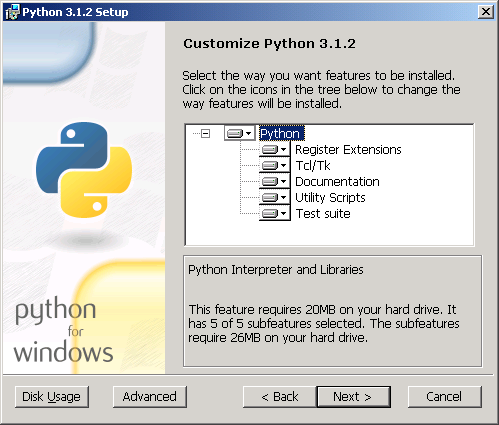
Before you can write Python code, you need to install it on your computer. You can download the latest version from the official website, python.org. It's important to install Python 3, which is the current and actively maintained version of the language.
The installation process is straightforward. The installer will guide you through the steps and also install a basic tool called IDLE (Integrated Development and Learning Environment), which includes a text editor and a Python shell to run code.
Writing Your First Program
It's a tradition in programming to start with a program that prints "Hello, World!" to the screen. In Python, this is remarkably simple. All you need is the print() function, which is a built-in command that displays text or other data.
To write your program, open any plain text editor (like Notepad on Windows or TextEdit on Mac) or the Python IDLE editor. Type the following line of code:
print("Hello, World!")
Save the file with a .py extension, for example, hello.py. To run it, open your computer's command line or terminal, navigate to the directory where you saved the file, and type python hello.py. The text "Hello, World!" will appear on your screen.

The Rules of Indentation
One of the most distinctive features of Python is how it uses indentation. While other languages often use curly braces {} or keywords to define blocks of code, Python uses whitespace. This isn't just a style suggestion; it's a strict rule of the language.
Code that is part of a specific block, like a loop or a conditional statement, must be indented. The standard convention is to use four spaces for each level of indentation.
In Python, how your code looks is part of how it works.
This rule enforces a clean and readable code style across all Python projects. For example, look at this simple if statement. The print() line is indented, which tells Python it is part of the if block and should only run when the condition is true.
# Correct Indentation
age = 20
if age >= 18:
    print("You are an adult.")
If you forget to indent, Python will raise an IndentationError and your program won't run. This might seem strict at first, but it quickly becomes second nature and makes code much easier to read.
# Incorrect Indentation (This will cause an error)
age = 20
if age >= 18:
print("You are an adult.")
Now that you have the basics down, you're ready to explore more of what Python has to offer.