Introduction to Python Programming
Python Basics
What Is Python?
Python is a popular, powerful programming language known for its simple, readable syntax. It was created in the late 1980s by Guido van Rossum, who wanted a language that was easy to read and write. He named it after the British comedy troupe Monty Python, which gives you a hint about its fun-loving community.

One of Python's biggest strengths is its versatility. It's used for web development, data science, artificial intelligence, automation, and more. Because it reads a bit like plain English, it's often recommended as a great first language for beginners to learn.
Python is an interpreted language. This means you can run your code line by line as soon as you write it, which makes testing and debugging much faster.
Getting Set Up
To start writing Python, you need a program called an interpreter. The interpreter reads your Python code and translates it into instructions the computer can understand. The official place to get it is from python.org.
The installation is straightforward and comes with a simple editor called IDLE (Integrated Development and Learning Environment). It's a great place to start writing your first lines of code.
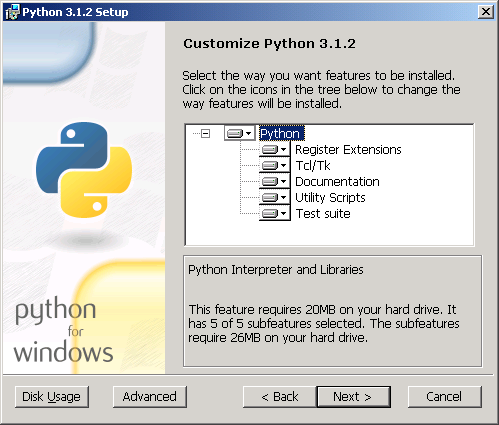
Once you have Python installed, you can open IDLE or a command prompt and type python. You'll know it's working when you see a prompt like >>>. This is the interactive shell, where you can type commands and see immediate results.
Syntax, Spaces, and Comments
Every language has rules, and Python is no different. Luckily, its rules are pretty simple. The most important one to remember is about indentation.
Unlike many other programming languages that use curly braces
{}to group code, Python uses whitespace. Indenting your code with spaces or tabs isn't just for looks; it tells the interpreter which lines of code belong together.
For example, look at this if statement. The indented line below it only runs if the condition is true. The standard is to use four spaces for each level of indentation.
age = 20

if age >= 18:
    print("You are old enough to vote.")  # This line is indented

print("This line will always run.")
You'll also want to leave notes for yourself and others in your code. These are called comments. The Python interpreter ignores them completely. In Python, any line that starts with a hash symbol # is a comment.
# This is a comment. It won't be executed.

# You can use comments to explain what your code does.
user_name = "Alice"  # Store the user's name in a variable.
Your First Conversation
Let's put these ideas together to write a simple program. We'll learn two of Python's most fundamental tools: one for displaying information and another for getting information from a user.
The print() function is used to display output to the screen. You put the text or variable you want to show inside the parentheses.
print("Hello, world!")
To get information from a user, we use the input() function. It shows the user a message, waits for them to type something, and then returns whatever they typed as a string of text. You can store that text in a variable to use later.
name = input("What is your name? ")
Now, let's combine print() and input() to create a simple, interactive program. It will ask for the user's name and then greet them.
# 1. Ask the user for their name and store it
name = input("What is your name? ")

# 2. Greet the user by name
print("Hello, " + name + "! Nice to meet you.")
Try running that code. It prompts you for input and then uses your own words to form a new sentence. You've just written a program that communicates with a user!
Time to check your understanding of these core concepts.
What is the primary role of the Python interpreter?
Which symbol is used to start a single-line comment in Python?
You now have the basic building blocks for writing Python. You know how to set up your environment, follow its syntax rules, and handle simple input and output.