Introduction to Python Programming
Python Basics
Getting Started with Python
Python is a programming language known for being readable and versatile. Before you can write any code, you need to make sure Python is installed on your computer. Many Mac and Linux systems come with it, but it’s always a good idea to install the latest version from the official website, python.org. This ensures you have all the newest features.
Once Python is installed, you need a place to write your code. You can use a simple text editor, but most programmers use an Integrated Development Environment (IDE). An IDE is software that combines a text editor with other helpful tools, like a way to run your code easily. Python comes with its own simple IDE called IDLE, which is perfect for beginners.
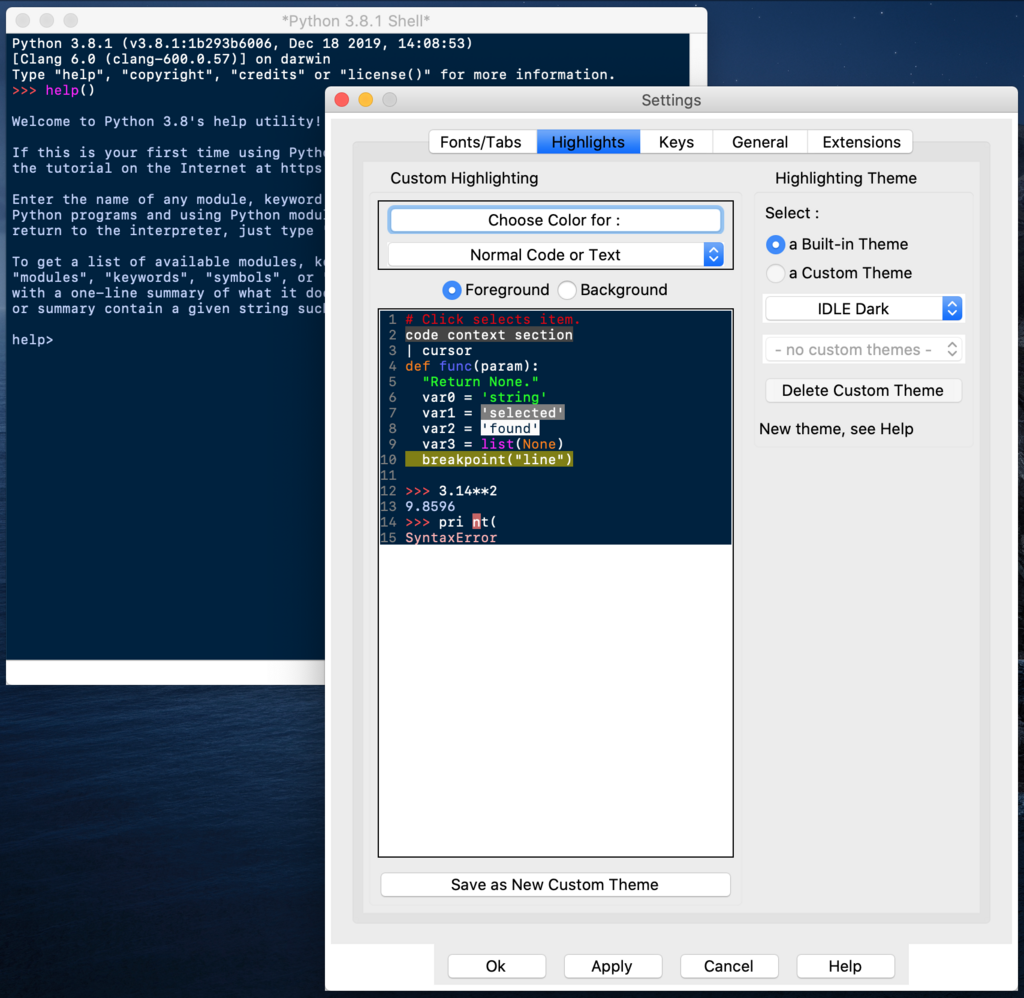
As you get more comfortable, you might explore other popular editors like VS Code or PyCharm, but for now, IDLE has everything you need.
Writing Your First Lines
It's a tradition in programming to start by making the computer say "Hello, World!". This simple task confirms that your setup is working correctly. In Python, it only takes one line of code.
print("Hello, World!")
Let's break that down. print() is a built-in Python command, or function, that displays output to the screen. Anything you put inside the parentheses will be printed. The text "Hello, World!" is called a string, which is just a sequence of characters surrounded by quotes.
One of the most important rules in Python is indentation. This refers to the spaces at the beginning of a line of code. Unlike many other languages that use brackets or keywords to group code, Python uses whitespace. For now, this just means you should not add extra spaces or tabs to the start of your lines unless it's required. We'll see why this is so critical later on.
In Python, indentation isn't for style—it's part of the syntax. Incorrect indentation will cause your code to fail.
Storing Information
Programs need to store and manage information. We do this using variables. Think of a variable as a labeled box where you can keep a piece of data. You give the box a name and put something inside it. You can create a variable and give it a value using the equals sign (=).
message = "This is a message stored in a variable."
print(message)
Here, message is the name of our variable. We've stored the string "This is a message stored in a variable." inside it. Then, we used print() to display the contents of the variable.
Every piece of data in Python has a type. The type tells Python what kind of data it is and what you can do with it.
| Data Type | Description | Example |
|---|---|---|
String (str) | A sequence of characters (text) | "Hello" |
Integer (int) | A whole number | 42 |
Float (float) | A number with a decimal point | 3.14 |
Boolean (bool) | Represents truth values | True or False |
Python automatically figures out the data type when you assign a value. For example, when you write age = 30, Python knows age is an integer. When you write price = 19.99, it knows price is a float.
Interacting with the User
Programming isn't just about displaying information; it's also about receiving it. You can get input from a user with the input() function. This function pauses your program and waits for the user to type something and press Enter.
name = input("What is your name? ")
print("Hello, " + name + "!")
When this code runs, it first prints What is your name? . Then, it waits. Whatever you type is stored in the name variable as a string. The second line uses the + symbol to combine, or concatenate, the string "Hello, " with the contents of the name variable and the string "!" into a single, new string, which is then printed.
One important detail: the input() function always returns a string. If you ask for a number, you'll get it back as text. If you want to use it as a number for calculations, you'll need to convert its type first.
# Get input from the user (always a string)
age_string = input("How old are you? ")

# Convert the string to an integer
age_integer = int(age_string)

# Now you can do math with it
age_in_ten_years = age_integer + 10
print("In ten years, you will be " + str(age_in_ten_years) + ".")
Notice we used int() to convert the string to an integer, and str() to convert the final number back into a string so we could concatenate it with the other text for printing. Mastering these basic input, output, and data handling operations is the first step to writing useful programs.
What is the name of the simple, built-in Integrated Development Environment (IDE) that comes with a standard Python installation, perfect for beginners?
In Python, what is the primary role of indentation (the spaces at the beginning of a code line)?